Technical Bulletin PAGE: 1/4
Please replace the following section of the Fax Option Type M2 field service manual with
the contents of this bulletin:
Installation > Remote Fax Installation > Installation Procedure
NOTE: (***) indicates the corrections/additions.
Installation Procedure
This unit allows a machine without the fax unit installed ("Client-side Machine") to send
and receive faxes via a machine with the fax unit installed ("Remote Machine").
Requirements:
Both the Client-side Machine and Remote Machine must have this unit, the Printer unit,
and Scanner unit installed.
Up to six machines can be registered as the Client-side Machines.
Machines that have the fax unit installed cannot be used as the Client-side Machine.
Only one machine can be registered as the Remote Machine.
Firmware for this unit: "aics".
Remote Fax transmissions are possible on a G3 line.
The remote fax function does not support User Code Authentication. Disable User
Code Authentication on the Remote machine.
Use this function to check the contents of a file that is stored in memory and not yet
sent. Also, use this function to cancel a transmission from the Client-side Machine.
1. Installing the application
NOTE:
Before starting the installation procedure, connect the network cable to the Remote
Machine and configure the network settings. (***)
On both the Remote Machine and the Client-side Machines:
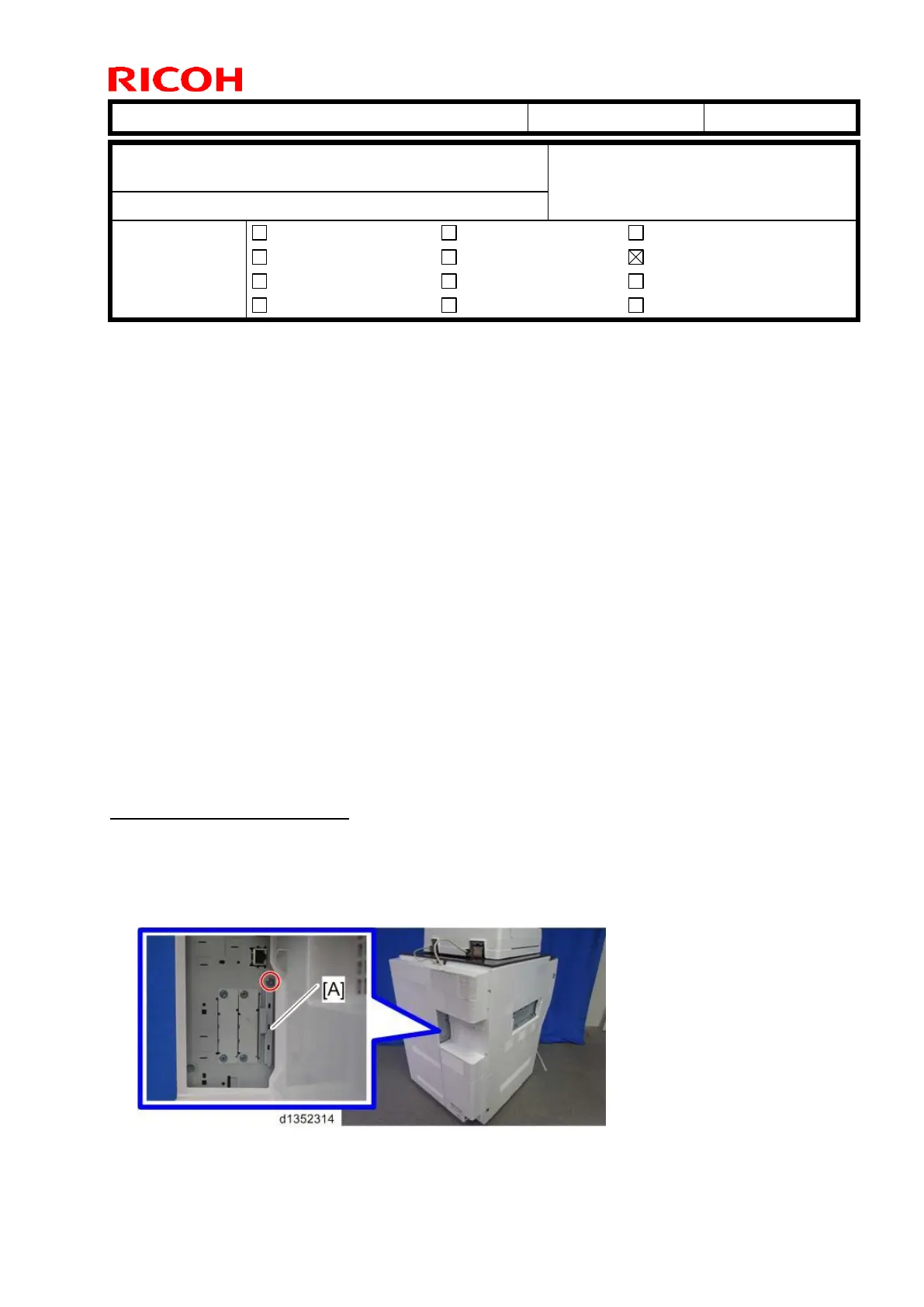
1. Remove the SD card slot cover [A] (1 screw).
Subject: Manual Correction: Remote Fax installation
procedure
From: PP Tech Service Dept., 1st PP Tech Service Sect.
Mechanical
Paper path
Product Safety
Electrical
Transmit/receive
Other ( )
Service manual revision
Retrofit information
Tier 2



 To Next Page