Technical Bulletin PAGE: 1/2
Note: The contents of this RTB are the same as RD137048 for Model Ch-C1 Pro.
Please add the following procedure to your field service manual in the section:
Installation > LCIT RT4030 (D710)
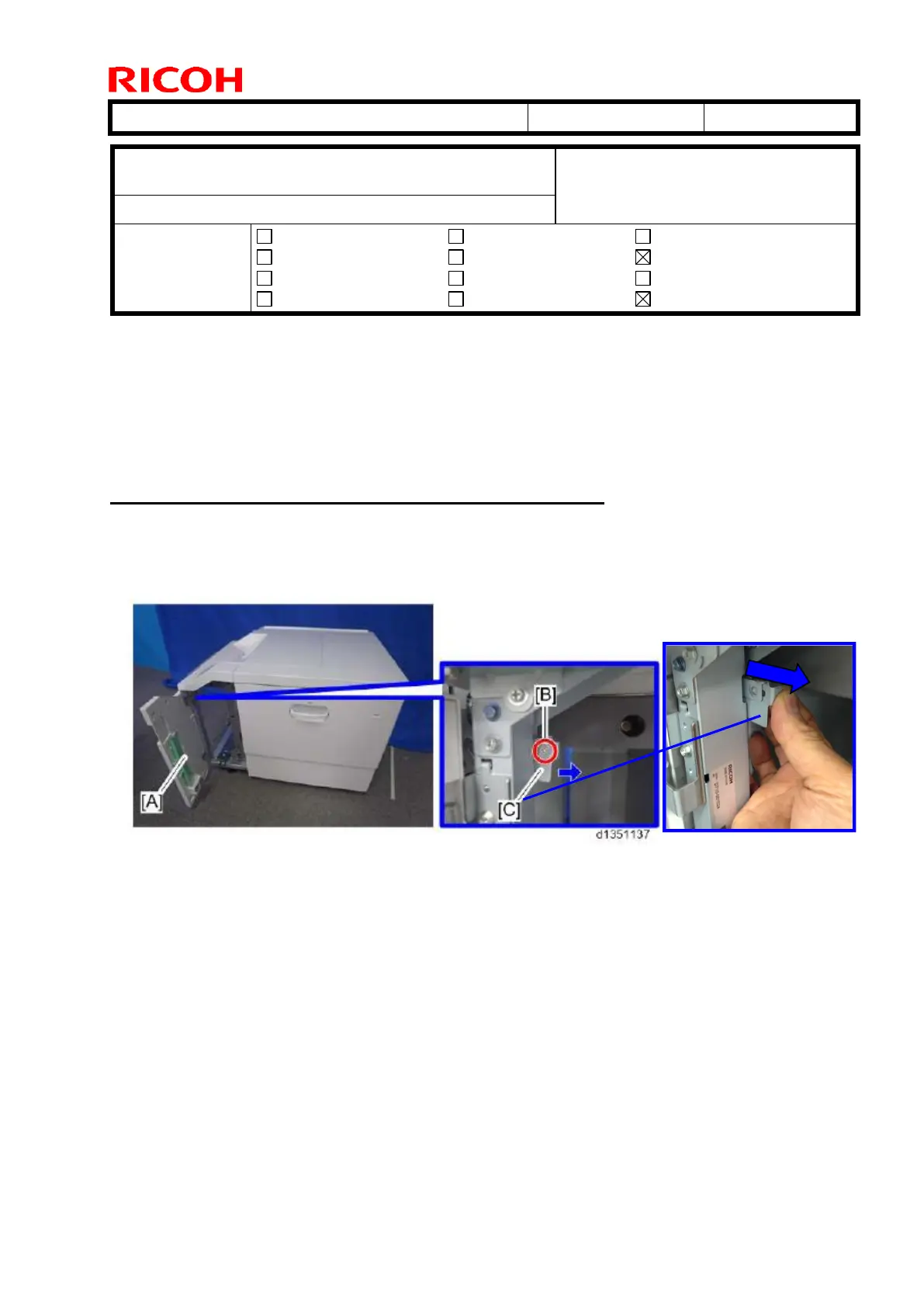
How to disconnect the LCIT from the main machine
1. Open the front cover [A]. Remove the screw [B] and pull the lock bracket [C] in the
direction indicated with the arrow.
Subject: Manual Correction: LCIT RT4030 Installation
Procedure
Prepared by: Hiroaki H Matsui
From: 1st PP Tech Service Sec., PP Tech Service Dept.
Mechanical
Paper path
Product Safety
Electrical
Transmit/receive
Other ( )
Service manual revision
Retrofit information
Tier 2



 To Next Page