Technical Bulletin PAGE: 1/5
Model: Model CH-C1 (Office/Pro)
Subject: Troubleshooting Roller marks
Prepared by: Ryuuta Chino
From: 1st Tech Service Sect. PP Tech Service Dept.
Mechanical
Paper path
Product Safety
Electrical
Transmit/receive
Other ( )
Service manual revision
Retrofit information
Tier 2
SYMPTOM
Roller marks appear on the printouts when any of the following conditions are met:
Coated paper
Solid image
High-temp / high-humidity environment (27°C, 80% or higher)
CAUSE
Nip of the drive and idle rollers in the paper path after the fusing unit
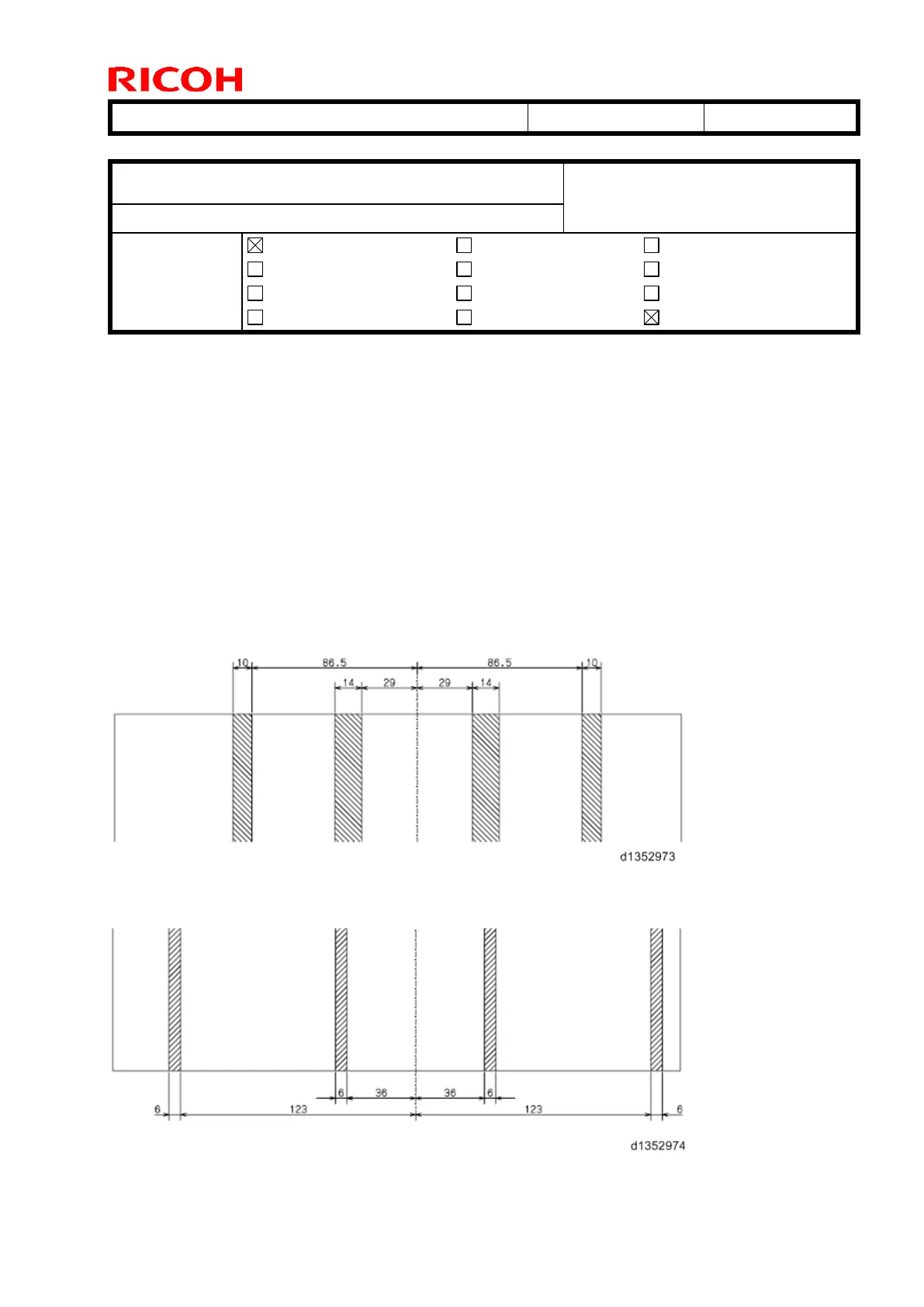
Diagram showing the location of the roller marks caused by the Paper exit relay roller,
Inverter feed-in roller, Inverter exit roller, Inverter feed-out roller:
Diagram showing the location of the roller marks caused by the Paper exit roller:



 To Next Page