Technical Bulletin PAGE: 1/2
Model: Model CH-C1 (Office/Pro)
Subject: Troubleshooting for Stains in the area 76mm from the
trailing edge
Prepared by: Ryuuta Chino
From: 1st Tech Service Sect. PP Tech Service Dept.
Mechanical
Paper path
Product Safety
Electrical
Transmit/receive
Other ( )
Service manual revision
Retrofit information
Tier 2
Symptom
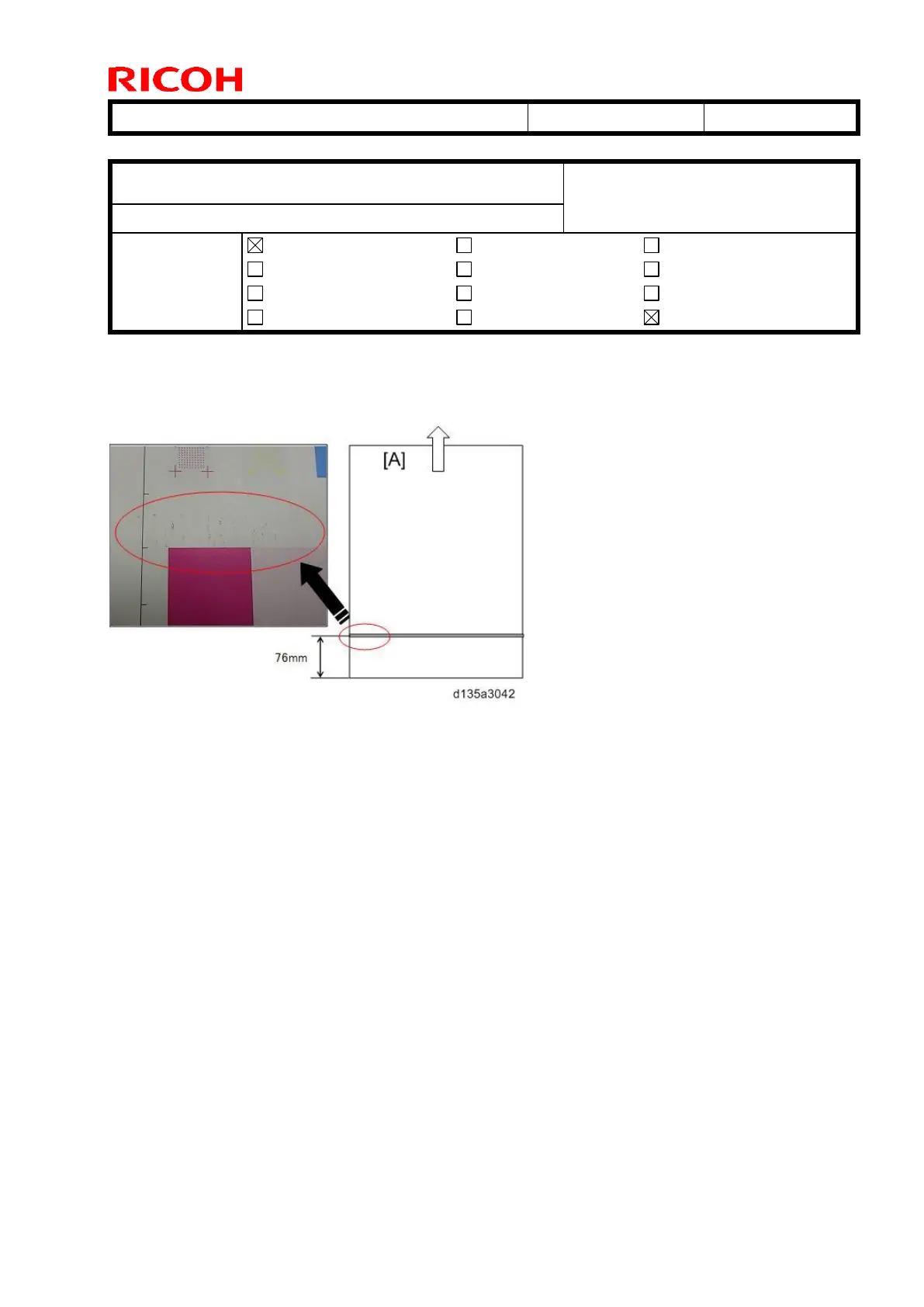
Stains in the shape of horizontal streaks appear in the area 76mm from the trailing edge
when printing high-coverage images onto coated paper.
[A]: Feed direction
Cause
Fused toner passes through the heat pipe rollers, and sticks to the surfaces of the rollers.
When the heat pipe roller slips, it chips off toner that has been fused to the paper. The
offset toner may get on the paper again, depending on the paper type and the image being
printed.
Solution
Clean the heat pipe unit.
See Procedure below.



 To Next Page