Technical Bulletin PAGE: 2/4
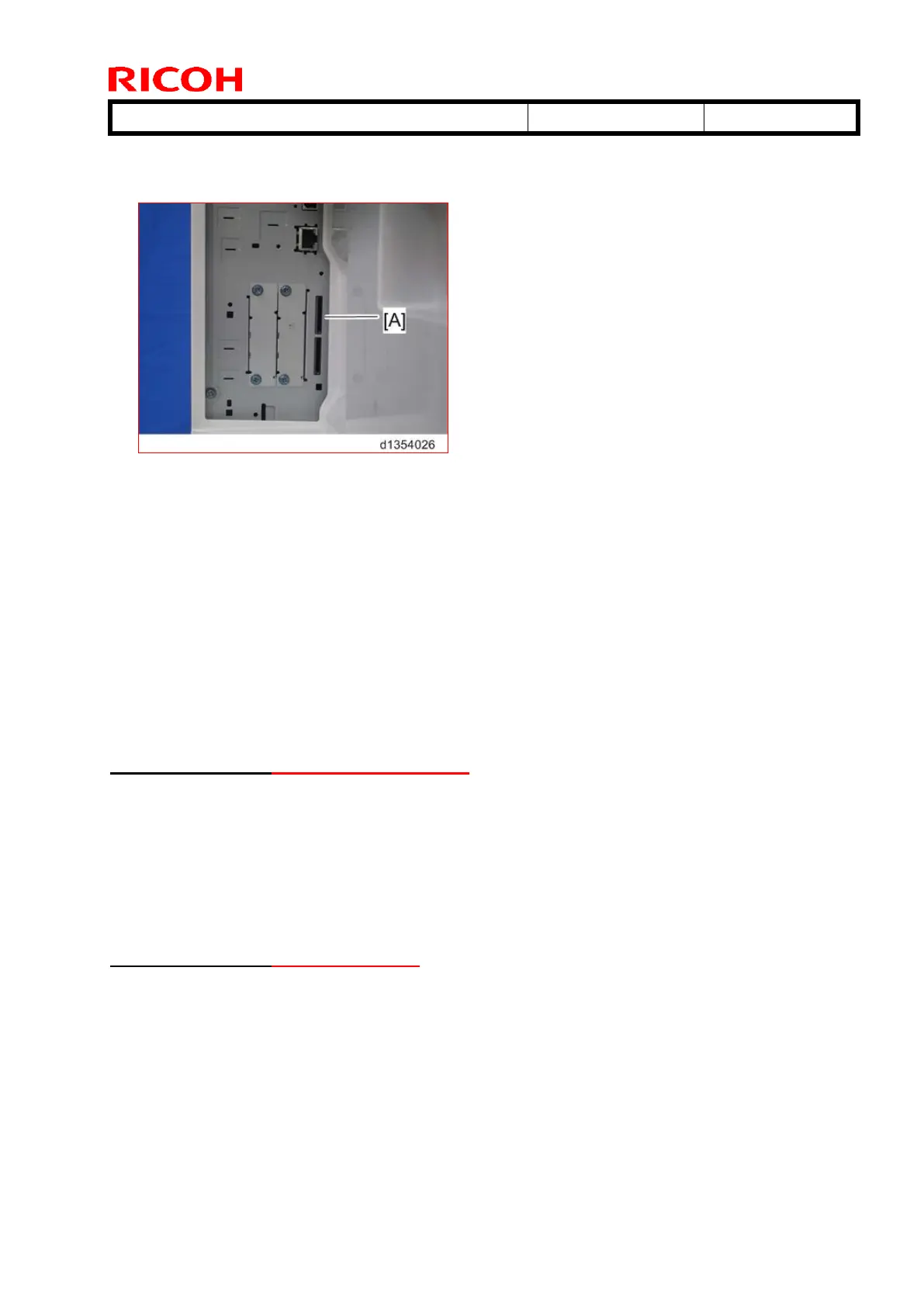
2. With the label facing the front of the machine, insert the SD card containing the Fax
Connection Unit application program into SD card slot 1 (upper) [A] (***). Push it in until
you hear it click and lock in place.
NOTE:
If another SD card is already inserted into SD card slot 1 (upper), insert the SD card
containing the Fax Connection Unit Type B application program into SD card slot 2
(lower) and follow steps 3 through 6 to merge the contents of the two SD cards. If SD
card merge is not required, skip steps 3 through 6 and proceed to step 7. (***)
3. Plug in, and then turn on the machine.
4. Copy the Fax Connection Unit Type B application program from the SD card in SD slot
2 (lower) to the SD card in SD slot 1 (upper) with SP5-873-001.
5. Turn off the machine.
6. Remove the SD card from SD slot 2 (lower), and then keep it in the predefined place
(see “SD Card Appli Move” in the manual for the main frame). (***)
7. Attach the SD-card slot cover, and then turn on the machine (1 screw).
8. Confirm the machine recognizes the option.
2. Registering the Client-side Machine(s) (***)
NOTE:
Maximum of six Client-side Machines can be registered.
On the Remote Machine:
1. Press the [User Tools/Counter] key on the operation panel
2. Press [Administrator Tools].
3. Press [Program / Change / Delete Remote Machine].
4. Enter the IP address or host name of the Client-side Machines and press [Set].
3. Registering the Remote Machine (***)
NOTE:
Only one machine can be registered as Remote Machine.
On the Client-side Machine(s):
1. Press the [User Tools/Counter] key on the operation panel
2. Press [Administrator Tools].
3. Press [Program / Change / Delete Remote Machine].
4. Enter the IP address or host name of the Remote Machine and press [Set].
5. Press [Exit] to exit from the set-up procedure.



 To Next Page