Technical Bulletin PAGE: 8/8
No.6 Horizontal white streaks in small solid black areas
Symptom
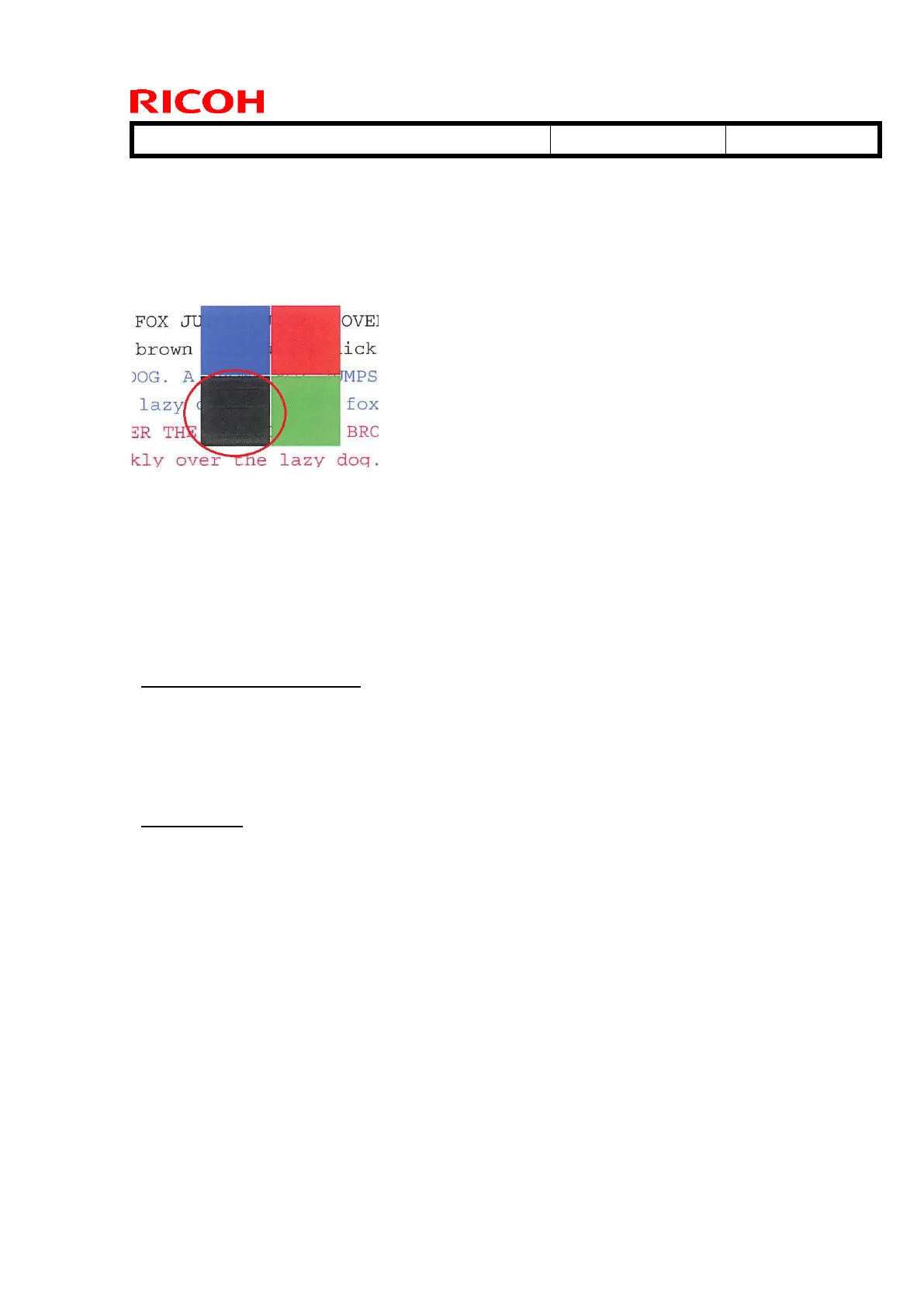
White streaks may appear in the feed direction on small solid black areas
(smaller than 3cm x 3cm). (See the example below in the red circle)
Cause
A detailed description will be added when this RTB is revised.
Action
1. Print black in FC mode.
PS driver and PCL driver
- Select “Print Quality” from Detailed Settings.
- Select “User Setting” as Settings for Images.
- Select “CMY+K” or “Black by K (Black) – Text Only” for PS driver, and
“CMY+K” for PCL driver as Gray Reproduction.
Fiery driver
- Select “Job Properties” of the affected image.
- Select “Expert setting” from “Color” tab.
- Select “Gray/Black Processing” Tab.
- Specify “Normal” for Black text and graphics in order to print in CMYK mode.
2. Increase the image transfer current. (+5 ~ 10μA from the default) with the
following SP mode
SP: 2-451-001: ITB K: Standard: FC
SP: 2-451-002: ITB K: Standard: BW
Note
Transfer capability and image density may get worse.
A residual image may appear in black halftone areas.



 To Next Page