Technical Bulletin PAGE: 3/3
Model: Model CH-C1 (Office/Pro)
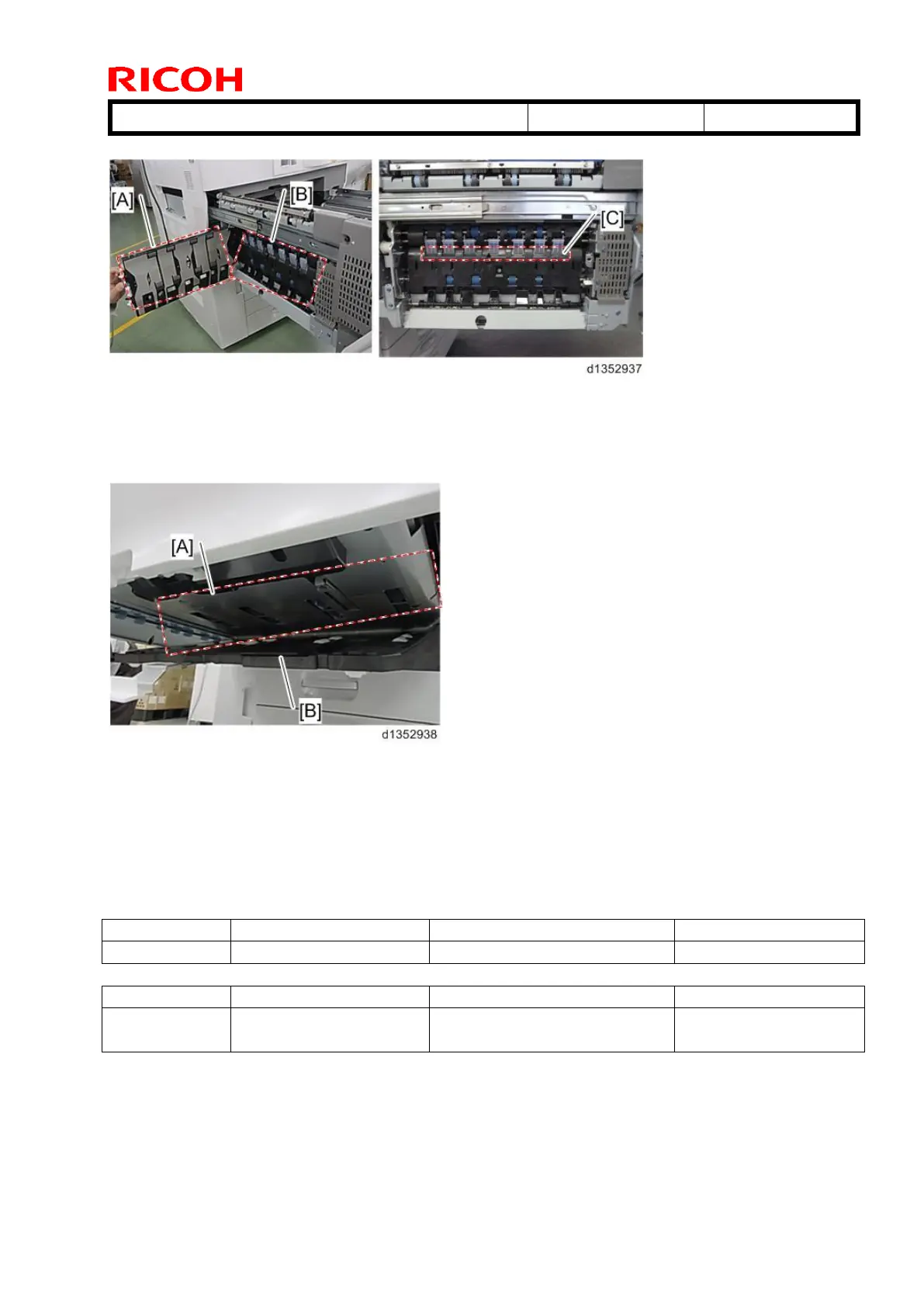
(3) Lower left part of the Paper Exit transport path
[A]: Paper Exit Lower Left Guide Plate (Clean this point thoroughly.)
[B]: Paper Exit Lower Right Guide Plate
[C]: Junction Gate Ends
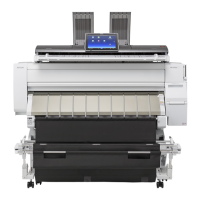
(4) Duplex unit
[A]: Duplex Transport guide plate (Upper) (Clean the turning point on the right thoroughly.)
[B]: Duplex Transport guide plate (Lower)
Action (detail 3): Lower the fusing temperature.
Enter SP mode and lower the fusing temperature with SP1-984. (Guideline: Lower it 10° C
at a time.)
Note:
There is a risk of decreasing the fusing ability. Be sure to check the printed results.
Fusing Heat Roller
Temperature Adjustment



 To Next Page