Technical Bulletin PAGE: 4/5
Model: Model CH-C1 (Office/Pro)
Inverter Feed-in
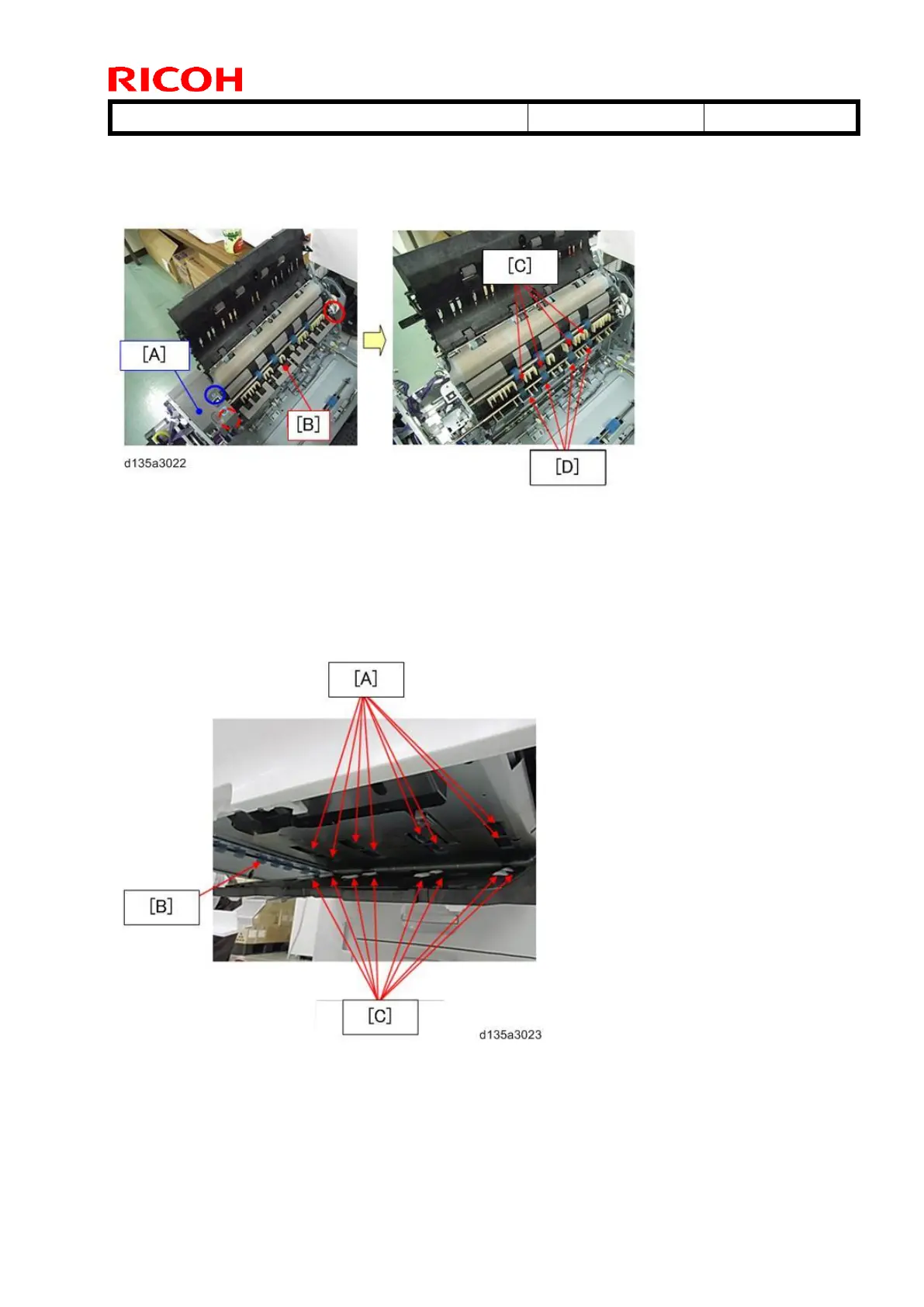
Remove the fusing unit. Remove the screw (circled in blue) to remove the inner cover.
Remove the 2 E-rings (circled in red) to remove the junction gate.
[A]: Inner cover
[B]: Junction gate
[C]: Sponge rollers (Inverter feed-in)
[D]: Rubber rollers (Inverter feed-in)
Duplex Unit
To clean the rollers inside the Duplex unit, cover the cloth over a long object, for example,
a ruler, so that you can reach the parts inside the duplex unit that need cleaning.
[A]: Rubber rollers x 8
[B]: Rubber rollers x 7
[C]: Idle rollers x 8



 To Next Page