Technical Bulletin PAGE: 4/8
Reissued:19-May-14
Procedure of how to use the Log-storing function:
Preparation: Ensure that the SD card is formatted using SD Formatter from Panasonic
before copying the logs:
https://www.sdcard.org/downloads/formatter_3/ (free software)
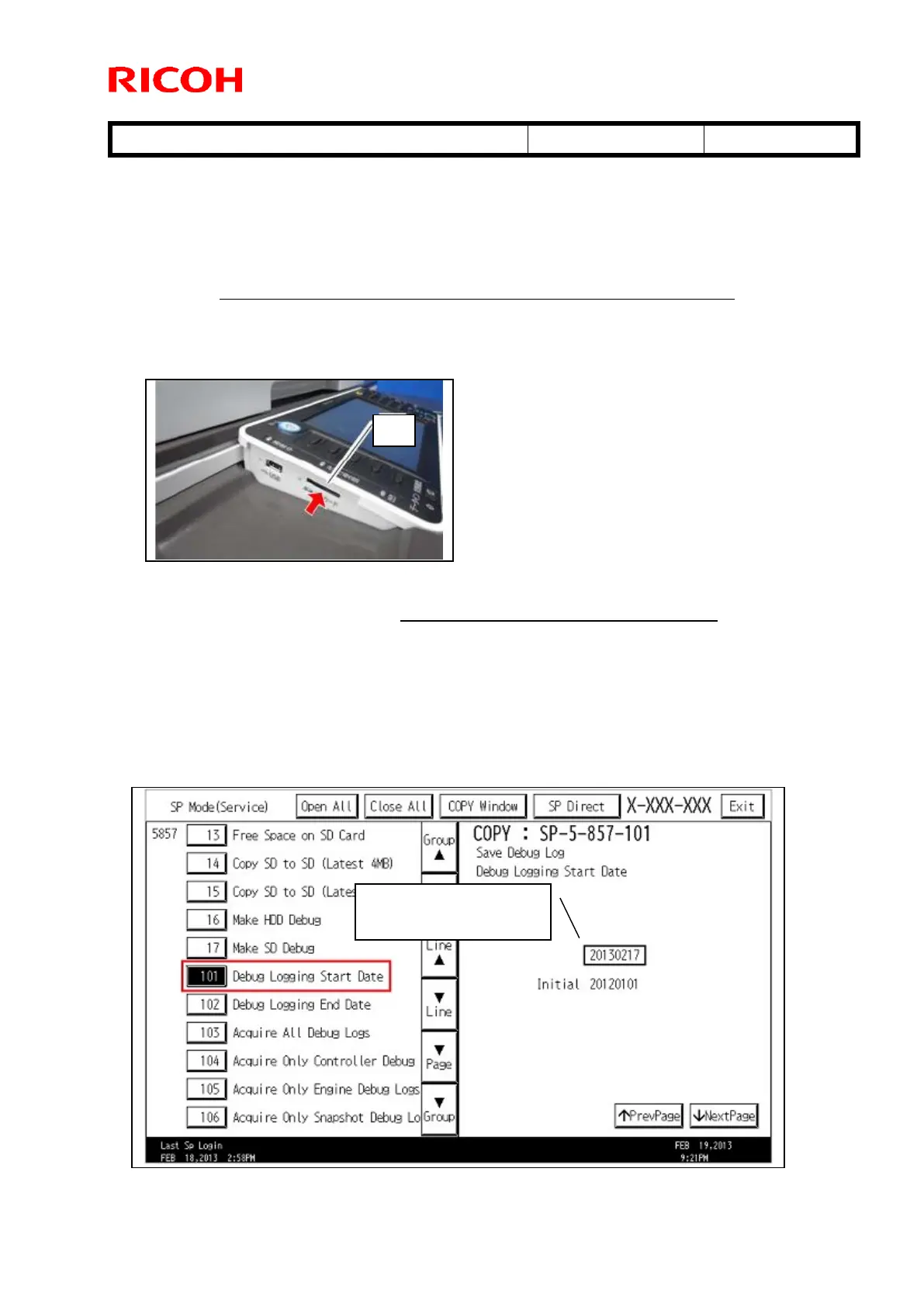
1) Insert an SD card into the slot [A].
IMPORTANT:
It is recommended to use the SD card provided as a service part. This is because
the log data can be acquired much faster than when using commercially
available SD cards.
2) Enter into the SP mode.
3) With SP5-857-101, specify a start date that is two days before the problem occurred,
using YYYY/MM/DD calendar format.
This means “February
17, 2013



 To Next Page