Analog quantity buffer
(4x)
The frequency value
buffer of threshold
trigger
(4x)
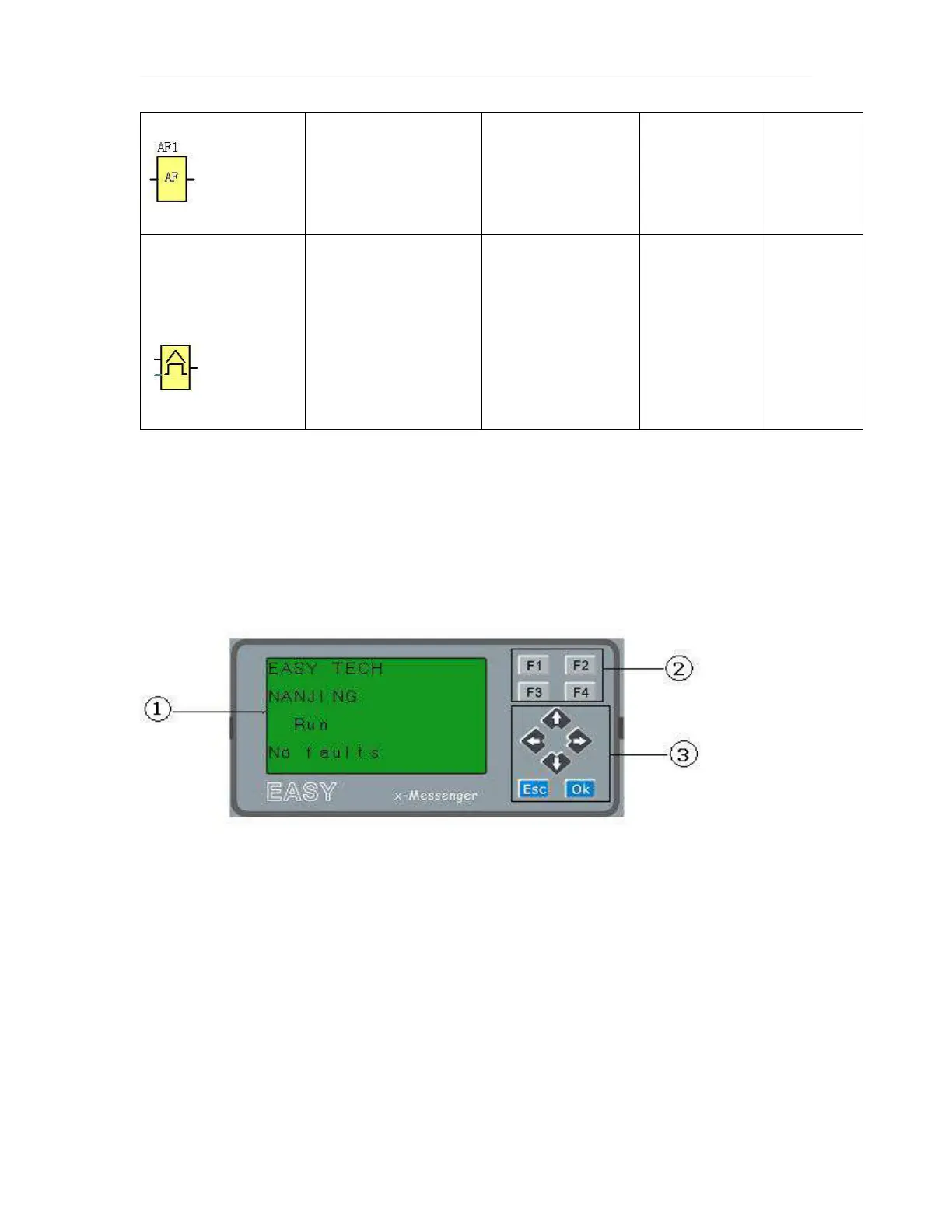
3.3.7 LCD panel instruction
1. Display area: 4x16 characters can be displayed
2. 4 X Function key: operate the program by pressing down these key
3. 6x Panel key: you can modify the parameters, programming, view alarming message.
What this operate panel can do for you?
1. Display the RUN/STOP status of the CPU
2. Display the GSM signal strength
3. Display or modify the Clock.
4. Display the IO status of CPU& extensions
5. Display all kinds registers value(AI/AO, Parameters of blocks etc)
6. Display multiple alarming messages
7. Modify the parameters of blocks



 To Next Page