5.2 General
The x-Messenger is configured and prepared for use with the “eSmsConfig.exe” configuration software. The
x-Messenger configuration (telephone book creation, message definitions, default settings, etc.) can be done
on a PC and saved in a respective file without connection to the device. In order to do this, the software is
started, a new or existing file opened and edited. The saved file needs to be downloaded to the x-Messenger
with the programming cable. In offline mode, the diagnostic functions are not active and can only be accessed
once the x-Messenger is connected to the PC via RS232, USB or Ethernet interface.
Two modes available in eSmsConfig.exe: A. Standard mode B. Customized mode
Who will use the standard mode?
Users who are not familiar with PLC programming, and furthermore merely simple control or no multiple logic
would be required for their applications.
Who will use the customized mode?
Users who are familiar with the logic boxes of Boolean algebra, and moreover complex control,
logic, timer, counter, analog math etc would be needed for their systems.
Chapter 6 shall introduces the standard mode and for customized mode in detail, please refer to the
chapter7.
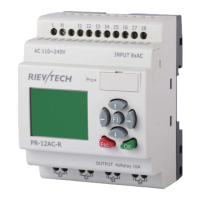
Fig 6.1 standard mode


 To Next Page