6.5.27 System cover
This block cannot directly be found in the block list ,however, it is set as default by system of x-Messenger,
hence system cover can be available if you follow the below procedures : use your mouse to left-click “Tools”
menu->select “Edit Cover HMI” by left-click in eSmsConfig .
Short description
Display the status (Run or Stop) of x-Messenger when power-on or simulation by soft.
Particular characteristics to be noted when configuring
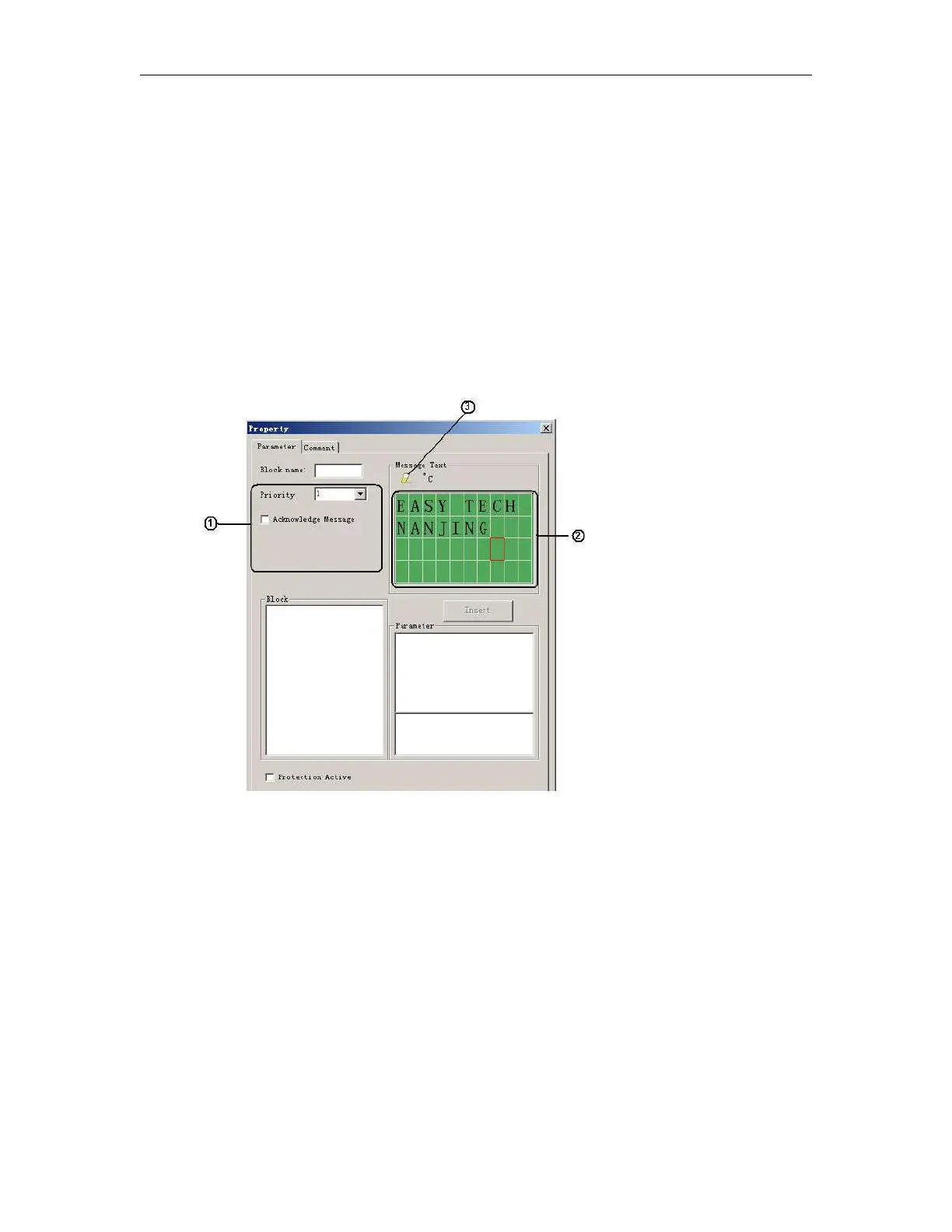
1."General" area
Here you will find the following settings:
A. Priority of the system cover
B. Check box for message text acknowledgment
2. "Messages" area
Users can edit the messages in the first and second line, the third line displays the state RUN or STOP, and the
messages saying whether your program has mistakes or not will be shown in the fourth line.
3. "Delete" button
The button is used for deleting the “Messages” in the first and second line.



 To Next Page