3.3.1.2 E-mail and how to set?
This chapter is only available under the customized programming mode!
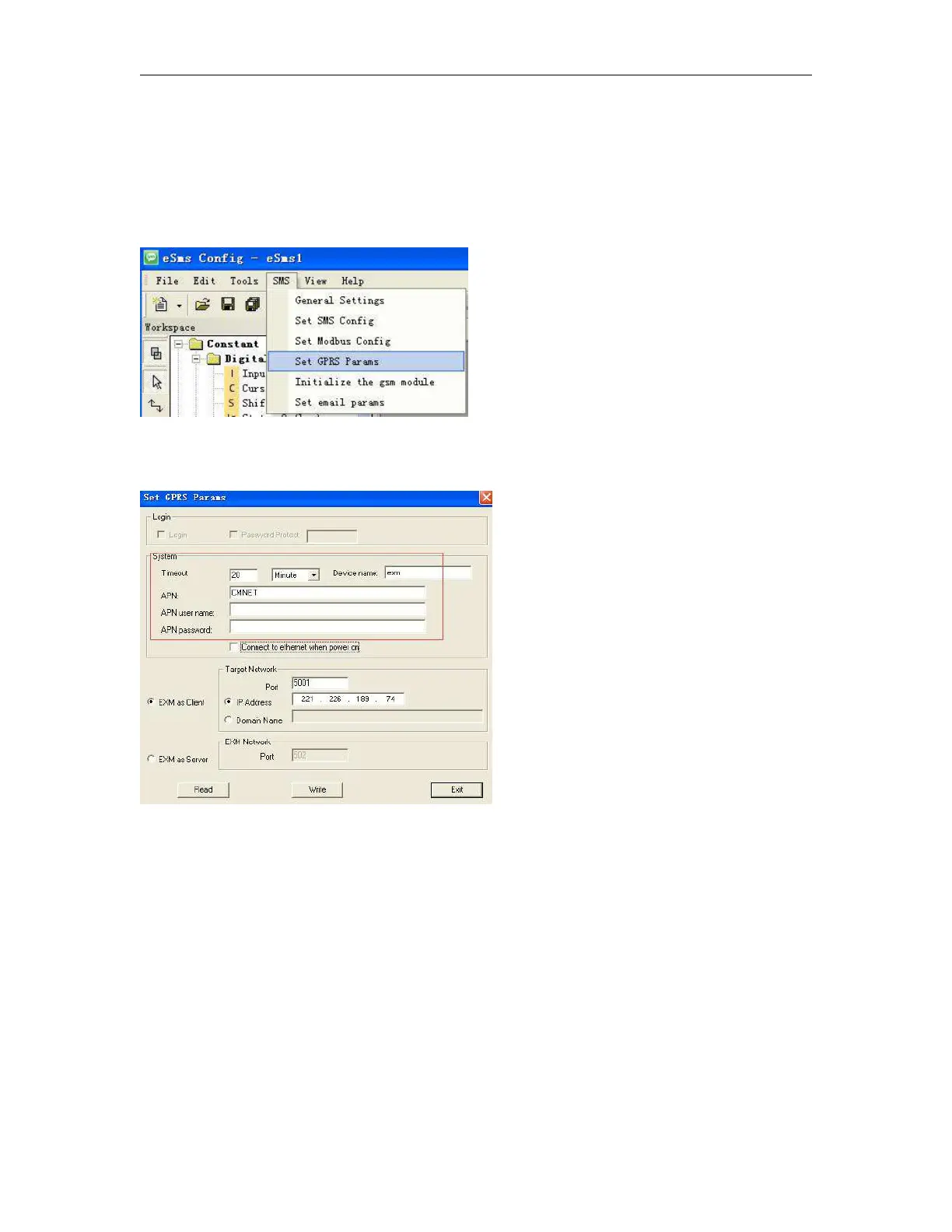
Step A: Enable the GPRS function via the menu SMS->Set GPRS param.(The communication port must be
opened, and then this step would be available.)
Configure the APN(Access Point Name) based on your SIM card and then click "Write" to download the
configuration into x-Messenger.
When you want to send email out, the option “Connect to ethernet when power on” option is not important,
you can let it without ticked up.
Step B: Set up your email parameters
Click menu SMS->Set email params



 To Next Page