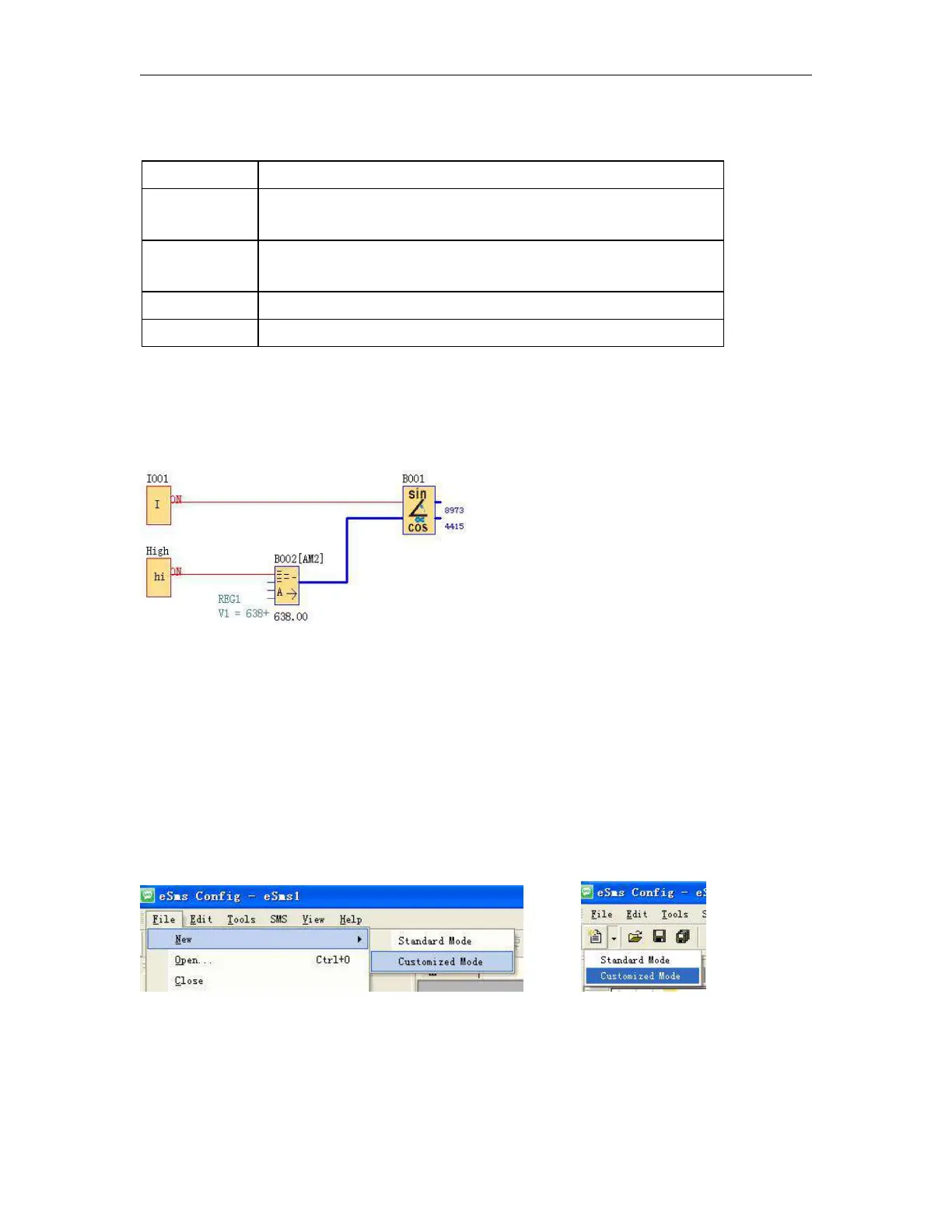
This function is used to calculate the cos and sin of an angle between 0° and 90°.
Function validation input. Until this input is activated, the function remains
inert. Validation is active implicitly if it has not been connected.
Represents the angle in degrees. Its value must be between 0 and 900 for
an angle between 0° and 90°.
Result of ("Angle" sin) x 10000
Result of ("Angle" cos) x 10000
Performance:
The function calculates the cos and the sin to the nearest 0.0001 by rounding up or down as appropriate.
Sin (63°8) = 0.8973 and Cos (63°8) = 0.4415
6.6 Enter into “Customized mode”
Click File->New->Customized Mode
or
You now see the complete user interface of eSmsConfig.exe under customized mode. The programming
interface for creating your circuit programs occupies the greater part of the screen. The icons and logical links
of the circuit program are arranged on this programming interface.



 To Next Page