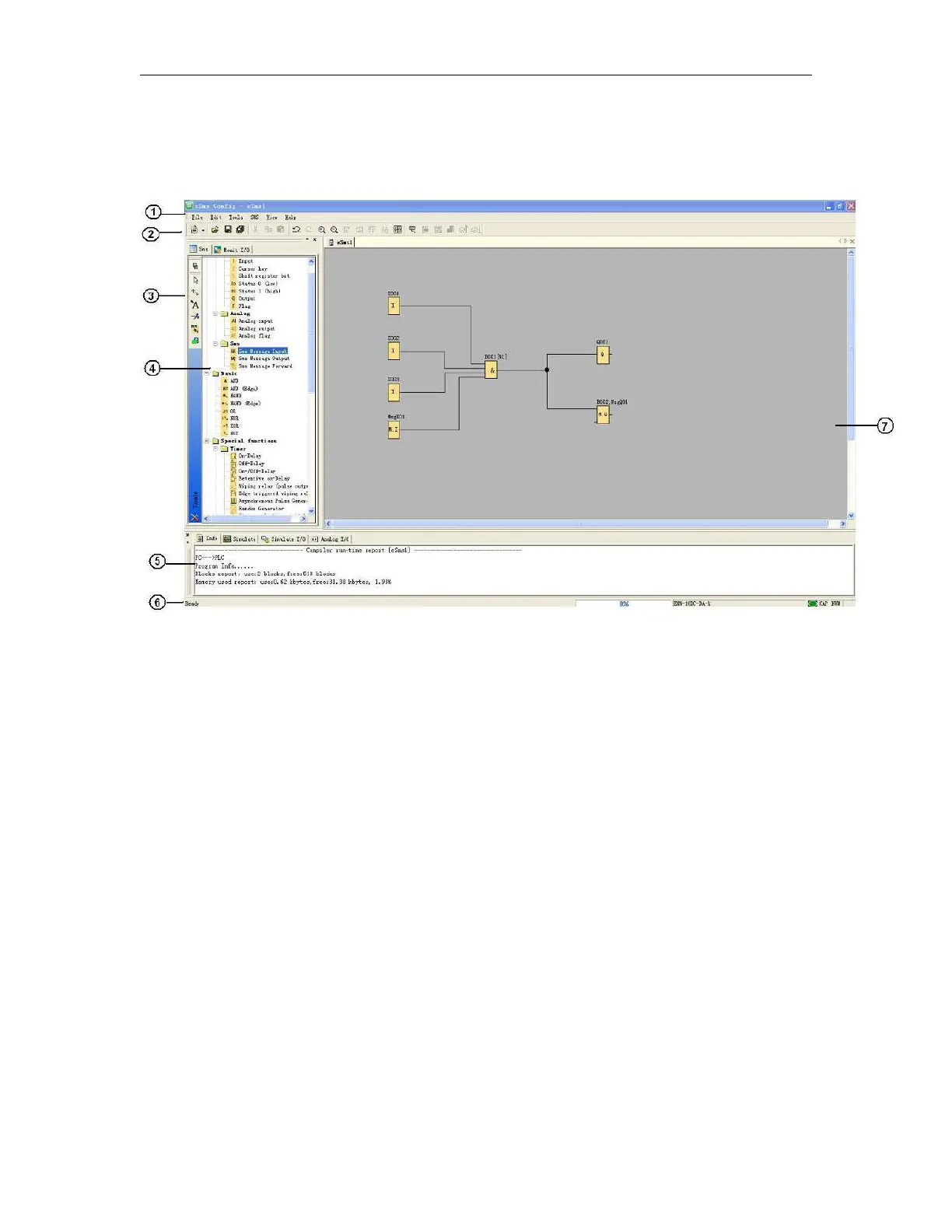
To help you to maintain an overview of large circuit programs, the right side and the bottom of the
programming interface contains scroll bars, which you can use for vertical and horizontal scrolling of the
circuit program.
1. Menu bar
2. Standard Toolbar
3. Programming Toolbar
4. Reference material (Function block list)
5. Info box (Display memory Info, IO status and analog IO values under simulation/monitoring mode)
6. Status bar (Including current operation, current CPU model and the communication status)
7. Programming Interface
Notes: For the detailed operation, please refer to Chapter 10 and Chapter 11 of this part.



 To Next Page