The webserver is enabled in default, if you want to disable the webserver access, you just only cancel the
option “Enable webserver” then the webserver would be not allowed to access.
How to log on the webserver?
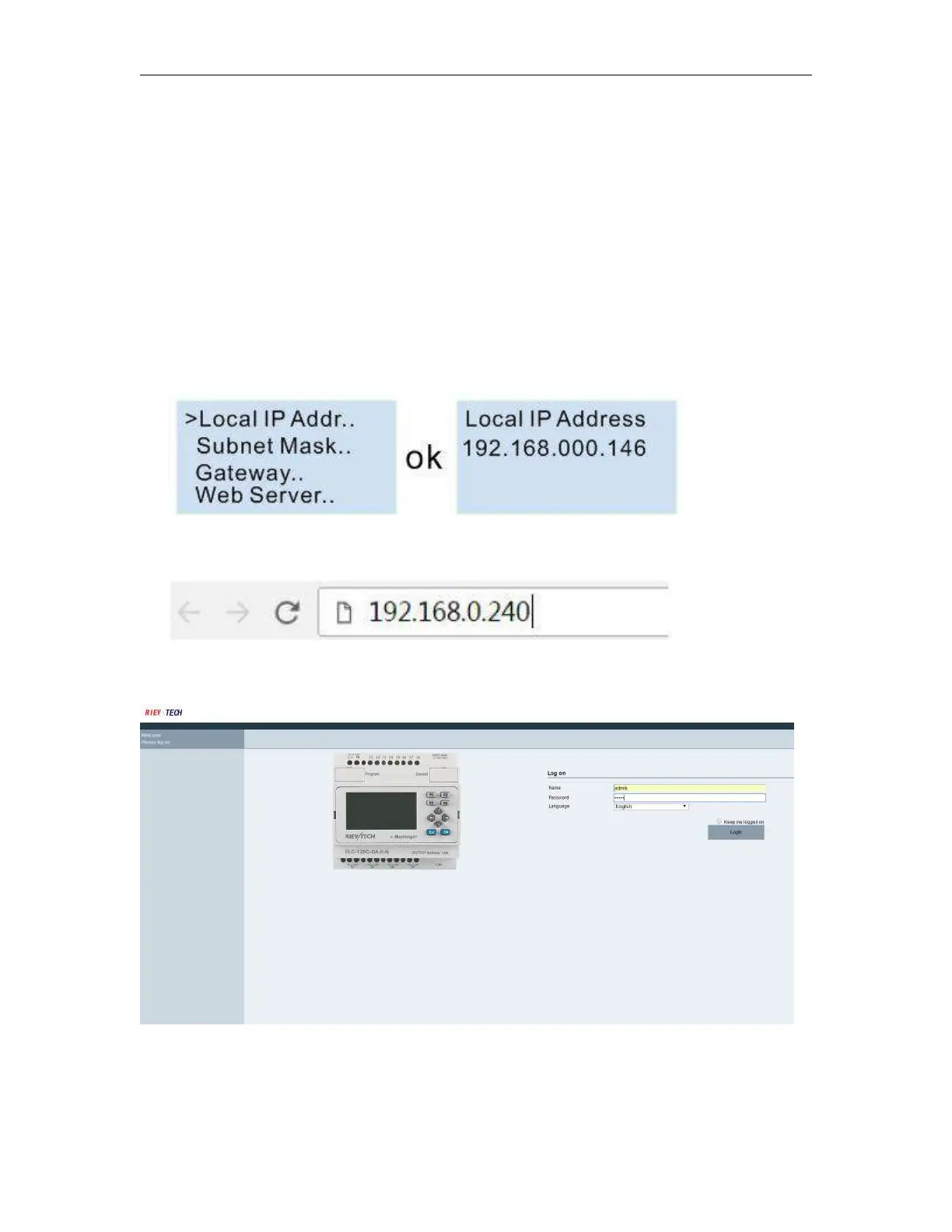
1.You have to get IP address of PLC,then input IP address of PLC to the
browser,Web server interface will appear.The default IP of PLC is 192.168.0.245, the Default port of PLC is
8008.So you can use the default IP address to log on web server,you can also use the IP and port of PLC to
connect the xlogic software to the PLC and configure web server parameters.
If you have changed the IP address, you can view the IP address by the LCD menu
>Network -> IP Config.. -> Local IP ADDR.. -> Local IP
2.Open the browser,then input the IP address of PLC(Input your PLC IP address).
3.Press “Enter” key,the following interface will appear.
4. Log on interface
Name:The default name is admin.
Password:The default password is admin.



 To Next Page