Preparing to Print (Computer Side)
39
Basic Operation
26
Turn on the machine.
27
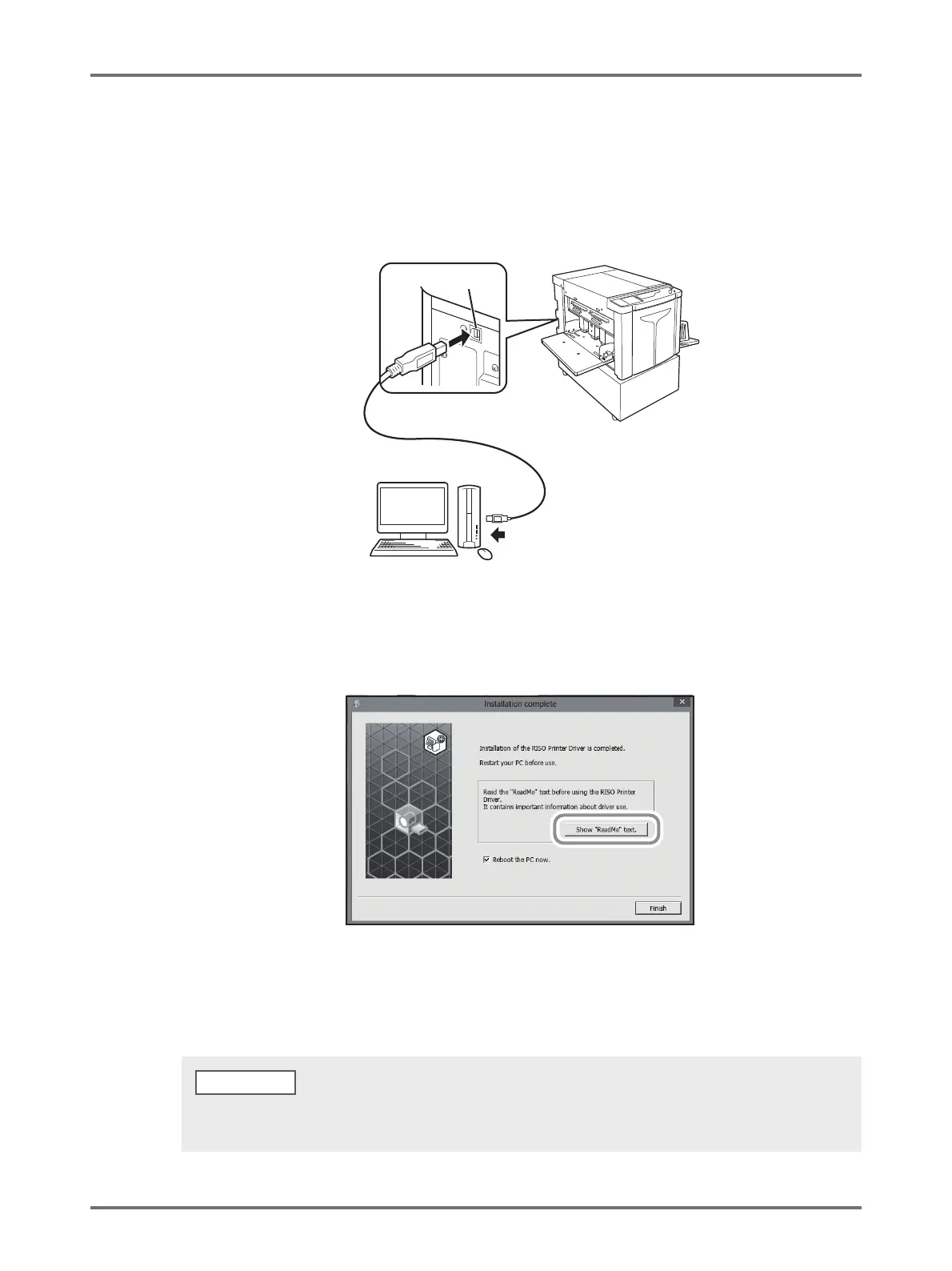
Connect the computer to the machine with a USB cable.
Use a commercially available USB cable.
28
Click [Show "ReadMe" text.].
The ReadMe file is opened. Be sure to read all the instructions and notes on it.
29
Click [Finish].
The computer restarts.
(1) To the USB port on the machine
USB port
(2) To the USB port on
the computer
• If [Reboot the PC now] is checked, the computer will shut down and restart when you click [Finish].
• When [Found New Hardware Wizard] is displayed, click [Cancel].
NOTE



 To Next Page