Setting the Printing Preferences
59
Functions to be Set Up with the Printer Driver (Computer Side/Driver Side)
(6) 180-degree rotation
You can rotate original data by 180 degrees by activating this option.
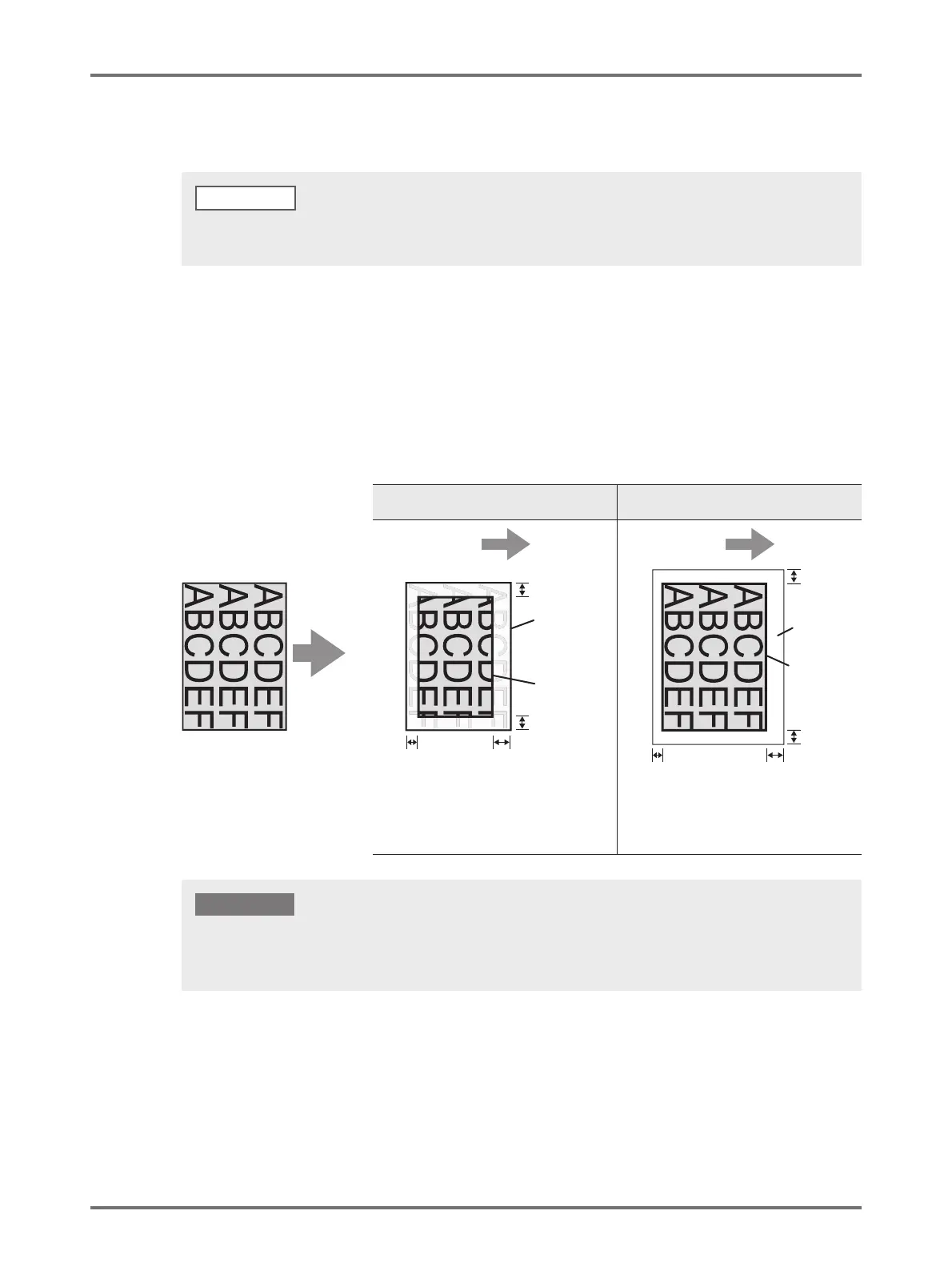
(7) Marginless master making
In normal master-making ([Marginless master making] is OFF), master is made for the area excluding the margins
(printable area) based on the [Output size] specified by the Printer Driver.
When [Marginless master making] is ON, master is made according to the [Output size] specified by the Printer
Driver without margins. Thus, master is made directly from the original data without missing the image.
When there is a large area of solid in the top edge area of the original data, activating 180-degree-rotation prevents paper
jam when printing.
NOTE
Original
[Marginless master making] is OFF
(Normal master-making)
[Marginless master making] is ON
3 mm
3 mm
3 mm
or more
3 mm
or more
2 mm
2 mm or more
5 mm
5 mm
Output
direction
Output
direction
Page image
The image outside the Maximum Printing
Area shall not be made a master.
By providing the margin around the output
size, the original will be printed completely.
Use the printing paper which is larger than
the output size.
Printing
Paper
Printing
Area
Output size
specified by
the Printer
Driver
Output size
specified by
the Printer
Driver
• Do not use printing paper that is smaller than the output size. Ink may stick to the roller, etc. inside the machine.
• When [Marginless master making] is ON, use the printing paper which is bigger than the output size specified with the
Printer Driver plus margin.
IMPORTANT!



 To Next Page