Getting Started
R&S
®
GP-E/GP-S
13User Manual v16.2.1 ─ 01
2 Getting Started
2.1 Logging On
Log on to gateprotect Firewall to set up the system for your network.
After having completed the installation and licensing procedure for gateprotect Firewall
as described in the gateprotect Firewall Getting Started guide, you can begin working
with the firewall:
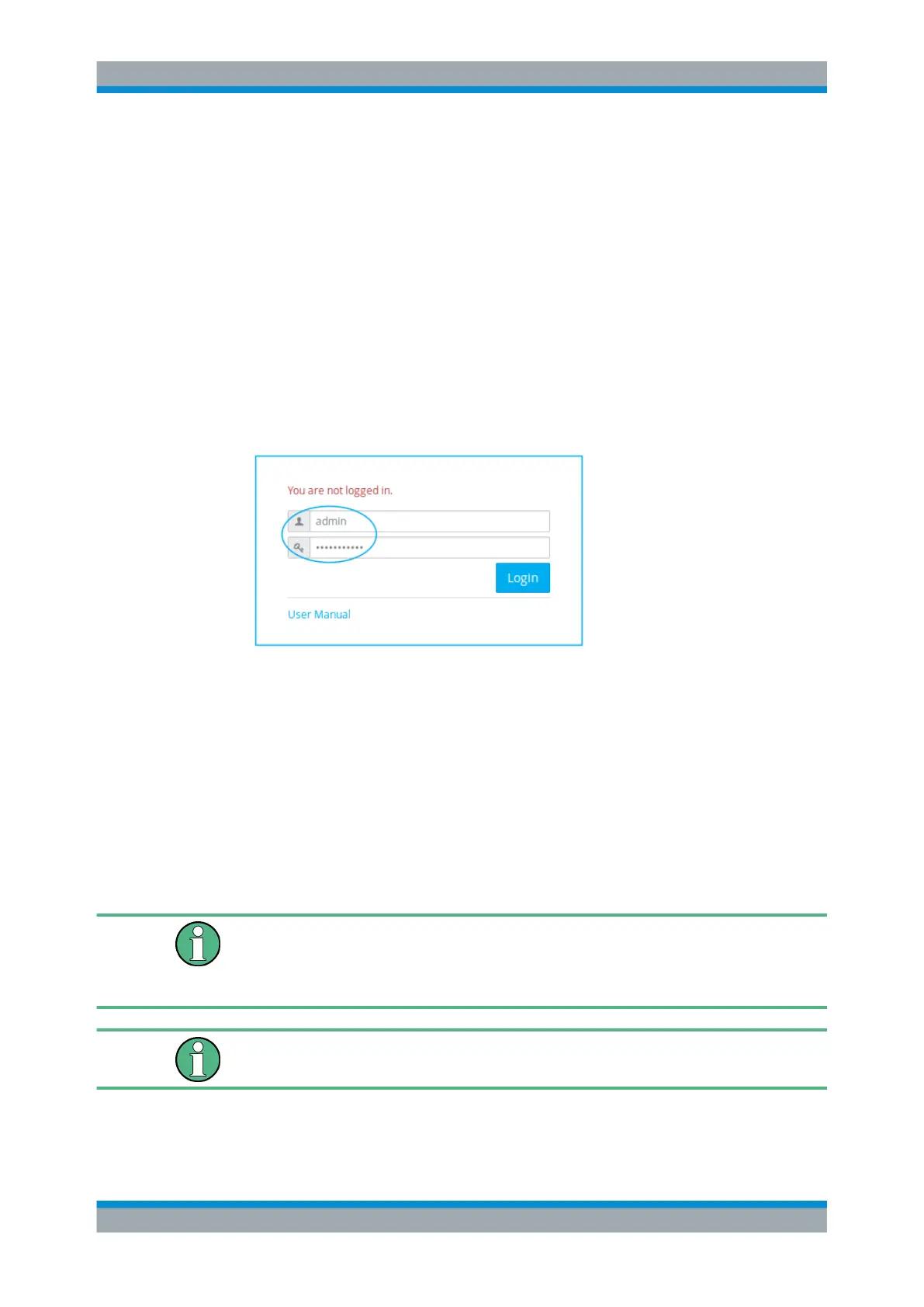
1. On the gateprotect Firewall logon page, enter admin as the "User Name" and the
factory default "Password" gateprotect.
Figure 2-1: Logging on to gateprotect Firewall.
2. Click "Login" .
3. After your first login using the standard credentials, the system prompts you to
change your password. You cannot skip this step.
Note: If you forget the new password entered, the password can only be reset by
setting the system back to the factory default configuration as described under
Chapter 2.2, "Resetting the Hardware", on page 14.
Note: The admin password is included in a system backup.
The web interface appears.
After three unsuccessful login attempts, you will be blocked for an hour to prevent
unauthorized access. Every new attempt during that hour resets the waiting period.
After one hour without login attempts, you can log on to gateprotect Firewall again with
valid credentials.
You are automatically logged out after 10 minutes of inactivity.
Logging On



 To Next Page