Application Examples
R&S
®
GP-E/GP-S
134User Manual v16.2.1 ─ 01
With this set of rules, all websites/URLs including the educational website
wiki.example.com are blocked, except of those websites which are related to edu-
cation and the wiki.intern.com website.
4.1.4 Forcing Secure Communication
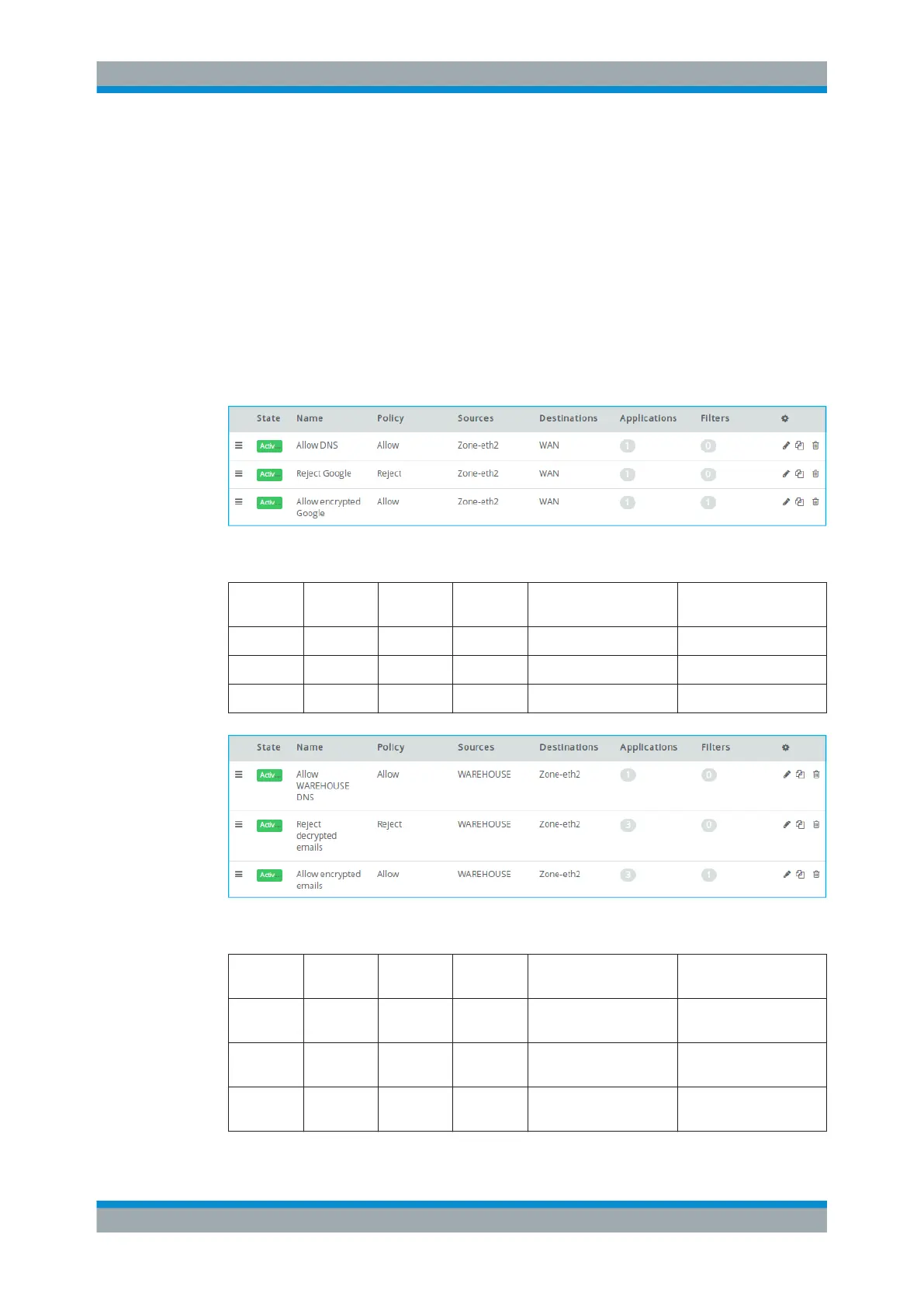
This example shows a basic whitelisting scenario that allows users from Zone-eth2 to
access Google, but only via an SSL-encrypted connection. Other rules provide users in
the WAREHOUSE zone encrypted access to their email from Zone-eth2 and allow
Internet access (decrypted and encrypted), but filter external communication with the
Intrusion Detection/Prevention System (IDS/IPS) and Anti Malware features.
Figure 4-7: Sample firewall rules settings to access Google via an SSL-encrypted connection.
Position Policy Source Destina-
tion
Applications/Protocols Enabled Options
1 Allow Zone-eth2 WAN DNS
2 Reject Zone-eth2 WAN Google
3 Allow Zone-eth2 WAN Google SSL Inspection
Figure 4-8: Sample firewall rules settings to encrypted access to emails from a certain zone.
Position Policy Source Destina-
tion
Applications/Protocols Enabled Options
1 Allow WARE-
HOUSE
Zone-eth2 DNS
2 Reject WARE-
HOUSE
Zone-eth2 IMAP, POP3, SMTP
3 Allow WARE-
HOUSE
Zone-eth2 IMAP, POP3, SMTP SSL Inspection
Firewall Rule Examples



 To Next Page