Application Examples
R&S
®
GP-E/GP-S
188User Manual v16.2.1 ─ 01
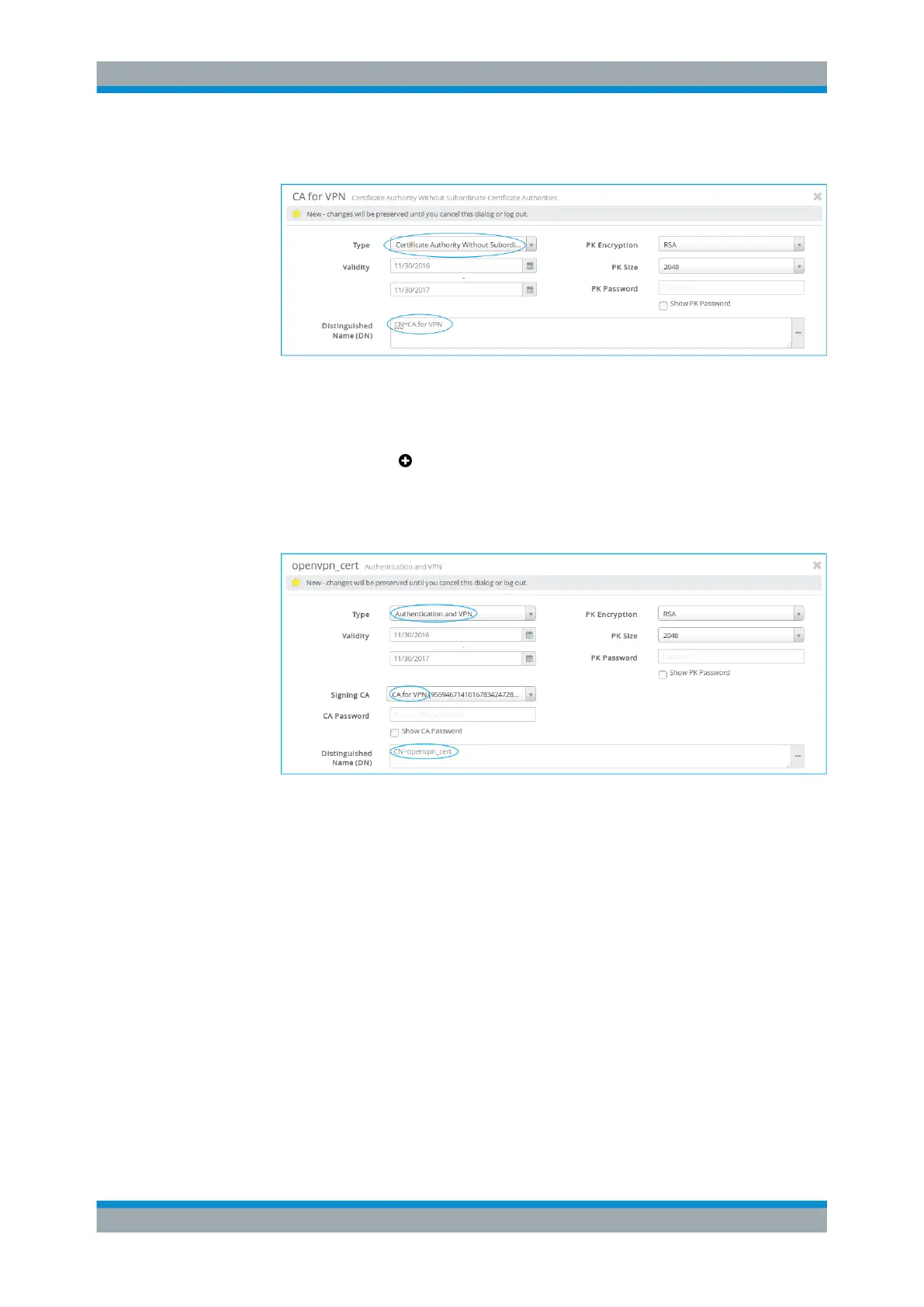
b) Adjust the information as necessary for your environment.
Figure 4-56: Sample CA certificate settings.
c) Click "Create" to add the new certificate authority to the list of available certifi-
cates.
3.
Click the plus button in the item list header to create a VPN certificate.
a) From the "Type" drop-down list, select Authentication and VPN.
b) From the "Signing CA" drop-down list, select the CA created in step 2.
c) Adjust the remaining information as necessary for your environment.
Figure 4-57: Sample VPN certificate settings.
d) Click "Create" to add the new certificate to the list of available certificates.
For more information, see Chapter 3.4.8.1, "Certificates", on page 122.
4.12.3.2 Configuring Authentication
Specify the authentication method used to determine which users are authorized to
connect to gateprotect Firewall for VPN access.
For "Internal" authentication:
To define and manage local users for internal authentication, perform the following
steps:
1. From the menu in the navigation pane, select "Firewall > User Authentication >
Local Users" .
VPN Setup Examples



 To Next Page