Application Examples
R&S
®
GP-E/GP-S
148User Manual v16.2.1 ─ 01
4.6 Setting Up a VLAN
gateprotect Firewall can be used to add custom Virtual Area Network tags to all traffic
on a given interface.
The following example shows how to set up a new VLAN.
1. Navigate to "LAN > VLAN Zones" .
2.
Click the plus button in the item list bar.
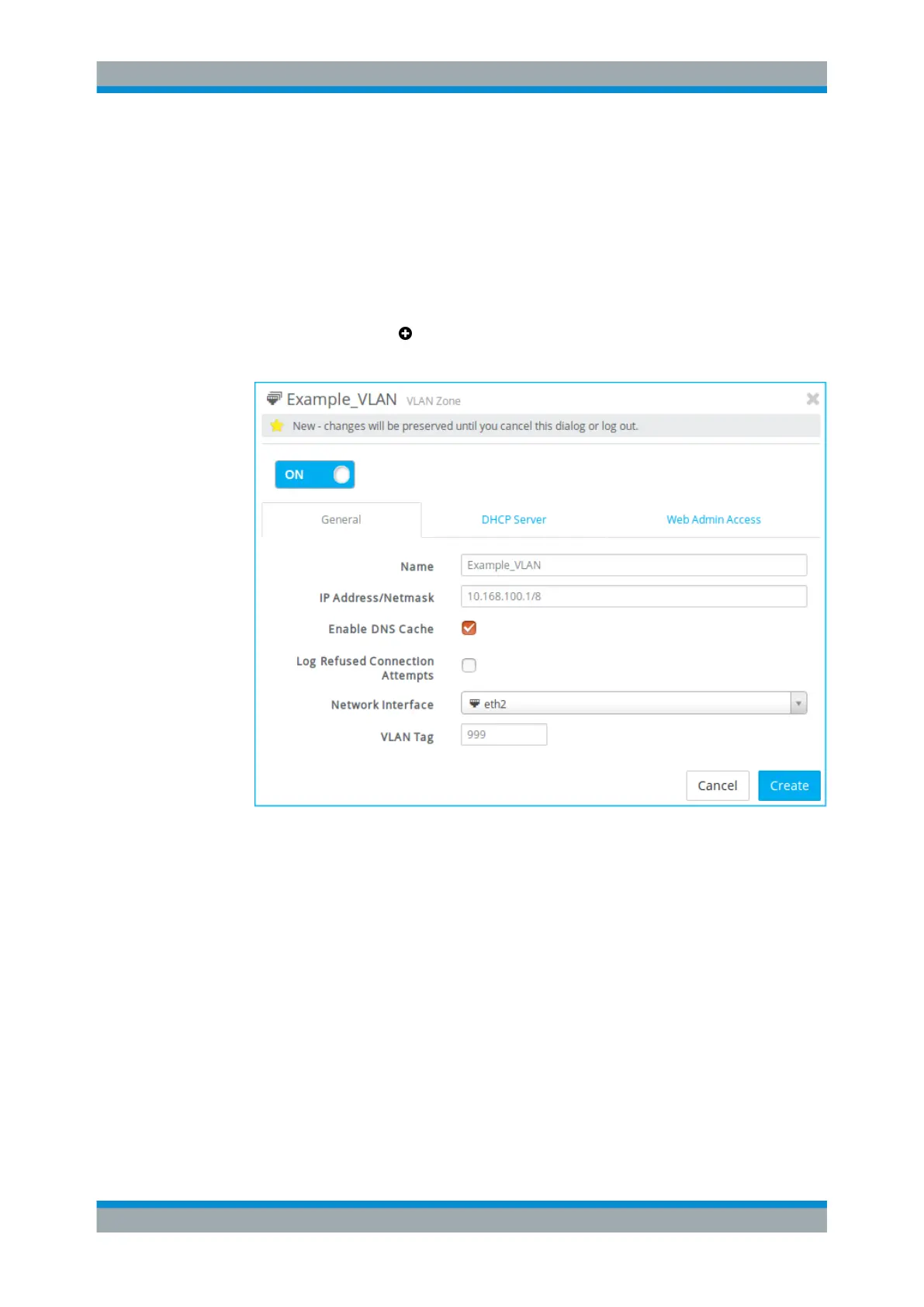
An editor panel is opened, allowing you to configure a VLAN zone.
Figure 4-18: Sample "General" tab settings of a VLAN zone.
3. On the "General" tab, enter a "Name" for the new VLAN zone.
The name has to be unique and consist of 3 to 14 characters (allowed are letters of
the English alphabet, integers, dashes, underscores and dots).
4. Specify the "IP Address/Netmask" in CIDR notation (IP address followed by a
slash »/« and the number of bits set in the subnet mask, for example
10.168.100.1/8).
Note: You can only enter an IP address which you have not already configured on
a different Ethernet, WLAN or VLAN zone.
5. From the drop-down list, select a "Network Interface" .
6. Enter the desired "VLAN Tag" .
Setting Up a VLAN



 To Next Page