Application Examples
R&S
®
GP-E/GP-S
147User Manual v16.2.1 ─ 01
1. Navigate to "Network > Syslog Servers" .
2.
Click the plus button in the item list header.
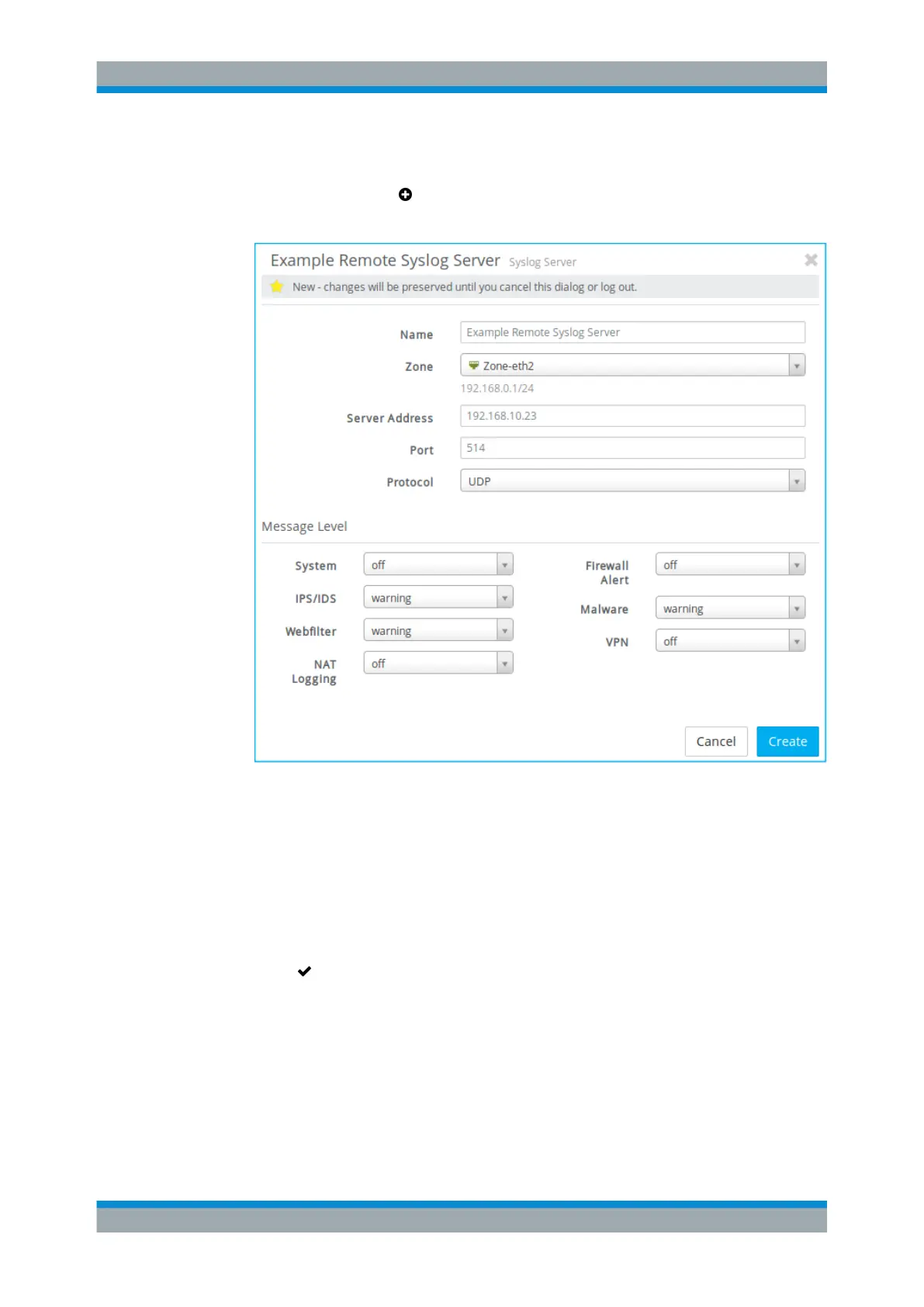
An editor panel is opened, allowing you to configure a remote syslog server.
Figure 4-17: Sample remote syslog server settings.
3. Enter a unique "Name" for the new remote syslog server.
4. From the drop-down list, select the network "Zone" in which the server is located.
Syslog servers can only be located in the LAN zones.
5. Under "Server Address" , enter the host name or IP address of the server.
6. Click "Create" to add the new server to the list of remote syslog servers.
7.
Click "
Activate" in the toolbar at the top of the desktop to apply your configura-
tion changes.
The remaining settings depend on the log messages you wish to forward to the remote
syslog server. For more information, see "Syslog Servers Settings" on page 58.
Setting Up a Syslog Server



 To Next Page