Application Examples
R&S
®
GP-E/GP-S
181User Manual v16.2.1 ─ 01
For more information, see Chapter 3.4.8.1, "Certificates", on page 122.
4.12.2.2 Setting Up the VPN Connection
Define a Site-to-Site connection to enable a secure connection between two remote
networks.
1. From the menu in the navigation pane, select "VPN > IPsec > Site-to-Site".
2.
Click the plus button
in the item list bar to create a new virtual private network
connection.
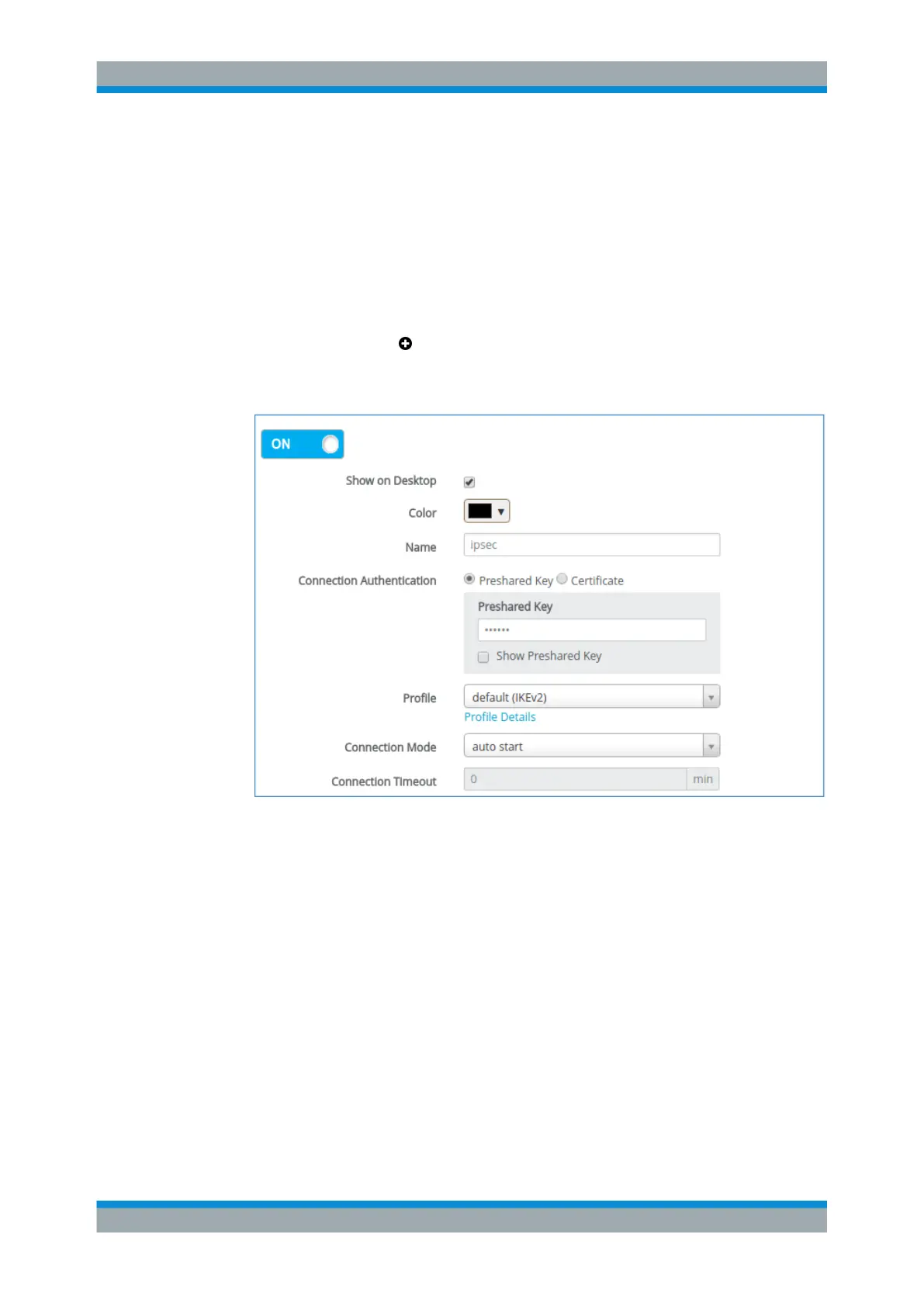
An editor panel is opened and allows you to configure an IPsec S2S connection.
Figure 4-47: Sample IPsec S2S connection settings.
3. Decide whether you want to enable the connection.
(This option is enabled by default.)
4. Decide whether you want the connection to be displayed on the desktop.
5. If the connection should be displayed on the desktop, choose a color for its repre-
sentation.
6. Specify a unique "Name" for the connection. It must consist of three to ten lower-
case alphanumeric characters.
7. Select an authentication method under "Connection Authentication" .
● If you select "Preshared Key" , enter the password to use for the connection.
VPN Setup Examples



 To Next Page