Application Examples
R&S
®
GP-E/GP-S
135User Manual v16.2.1 ─ 01
Figure 4-9: Sample firewall rules settings to allow filtered Internet access.
Position Policy Source Destina-
tion
Applications/Protocols Enabled Options
1 Allow WARE-
HOUSE
WAN DNS, HTTP IDS/IPS, Anti Malware,
SSL Inspection
4.1.5 Using Quality of Service
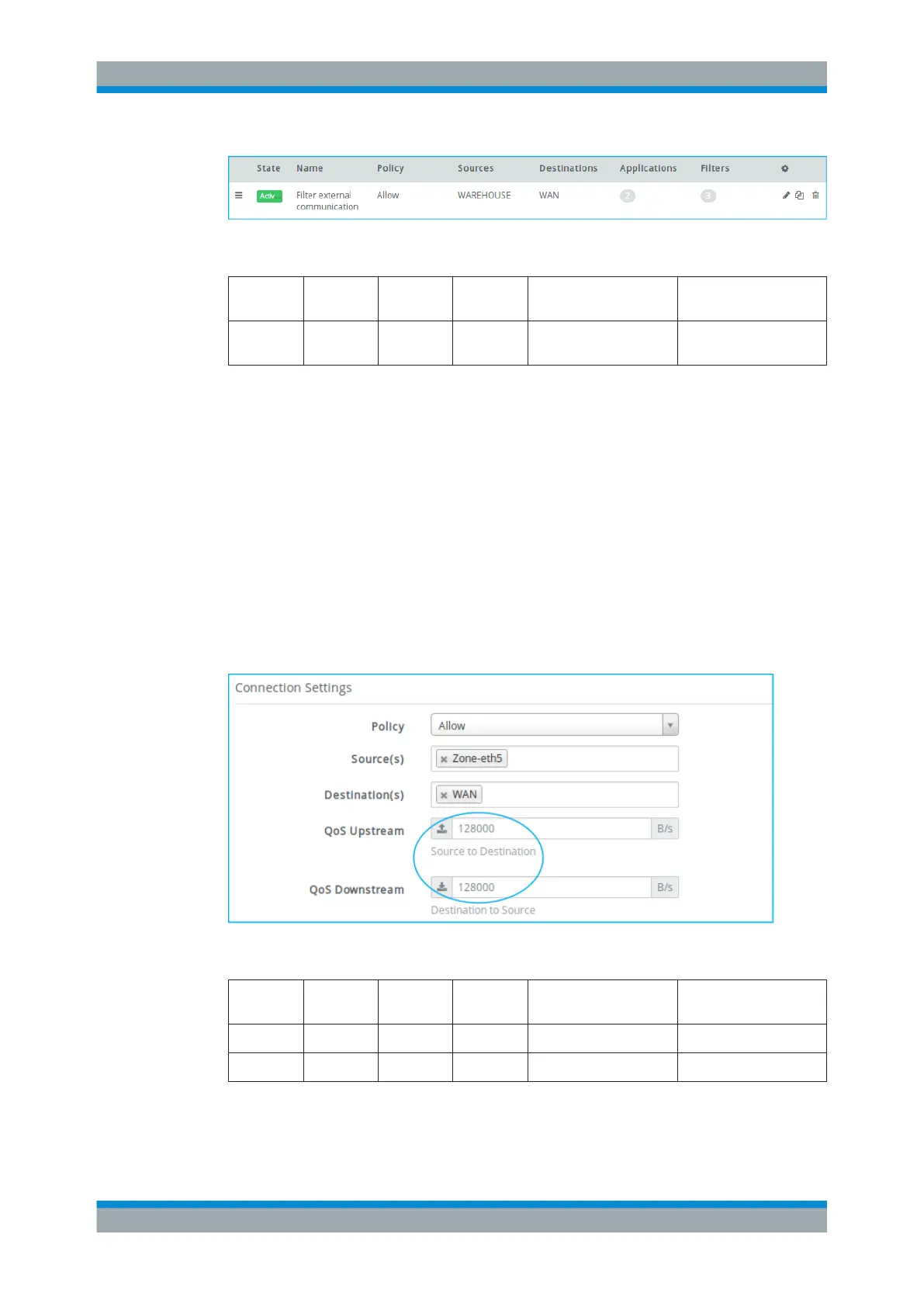
This example shows a possible use case for the QoS (Quality of Service) feature.
QoS serves to specify bandwidth thresholds in a firewall rule to be applied to all traffic
matching the rule. The field "QoS Upstream" limits the upload bandwidth and "QoS
Downstream" limits the download bandwidth.
In this example, the owners of a café offer free WLAN access to their guests. To pre-
vent the guests from generating too much traffic, they define a firewall rule that limits
the upload and download traffic. A suitable value in this example is 128000 bps for
upstream and downstream traffic. The QoS feature is enabled in a rule that allows
HTTP in order to be applied to all HTTP traffic. Additional firewall rules to prevent
access to harmful websites, etc. is required, as described in the examples above.
Figure 4-10: Sample QoS settings.
Position Policy Source Destina-
tion
Applications/Protocols Connection Settings
1 Allow Zone-eth2 WAN DNS
2 Allow Zone-eth2 WAN HTTP QoS
For further information on how to create firewall rules, see Chapter 3.3, "Firewall Rule
Settings", on page 22.
Firewall Rule Examples



 To Next Page