Getting Started
R&S
®
GP-E/GP-S
14User Manual v16.2.1 ─ 01
Set your browser configuration to clear all session data and cookies when the browser
is closed. Otherwise, your admin session will be restored after the computer is reboo-
ted and unauthorized persons can access the firewall.
2.2 Resetting the Hardware
If you cannot access the web interface, you can reset the system to the factory default
configuration.
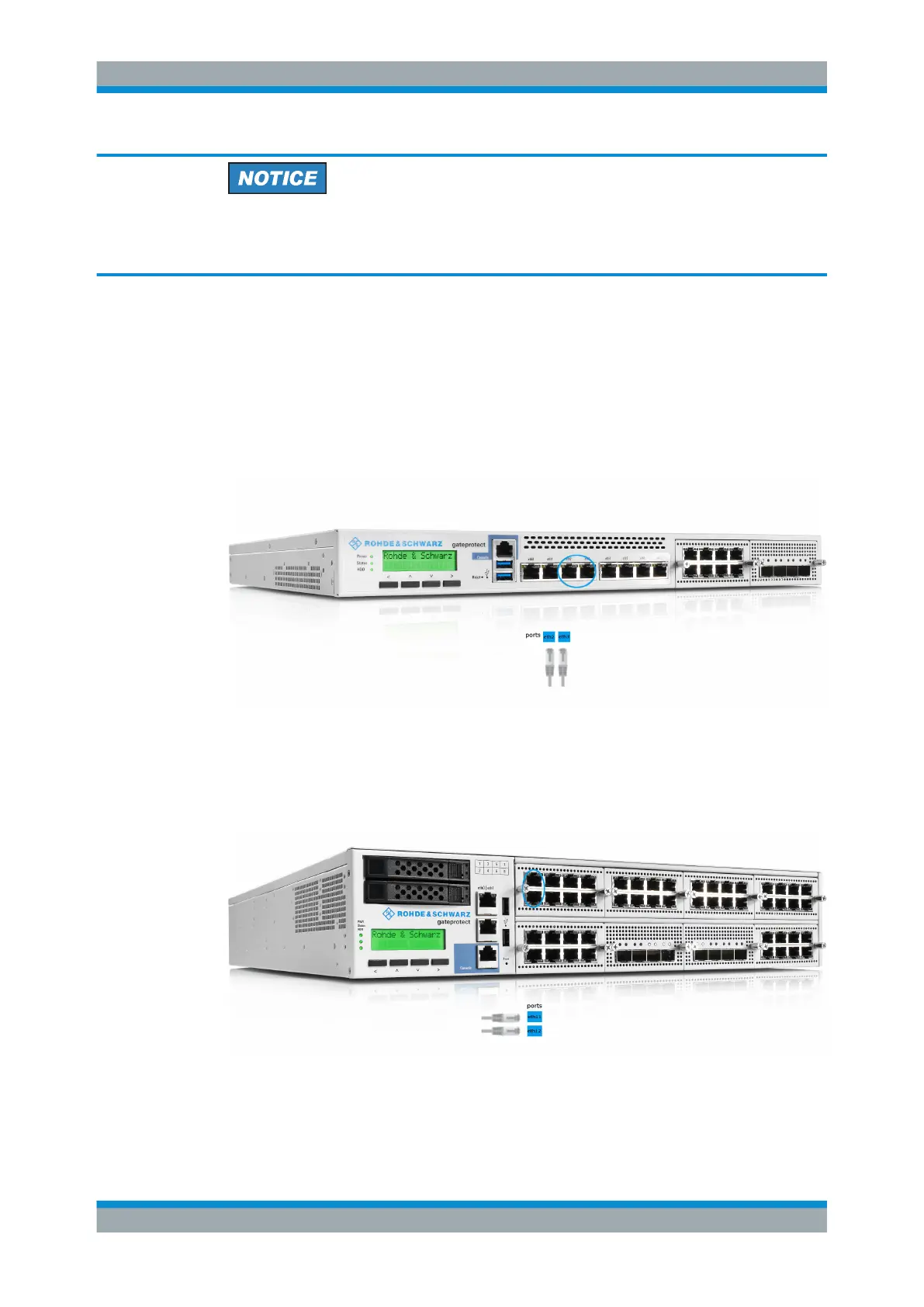
Connect the ports labeled eth2 and eth3 with a patch cable, then power off and
power on.
Figure 2-2: Resetting the hardware of the gateprotect Firewall GP-S series.
With models GP-E-1000/GP-S-1800 or higher, connect the first two ports in the first
module (for example eth11 and eth12) with a patch cable, then power off and power
on.
Figure 2-3: Resetting the hardware of gateprotect Firewall models GP-E-1000/GP-S-1800 or higher.
The kind of power button (power off switch, push button or power off button) and its
location differ by hardware model.
Resetting the Hardware



 To Next Page