Application Examples
R&S
®
GP-E/GP-S
139User Manual v16.2.1 ─ 01
4.2.3 Configuring the Firewall
Set up the gateprotect Firewall for Single Sign-On.
Configuring User Authentication
1. Navigate to "Firewall > User Authentication > Single Sign-On" .
The "Single Sign-On" editor panel opens.
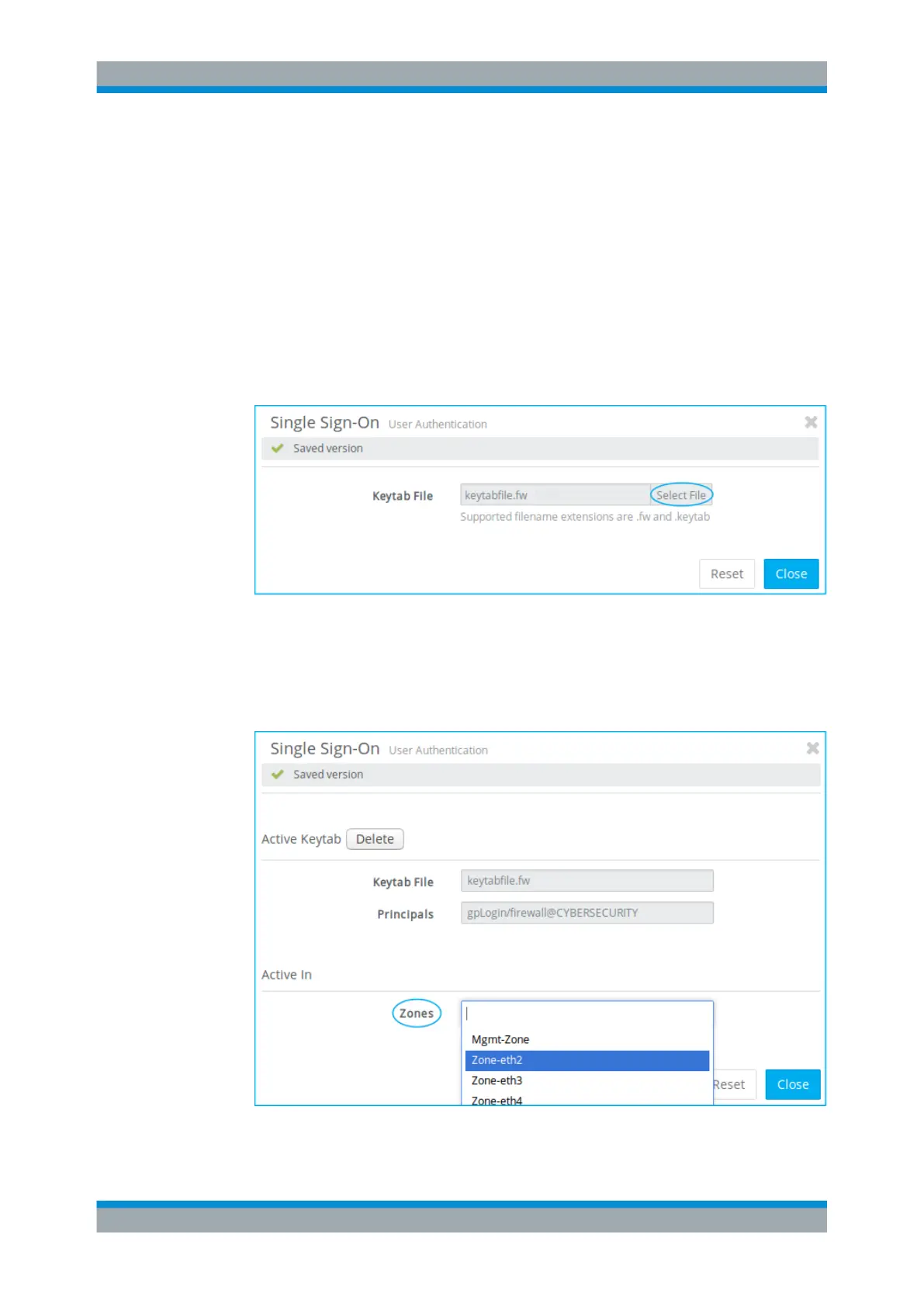
2. Click "Select File" to open your local file browser.
3. Select the keytab file generated in Chapter 4.2.2, "Preparing the Domain Control-
ler", on page 137.
Figure 4-13: Sample Single Sign-On settings
–
"Keytab File".
The panel changes as soon as the keytab file has been imported successfully.
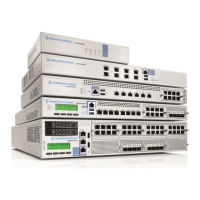
4. From the drop-down list, select the "Zones" that the Windows clients are connected
to (the zone of the domain controller is not needed).
Figure 4-14: Sample Single Sign-On settings
–
"Zones".
Setting Up Single Sign-On


 To Next Page