Application Examples
R&S
®
GP-E/GP-S
144User Manual v16.2.1 ─ 01
3. Double-click UAClientSSOSetup.exe to start the setup program.
The UAClientSSOSetup.exe setup program installs the UAClientSSO.exe file
in C:\Program Files\gateprotect\UAClientSSO.exe and creates a short-
cut on your desktop.
4. Right-click on the gateprotect User Authentication Client desktop
shortcut.
The context menu opens.
5. Select "Create shortcut" .
The new shortcut appears on the desktop.
6. Right-click on the new shortcut.
The context menu opens.
7. Select "Properties" .
The "Properties" dialog opens.
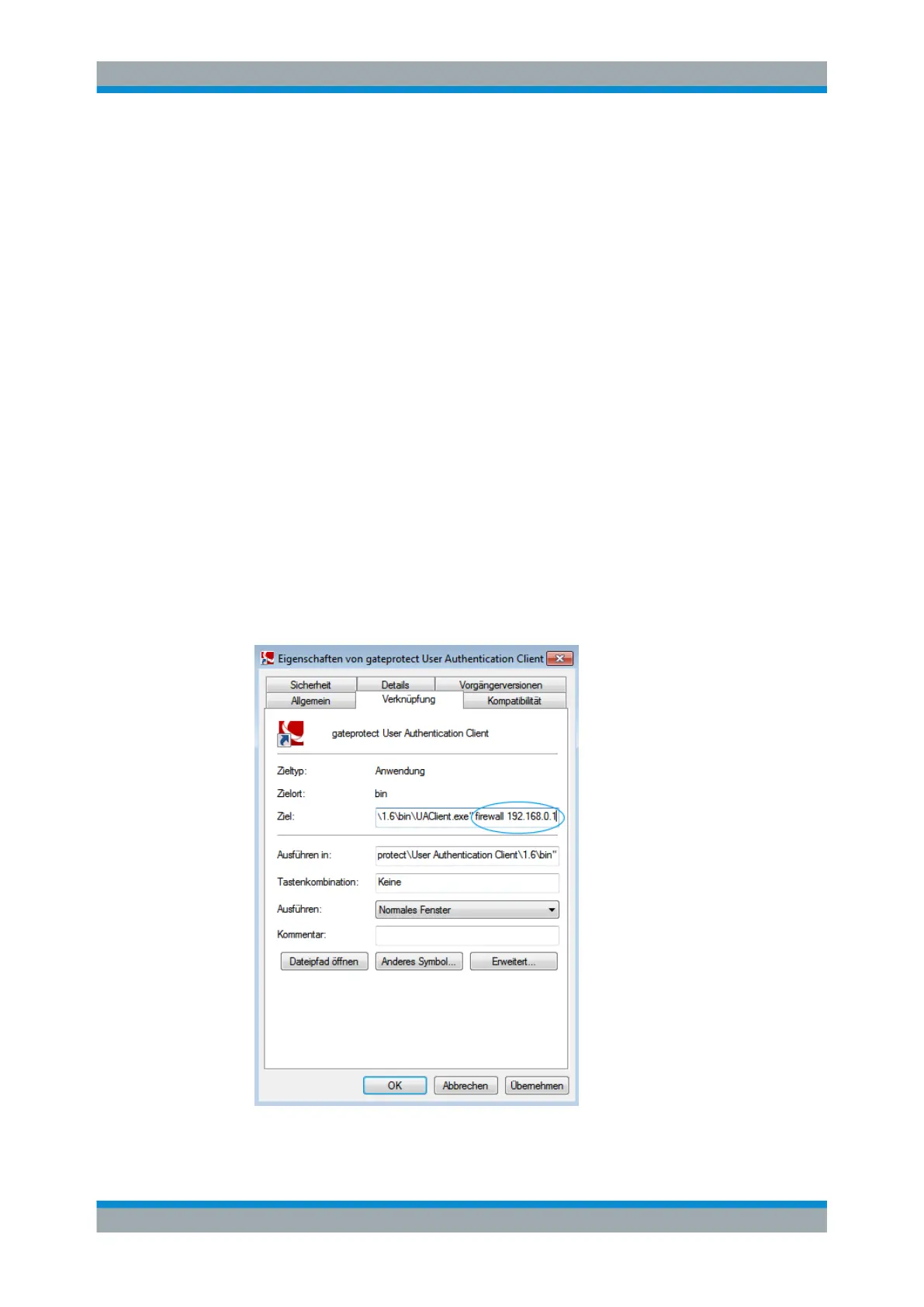
8. Click the "Shortcut" tab.
9. Under "Target" , add the hostname and the IP address of the gateprotect Firewall
behind the entry already existing: C:\Program
Files\gateprotect\UAClientSSO.exe [firewall hostname][IP
address of the firewall]
Figure 4-15: gateprotect User Authentication Client properties.
Setting Up Single Sign-On



 To Next Page