Application Examples
R&S
®
GP-E/GP-S
191User Manual v16.2.1 ─ 01
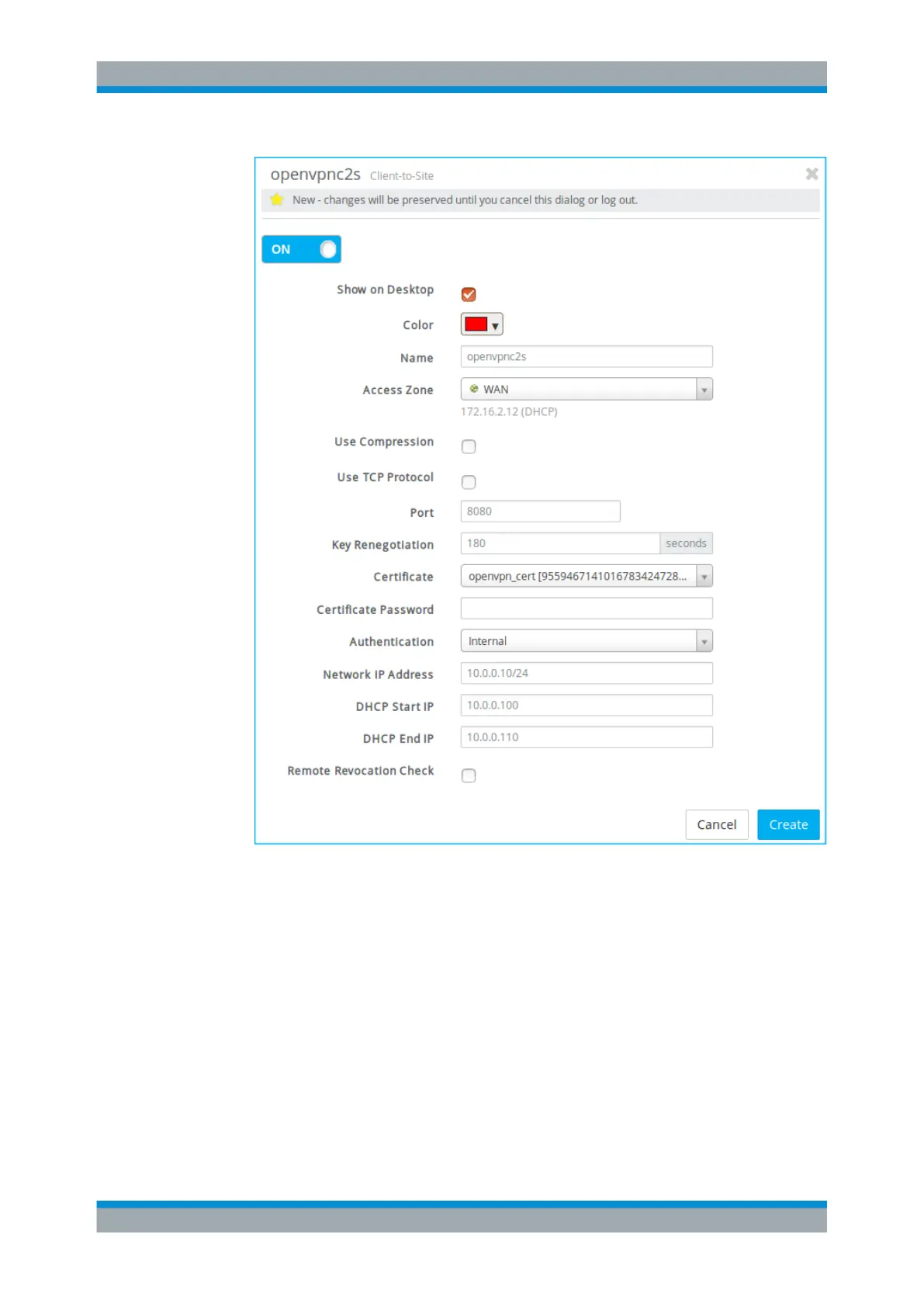
Figure 4-59: Sample OpenVPN C2S connection settings.
3. Decide whether you want to enable the connection.
(This option is enabled by default.)
4. Decide whether you want the connection to be shown on the desktop.
5. If the connection should be displayed on the desktop, choose a "Color" for its rep-
resentation.
6. Enter a unique "Name" for the connection. It must consist of three to ten lowercase
alphanumeric characters.
7. From the "Access Zone" drop-down list, select the zone which is directly accessible
to the remote site.
VPN Setup Examples



 To Next Page