User Interface
R&S
®
GP-E/GP-S
43User Manual v16.2.1 ─ 01
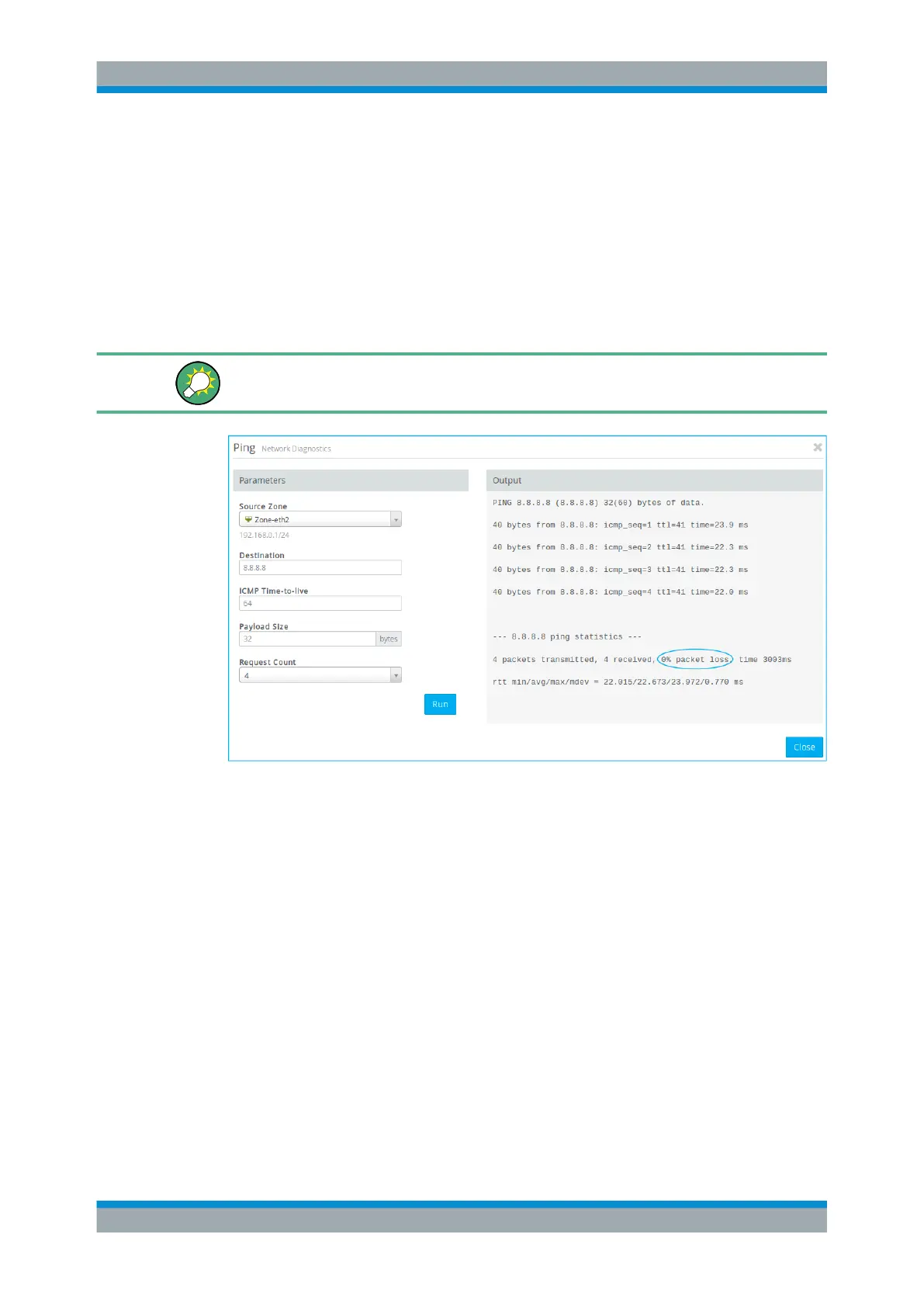
5. Under "Request Count" , select the number of ICMP echo request packets to be
sent to the target. You can choose any integer from 1 to 10 from the drop-down
list. The default number is set to 4.
6. Click "Run" to start pinging.
The output of the ping command is shown in the console area under "Output" . If the
other device responds to the ping, gateprotect Firewall can reach the device from the
selected source zone.
If the other device does not respond, try pinging from other zones to determine if fire-
wall rules are blocking communication from certain zones.
Figure 3-9: Pinging a remote device.
Traceroute
Use the traceroute command to track the path a message takes through the net-
work.
Packets sent from gateprotect Firewall may pass through many other devices on the
way to their final destination, which can make it difficult to figure out where problems
are occurring if connectivity cannot be established. You can use the traceroute
command to track the route that packets follow from a gateprotect Firewall zone along
the path to a certain host.
To follow the path to another device, adjust the following "Parameters" :
1. From the drop-down list, select the gateprotect Firewall "Source Zone" from which
you wish to test.
2. Enter the host name or IP address of the final destination under "Destination" .
Menu Reference



 To Next Page