User Interface
R&S
®
GP-E/GP-S
83User Manual v16.2.1 ─ 01
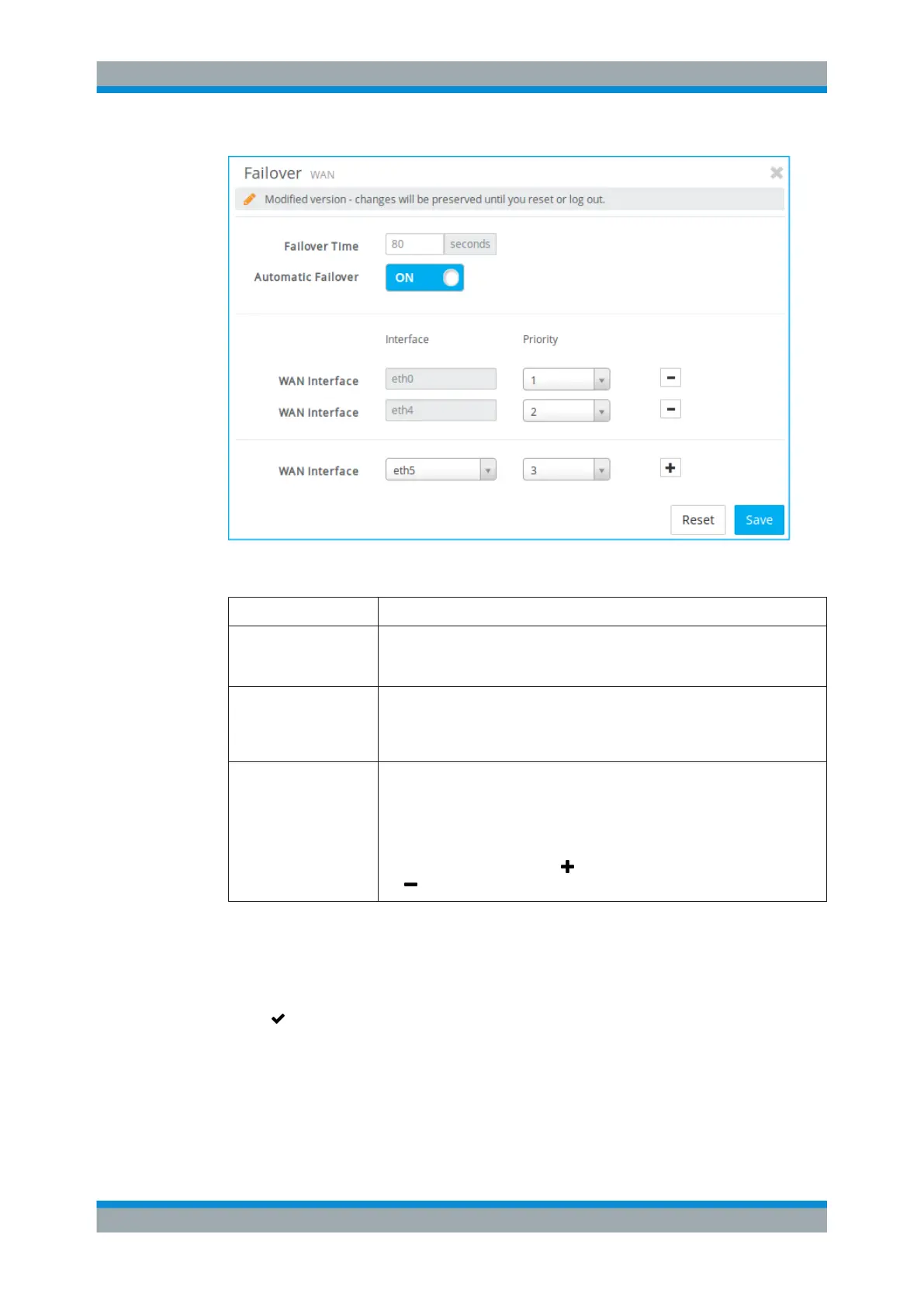
Figure 3-14: Failover settings.
Field Description
"Failover Time" Set the time (in seconds) after which the WAN interface will be switched should
the connection enter the critical state. The default failover time is set to 80 sec-
onds.
"Automatic Failover" A slider switch indicates whether the automatic failover is active ( "On" ) or inac-
tive ( "Off" ). Use the slider switch to enable or disable automatic failover. If it is
set to "Off" (default setting), you can save the settings even if no interfaces are
configured for multi-WAN.
"WAN Interface" Select the WAN interfaces that will be used for automatic failover according to
their priority. A minimum of two interfaces is required for automatic failover to
work.
Note: The priority of the interfaces must be unique.
To add a WAN interface, select an interface from the drop-down list, define its
priority and click the plus button . To remove an interface, click the minus but-
ton
behind the respective WAN interface.
The buttons at the bottom right of the editor panel depend on whether you change the
failover settings or not. Click "Close" to shut the editor panel as long as no changes
have been made on it. When all settings are configured as required, click "Save" to
store your changes. Otherwise, click "Reset" to discard all changes.
Click " Activate" in the toolbar at the top of the desktop to apply your configuration
changes.
When the settings are applied, the failover editor panel provides additional information
on the status of the WAN interfaces.
There are four possible states:
Menu Reference



 To Next Page