User Interface
R&S
®
GP-E/GP-S
99User Manual v16.2.1 ─ 01
Field Description
"Alert Level" You can select one of the following alert levels from the drop-down list:
●
emergency – system is unusable (highest priority)
●
alert – action must be taken immediately
●
critical – critical conditions
●
error – error conditions
●
warning – warning conditions
●
notice – normal but significant conditions
●
info – informational messages
●
debug – any messages that do not fit into the other alert levels (lowest pri-
ority)
"Block Source" With Reject, the block source time option allows you to specify (in minutes or
hours) how long to block the machine that initiated the communication if an
IPS/IDS rule matches.
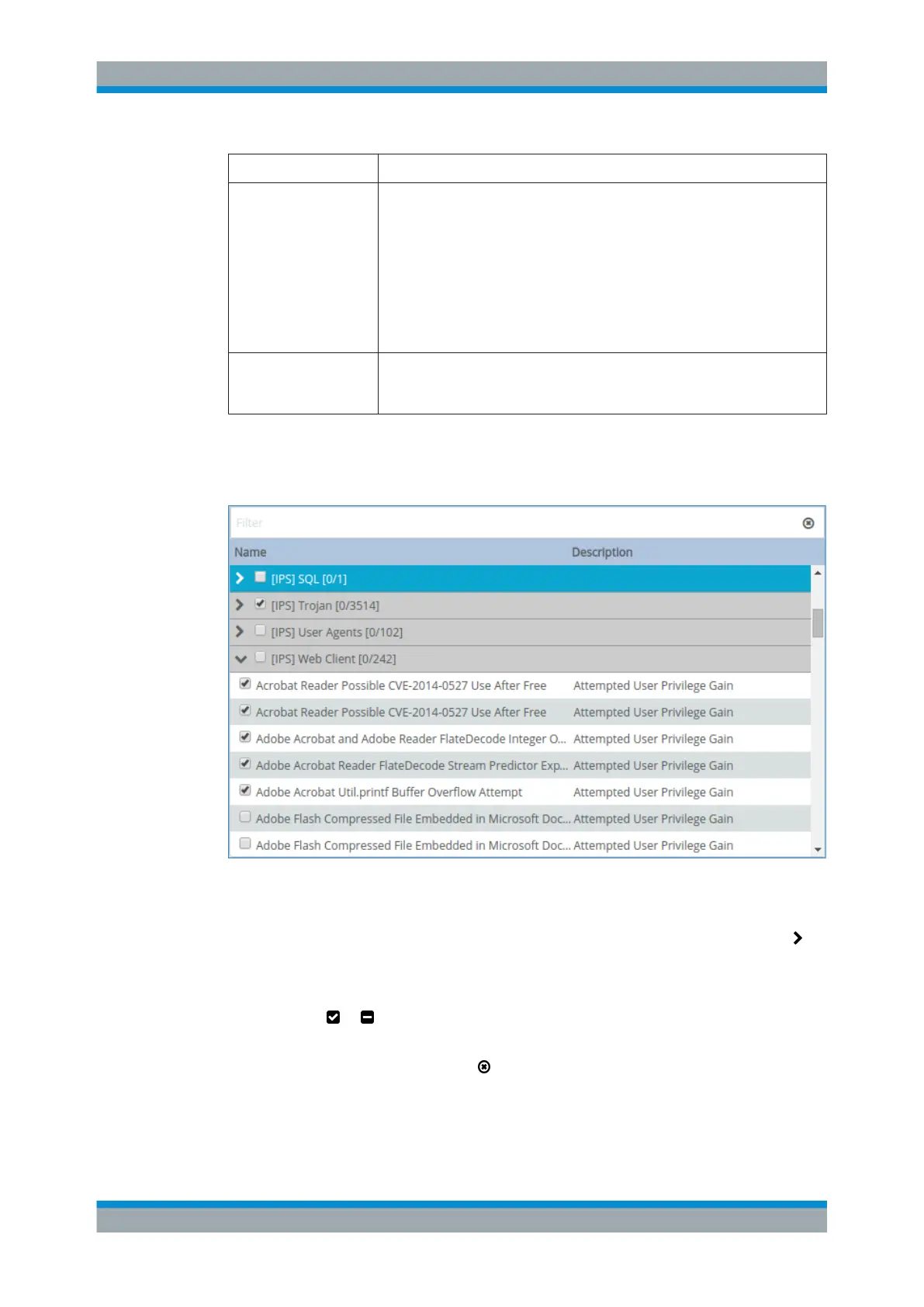
The threat database is displayed in tabular form. The table contains categories of intru-
sion detection system (»IDS«) rules which allow you to monitor suspicious activities on
the network and intrusion prevention system (»IPS«) rules that detect real attacks.
Figure 3-17: Selecting IPS/IDS rules.
Each category contains individual rules that are interrelated. If you select the checkbox
of one of the categories, all its rules are applied automatically. When you click the
icon next to a category's name, the table is expanded. It then displays all the rules that
belong to this category along with a description of the rule. Clear the checkbox next to
any rule to exclude it from the rule set. The checkbox next to the category's name then
changes from to .
The search field on top of the table helps you to find individual rules faster. To return to
the overview of the categories, click
on the right-hand side of the search field.
The buttons at the bottom right of the editor panel depend on whether you add a new
IPS/IDS profile or edit an existing profile. For a newly configured profile, click "Create"
to add the profile to the list of available IPS/IDS profiles or "Cancel" to discard your
Menu Reference



 To Next Page