48 / 293 - EN -
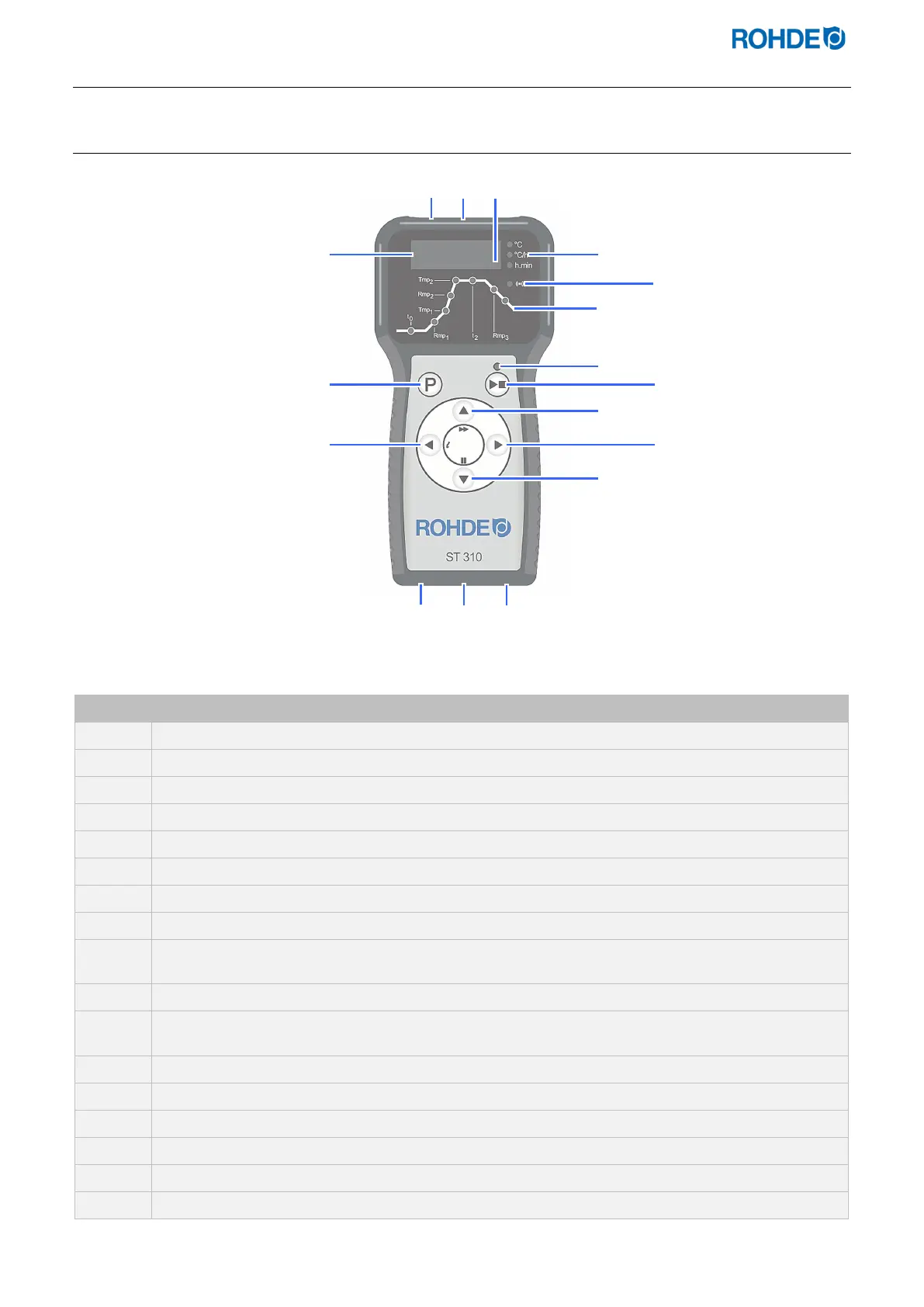
2.4. Overview of the device
2.4.1. Overview of the control unit
No. Description
USB port
“USB flash drive inserted into USB port” indicator light
“Kiln heating” indicator light (an orange picture element flashes in the display)
Icons: “Temperature (°C)”, “Ramp rate/cooling rate (°C/h)”, “Time (h.min)”
“Data transmission” indicator light
Overview of program sections (for an explanation, see the following section)
“Program running” indicator light
Start/stop key
Increase value
(additional function: “program advance function” by holding down the key for 3 seconds)
Jump forward/advance
Decrease value
(additional function: “program pause function” by pressing the key while the program is running)
Mains switch
Cable with CPC 14 connector (connection to the kiln)
Fuse
Jump back/back (additional function: “info key”)
Key for selecting the program memory
Main display



 To Next Page
 Loading...
