2
Basic
Operation
Loading Media
30
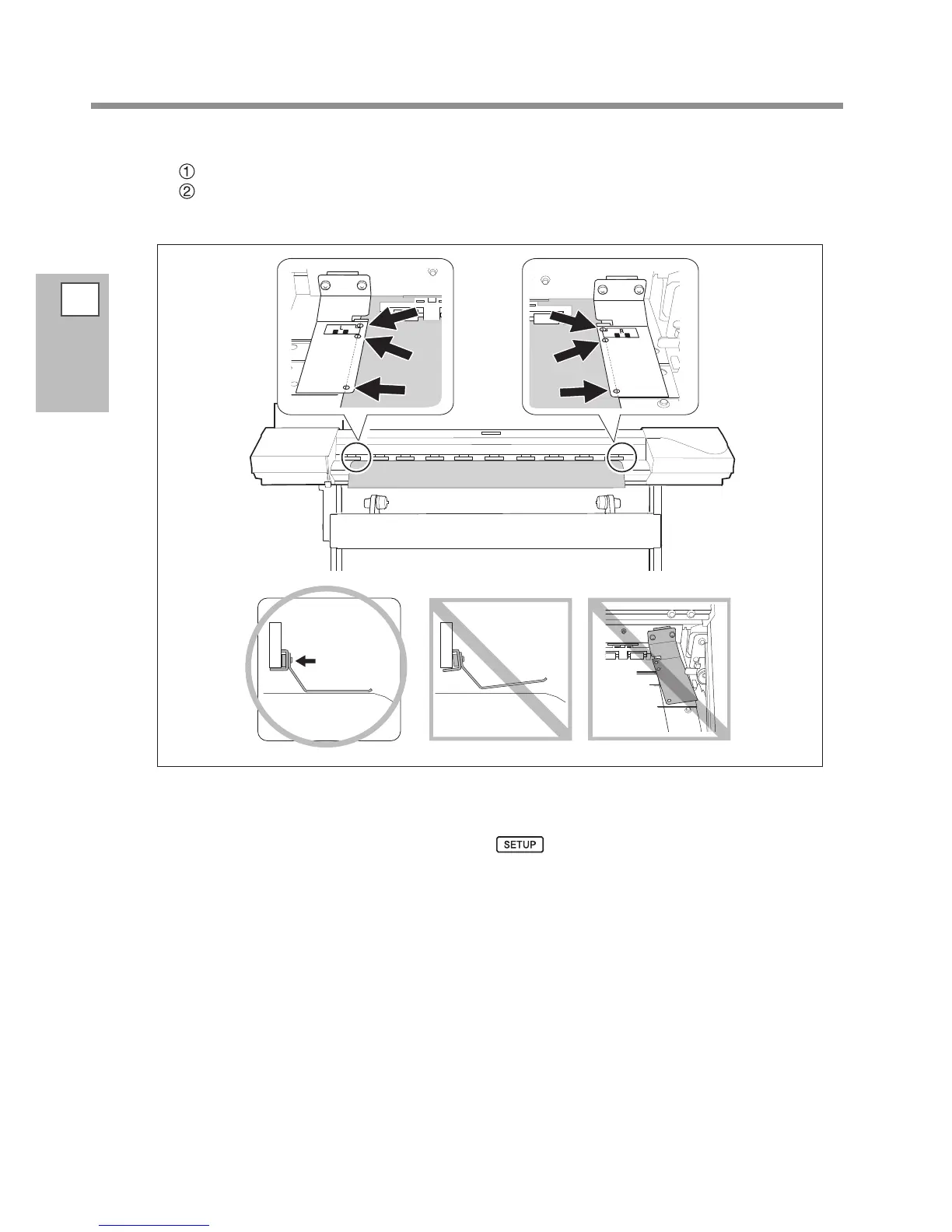
Attach the media clamps.
Align the centers of the holes of the media clamps with the both edges of the media.
The media clamps are magnetic, and the left and right clamps are distinct. Refer to the gure and install
them at the correct positions, taking care not to let the left and right clamps get mixed up.
Close the front cover.
When the front cover is closed, the print-head carriage moves and detects the width of media. This opera-
tion is called initialization. When initialization ends,
remains steadily lighted, and the printable
width is displayed on the screen. This completes loading of the media.














 To Next Page