3
Maintenance
Maintenance that Should Be Performed More Than Once a Month
63
x
The print-head carriage moves to the right side of the machine, and then
the screen on the left appears.
Remove the cover L.
y
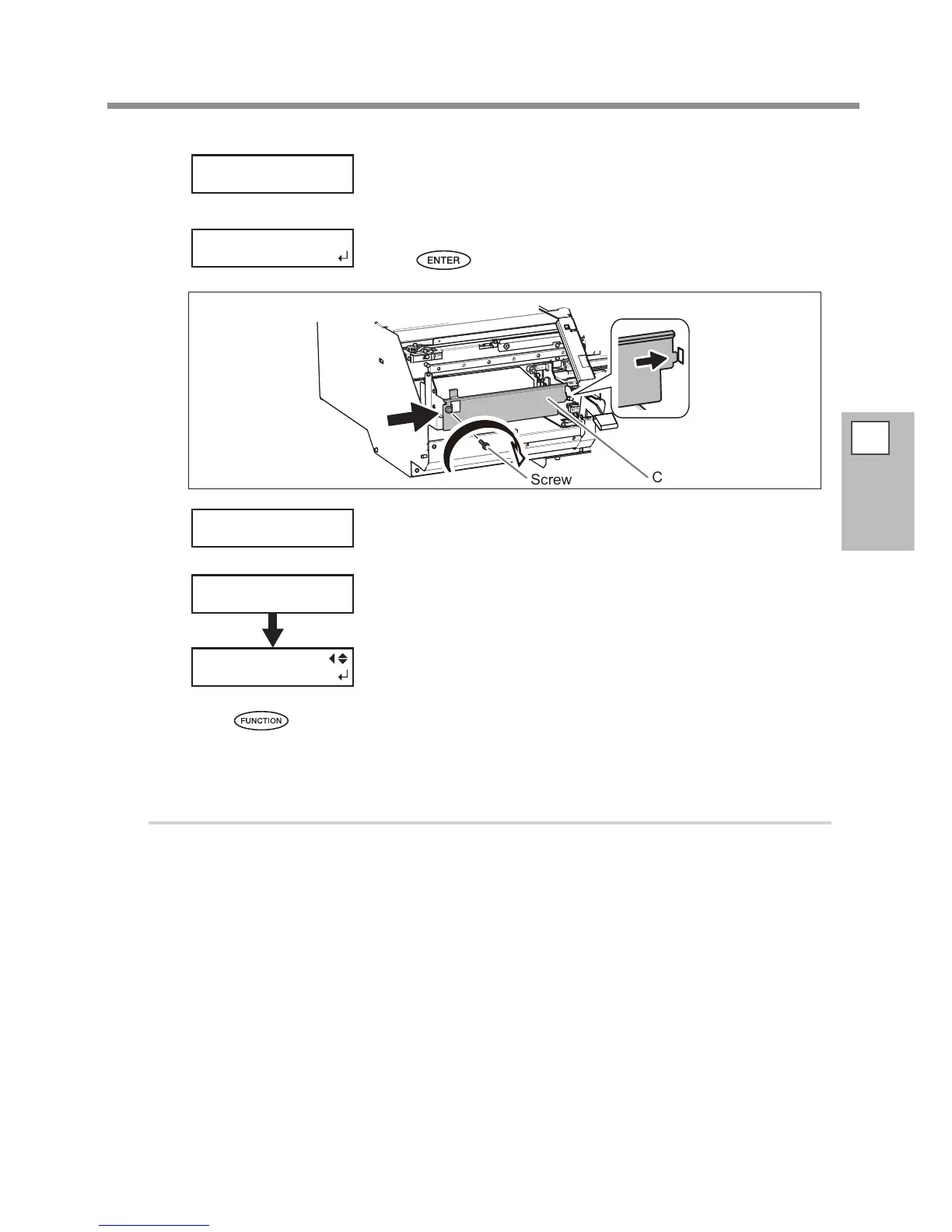
Attach the cut rail.
Press
.
Screw
Cut rail
z
Attach the cover L.
The screen on the left appears and cleaning starts.
When it nishes, the screen on the left appears again.
Press to go back to the original screen.
4.
Perform a printing test to verify the results of the procedure.
Perform a printing test to check the result.
Perform cleaning using the machine's cleaning feature several times when necessary.
P. 40, "Printing Tests and Cleaning"
OPEN COVER L
REPLACE CUT
RAIL
REPLACE CUT
RAIL
CLOSE COVER L
CLEANING...
>>
MAINTENANCE
CLEANING














 To Next Page