3
Maintenance
Maintenance that Should Be Performed More Than Once a Month
62
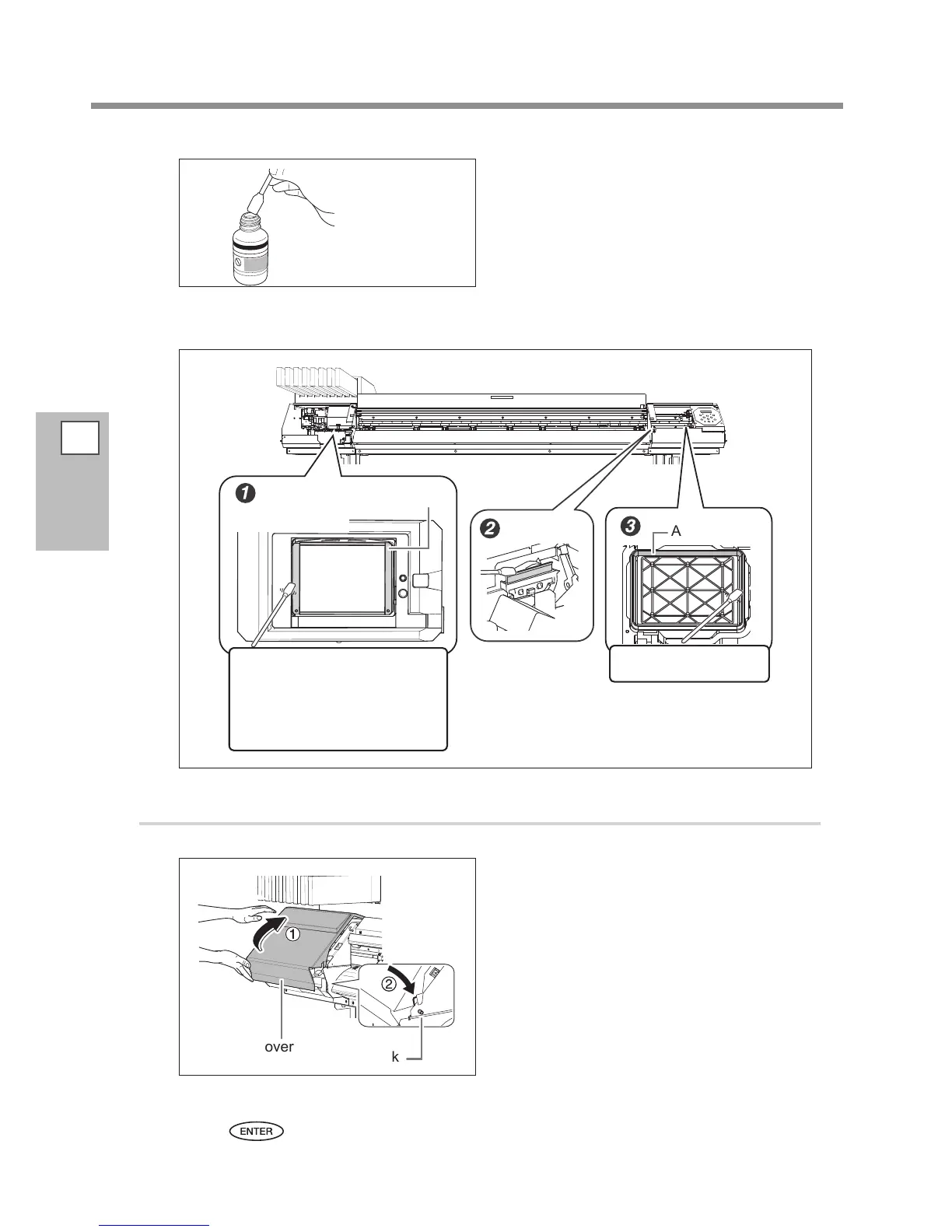
Moisten the cleaning stick with the clean-
ing liquid.
x
Perform cleaning in the sequence shown in the gure below.
Be especially careful to clean away any brous dust (lint).
Clean only the frame.
Clean only the frame. While
working with the cleaning
swab, be careful not to touch
the print head surface (nozzle
surface) directly.
Area to clean
Area to clean
3.
Reattach the cover L and R, and nish the manual cleaning menu.
Attach the cover L.
Attach the cover R.
Press .
Be sure to clean using
the included cleaning
stick.
Cover L
Hook
View from bottom
Nozzle
surface














 To Next Page