MASTER STC
USER MANUAL
47
If START? appears a brand new memory plan will be stored. Should OVERWRITE?
appear, the selected target Automemory plan already contains data, and will be
overwritten without further notice.
Press the encoder [D] knob once and the auto seek & store will start. The display will
also give information on the status of the research. When finished, the total number of
both analogue and digital found and stored channels will be displayed.
15.2 MANUALLY CREATING A MEMORY PLAN: MANUMEMORY
Press and release the MANUMEMORY [9] key.
CREATE A BRAND NEW MEMORY PLAN
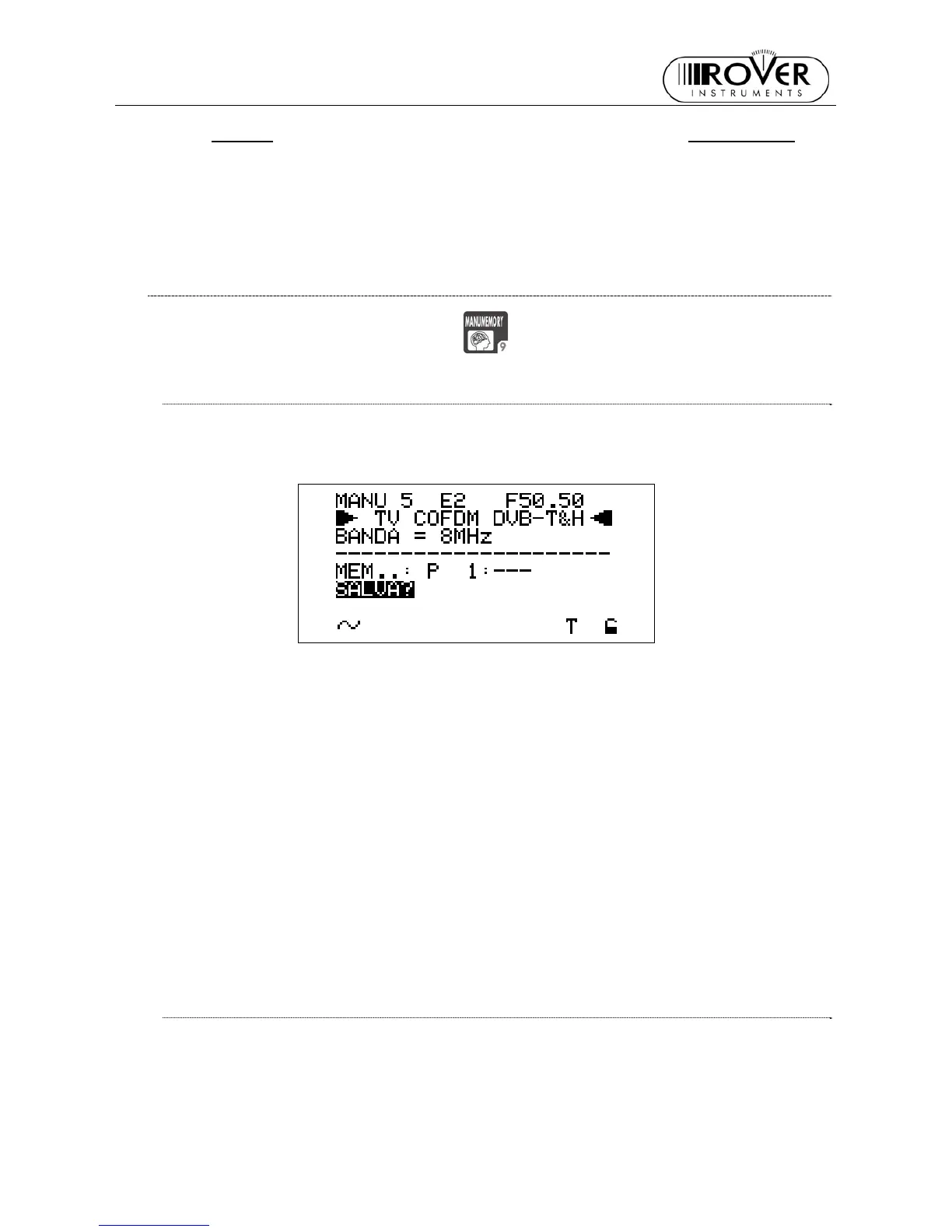
Using the Standard Navigation Mode, highlight the MANUxx item of the LCD display top
row on the left and select the desired target memory plan. When the current target plan
is void, the LCD row under the dotted line bottom row displays MEM P1: ---.
• Select a void memory plan (the LCD row under the dotted line bottom row displays
MEM P1: ---)
• Using the Standard Navigation Mode, highlight the channel ID item in the first row of
the LCD display. Then select the channel ID to be stored into the target memory
plan.
• Using the Standard Navigation Mode, highlight the SAVE? item.
• Press the encoder knob. The selected channel will be stored.
To add further channels to the current memory plan:
• Using the Standard Navigation Mode, highlight the channel ID item in the first row of
the LCD display. Then select the new channel ID to be stored.
• Using the Standard Navigation Mode, highlight the MEM..:P item, and select a void
memory position (the LCD row under the dotted line will displays, e.g. MEM: P 5: ---).
• Highlight the SAVE? item.
• Press the knob. The selected channel has now been stored.
Press once and release the MEAS [5] key to quit the memory menu.
ADDING A FURTHER CHANNEL TO AN EXISTING MEMORY PLAN
Using the Standard navigation Mode, highlight the MANUxx item in the LCD top row on
the left, then select the desired target memory plan (in which a new channel has to be
added). Then:
• Using the Standard navigation Mode, highlight the channel ID item on the first row of
the display and select a new channel ID to be stored.



 To Next Page