Chapter 7 Programming Complex Tax Rates
dollar amount when setting the tax percentage amount. Just follow the
instructions on the screen.
You can also set Tax-O n-Tax or Piggy Back Tax.
To set Canadian tax rates
Programming Tax Set Up
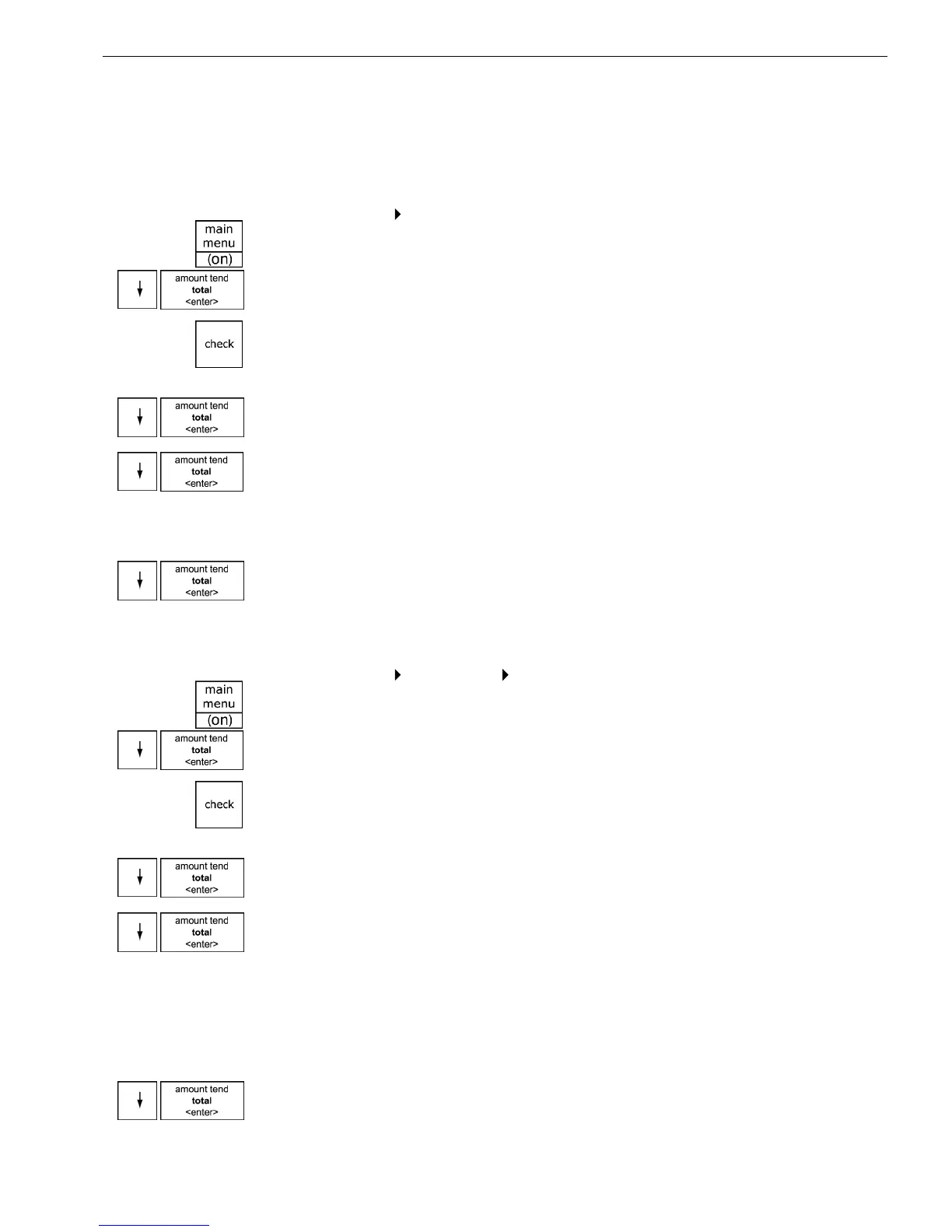
1 Press the Main menu (on) key.
2 Press the Arrow Down key to select Programming. Press the Amount
Tend Total <Enter> key.
3 I f you are prompted for a M anager Passcode, type the passcode number
and then press the Check key. I f you did not program a M anager
Passcode, go to the next step.
4 Press the Arrow Down key to select Tax Set U p. Press the Amount Tend
Total <Enter> key.
5 Press the Arrow Down key to select the tax you want to add or change.
Press the Amount Tend Total <Enter> key.
6 Using the round N umber keys area, enter the tax you want to add or
change. For example, 7750 is 7.75% tax.
7 W hen you are done, press the Amount Tend Total <Enter> key.
8 R epeat for each tax you want to set.
To set Tax-On-Tax
Programming Tax Set Up Tax-On-Tax
1 Press the Main menu (on) key.
2 Press the Arrow Down key to select Programming. Press the Amount
Tend Total <Enter> key.
3 I f you are prompted for a M anager Passcode, type the passcode number
and then press the Check key. I f you did not program a M anager
Passcode, go to the next step.
4 Press the Arrow Down key to select Tax Setup. Press the Amount Tend
Total <Enter> key.
5 Press the Arrow Down key to select Tax-on-Tax. Press the Amount Tend
Total <Enter> key.
6 Select from:
• No tax-on-tax
• Tax-on-Tax (Piggy Back)
• Tax-on-Tax-on-Tax (triple Piggy Back)
7 M ake your selection and press the Amount Tend Total <Enter> key.
081000ML User's GuideahplA



 To Next Page