DISPlAY
WINDOWS
OPERATOR DISPLAY
.....
Your cash
r~..r
provides
two
displays which feature large. easy
to
read
fluorescent digits for easy operator
and customer viewing. The operator display is located
at the
top
front
of
the machine and
is
your visual guide
with the inner workings
of
the cash register. The display shows entry amounts and related transaction
infonnation
by
the use of numbers and special symbols. The display capacity is
10
digits; 1 digit for Repeat,
2 digits for Departments
and an amount display with a 7 digit capacity for numerical entry:
CUSTOMER
DISPLAY
To position
the'
rear customer display, simply pull up and rotate for viewing from any direction. To dose, simply
press down on the raised display
untH
it lies flat against the
top
of
the register. '
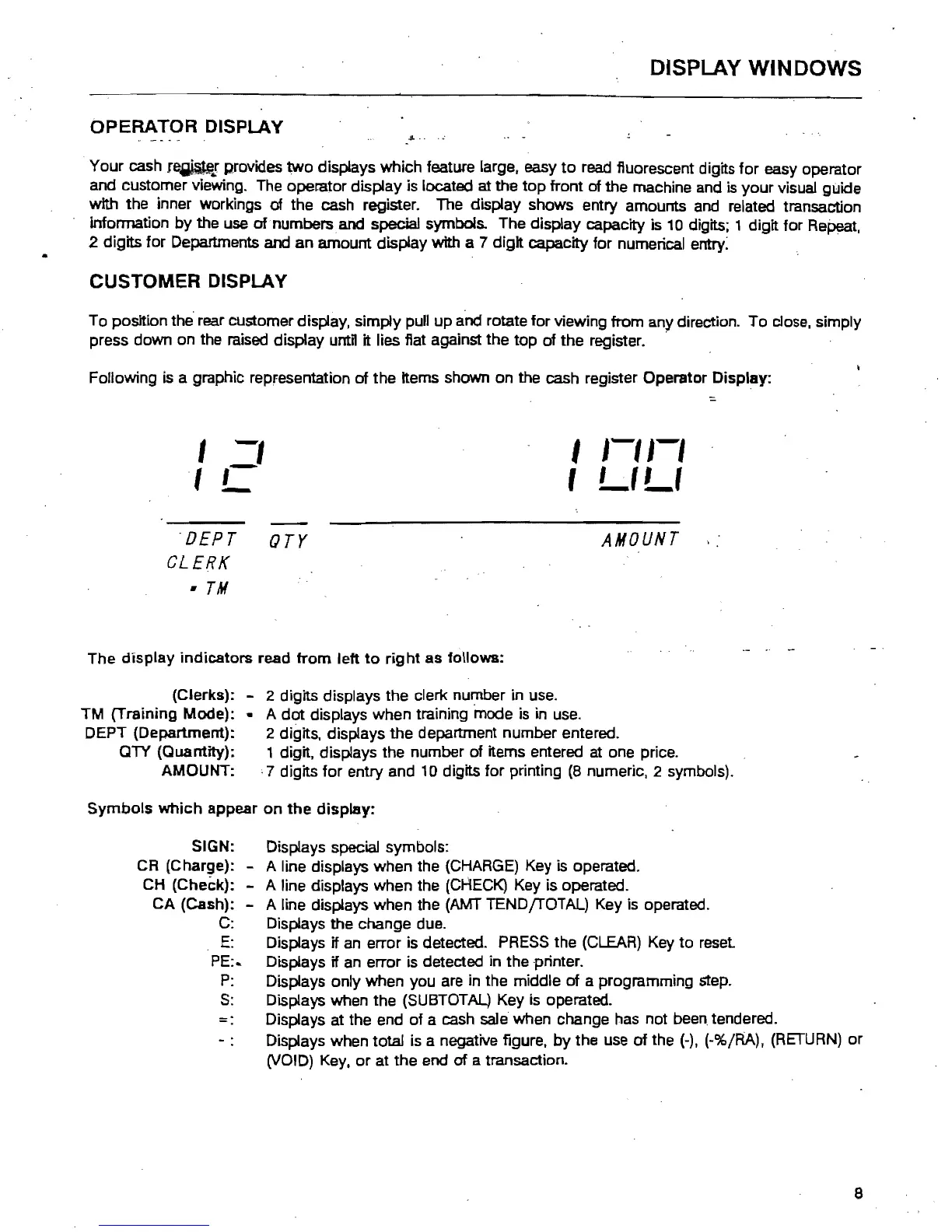
Following
is
a graphic repfesentation
of
the Items shown on the cash register Operator Display:
,
-,
I
1-'1-'
:::.
Ie
,
LILt
'DEPT
orr
AMOUNT
CLERK
•
TM
The display indicators read
from
left
to
right
as follows:
(Clerks): - 2 digits displays the clerk number in use.
TM (Training Mode): .. A
dot
displays when training mode is in use.
DEPT (Department): 2 digits, displays the department number entered.
QTY (Quantity): 1 digit. displays the number of items entered at one price.
AMOUNT:
,7
digits
for
entry and 10 digits for printing
(8
numeric, 2 symbols).
Symbols
which
appear on
the
display:
SIGN: Displays special symbols:
CR (Charge): - A line displays when the
(CHARGE)
Key is operated.
CH
(Check): - A line displays when the
(CHECK)
Key is operated.
CA (Cash): - A line displays when the
(AMT
TEND{rOTAL) Key is operated.
C:
Displays the change due.
E:
Displays if an error is detected.
PRESS
the (CLEAR) Key to reset
PE:..
Displays if an error is detected in the printer.
P:
Displays onty when you are in the middle of a programming step.
S:
Displays when the (SUBTOTAL) Key
is
operated.
-.
Displays at the end
of
a cash sale when change has not
been.
tendered.
Displays when total is a negative figure.
by
the use
of
the
(-).
(-%/RA),
(RETURN)
or
(VOID)
Key,
or
at
the end of a transaction.
8



 To Next Page