TRANSACTION EXAMPLES FOR OPERATING
THE
CASH REGISTER
1----
---._,----
NOTE:
Tum
the key
the
"REG" (REGISTER)
position
for
registering sales transactions.
--rMPORTANT: It
is
not necessary
to
press the Decimal Point when ringing- upll. pnce.
--
REMINDER: If Clerk Numbers are programmed.
be
sure
to
TYPE the (CLERK
#).
then PRESS
the (CLERK) Key before ringing up a sale.
-
In
the examples below. Department 1 is programmed
as
taxable with a
5%
(TAX
')
rate and Department 2 is
programmed
for
no
tax and Clerk
#1
is used.
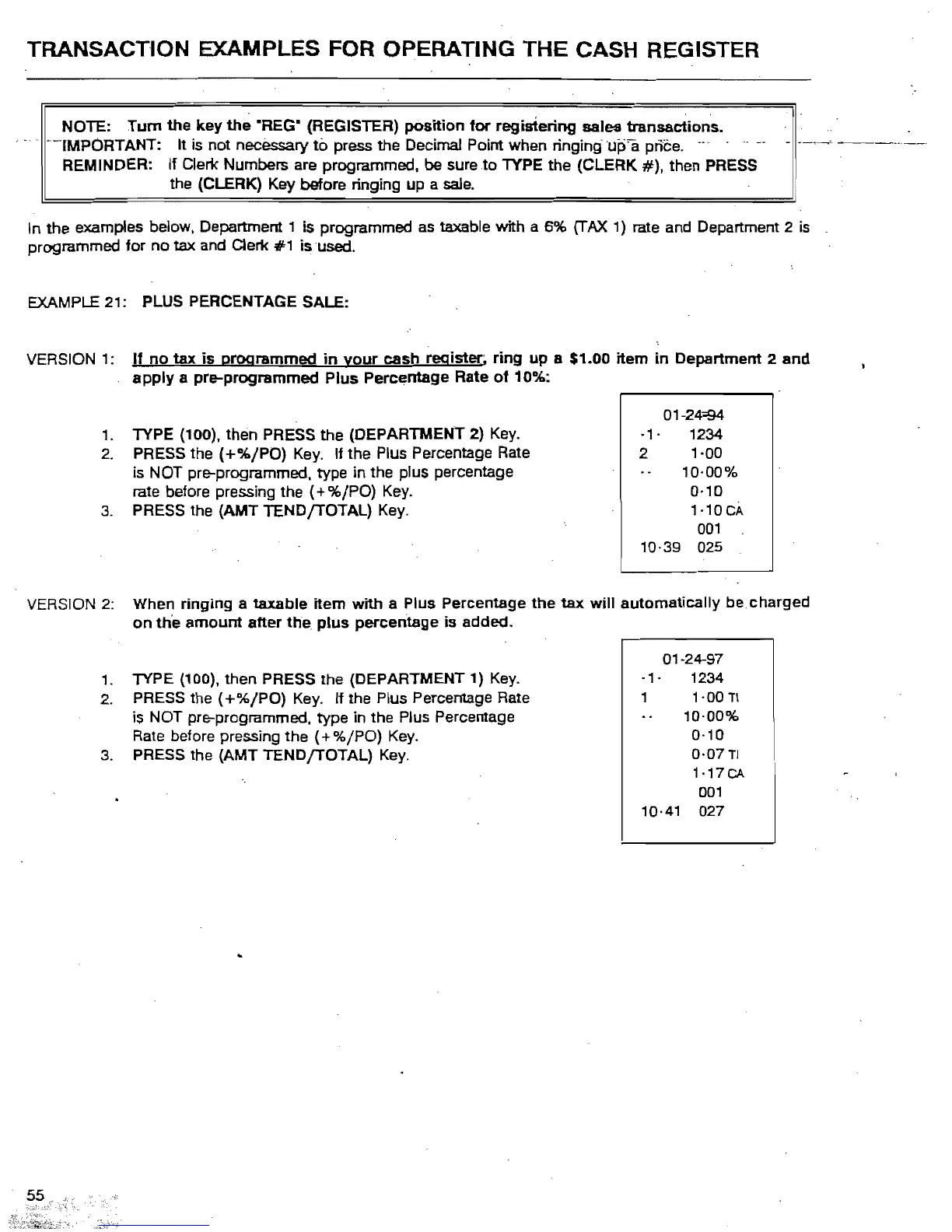
EXAMPLE 21: PLUS PERCENTAGE SALE:
VERSION 1:
If
no
tax
is
programmed
in
your
cash register; ring
up
a $1.00 item
in
Department 2
and
apply
a pre-programmed
Plus
Percentage Rate
of
10%:
01
-24"'94-
.,.
1234
1. TYPE (100), then PRESS the (DEPARTMENT 2)
Key.
2 1
-DO
is NOT pre-programmed. type in the plus percentage
2.
PRESS the
(+%/PO)
Key.
If the Plus Percentage Rate
10·00%
rate before pressing the
(+%/PO)
Key.
0·10
3.
PRESS the (AMT TENDfTOTAL)
Key_
1·10CA
001
10-39 025
VERSION
2:
When ringing a taxable item
with
a Plus Percentage
the
tax
will
automatically be charged
on
th'e
amount
after
the
plus
percentage
is
added.
01-24-97
,_
TYPE (100), then PRESS the (DEPARTMENT 1)
Key.
-1'
1234
1-00
TI
is NOT pre-programmed. type in the Plus Percentage
2.
PRESS the
(+%/PO)
Key. If the Plus Percentage
Rate
10-00%
Rate
before
preSSing
the
(+
'Yo/PO)
Key.
0-10
0-07
TI
1-17CA
3.
PRESS the (AMT TENDfTOTAL)
Key.
001
10·41 027



 To Next Page