TRANSACTION
EXAMPLES FOR OPERATING
THE
CASH REGISTER
. .
NOTE:
Tum
the
key
the
-REG- (REGISTER)-
position
for
registering
saleS
transactions.
IMPORTANT:
It
is
not
necessary
to
press
the
Decimal Point when ringing
up'a
price.
REMINDER:
If
Clerk Numbers are programmed.
be
sure
to
TYPE the
(CLERK
#),
then PRESS
the (CLERK) Key before ringing
up
a sale.
1n
the examples below, Department 1 is
programmed
as taxable with a
6%
(TAX 1) rate and Clerk #1 is used .
..
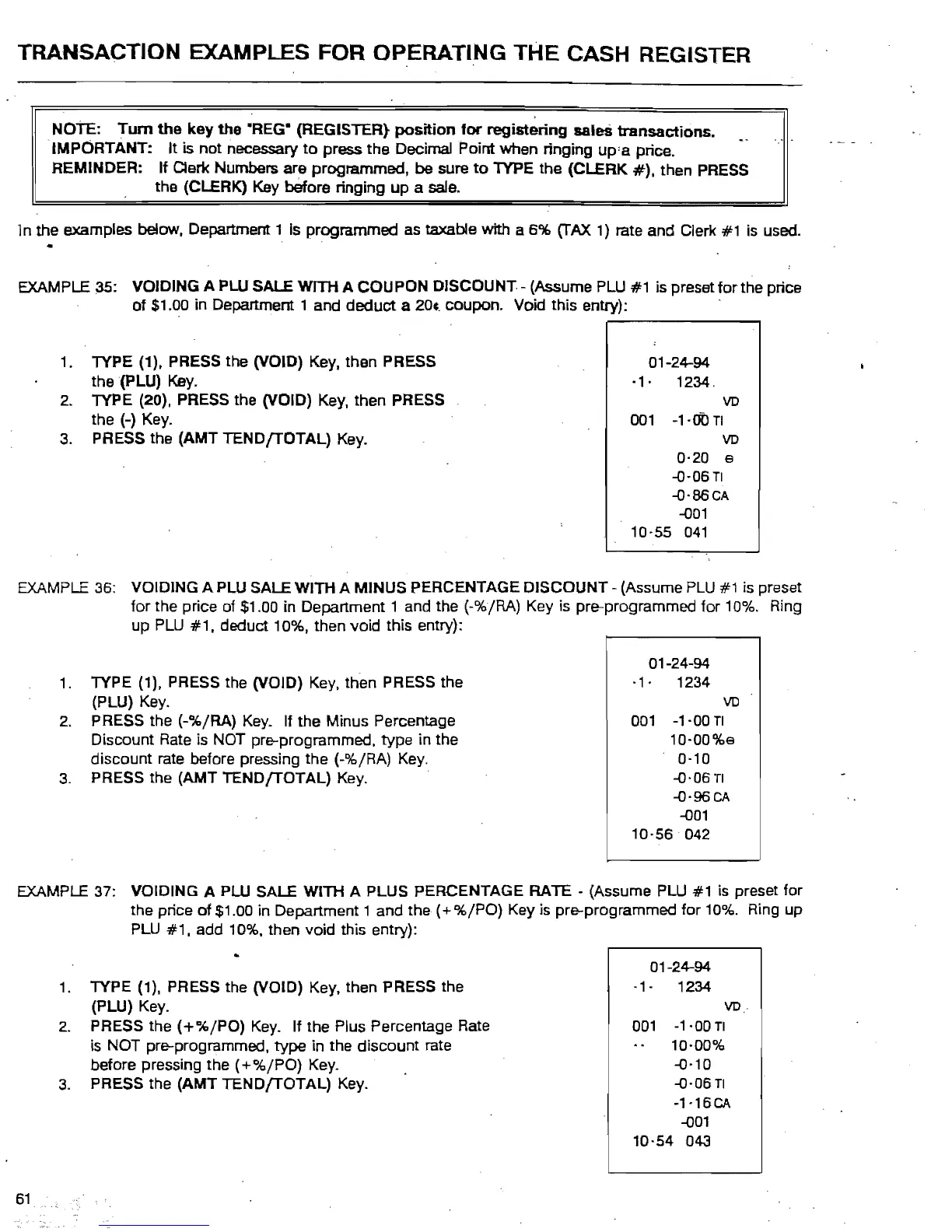
EXAMPLE 35: VOIDING
APLU
SALE
WITH
A
COUPON
DISCOUNT-
(Assume PLU #1 is preset
for
the price
of
$1.00 in Department 1 and
deduct
a
204.
coupon. Void this entry): .
1. TYPE (1), PRESS the (VOID) Key. then PRESS
the (PLU) Key.
2. TYPE (20), PRESS the (VOID) Key, then PRESS
the (-) Key.
3. PRESS the (AMT
TENDfTOTAL)
Key.
01-24-94-
-1· 1234.
VD
001
-1·00
TI
VD
0·20
9
-o·06TI
-o-86CA
-001
10-55
041
EXAMPLE 36: VOIDING A PLU SALE
WITH
A
MINUS
PERCENTAGE
DISCOUNT
- (Assume
PLU
#1 is preset
for
the price of $1.00 in Department 1 and the (-%/RA) Key is pre-programmed for 10%. Ring
up
PLU
#1,
deduct 10%, then
void
this entry):
1.
TYPE (1), PRESS the (VOID) Key. then PRESS the
(PLU) Key.
2.
PRESS the
(-%/RA)
Key_
If
the
Minus Percentage
Discount Rate is NOT pre-programmed,
type
in the
discount
rate before pressing
the
(-%/RA) Key.
3.
PRESS the (AMT
TENDfTOTAL)
Key. .
01-24-94
·1·
1234
VD
001
-1-00
TI
10-00%9
0-10
-0·06
TI
-o'96CA
-001
10-56 042
EXAMPLE 37: VOIDING A PLU SALE WITH A PLUS PERCENTAGE
RATE
- (Assume PLU
#1
is
preset for
the price
of
$1.00 in Department 1 and the
(+%/PO)
Key is pre-programmed
for
10%. Ring up
PLU
#1,
add 10%. then
void
this entry):
01-24-94-
·1-
1234
(PLU) Key.
1.
TYPE (1). PRESS the (VOID) Key. then PRESS the
VD.
2.
PRESS
the
(+%/PO)
Key.
If
the
Plus Percentage Rate
001
-1'00TI
is NOT pre-programmed,
type
in
the
discount
rate
10·00%
before pressing the
(+
%/PO)
Key.
-0·10
-0-06
TI
-1·16CA
-001
10-54 043
3.
PRESS the
(AMT
TEN
DfTOTAL)
Key.
61



 To Next Page