INSTALUNG
THE RIBBON
Your cash register comes with the ribbon already installed. The ribQon releases special ink
to
the printhead
__
which produces the printout After a period of time, depending upon the amount of use, the ink in the ribbon .
.
--.
'will'beuied
up:- When Printout becomes faint, the ribbon needs-to be replaced. i'
'-';-.-.-'.-''-'-~~~~=-:~'=C'T''''-
---~='-'"-.~
•••
-
-.-
CAUTION: The
ribbon
is
not designed
to
be
re-inked. Under no
circumstances
should
this
be
done
or
. permanent
damage
to
your
cash register
printer
may resutt. Such
damage
will
not
be covered
under
Royal's warranty.
INSTALLING
THE
RIBBON
1.
Open the journal compartment cover, first
be sure
that
the lock
Oocated
on the left side
of the cover) is unlocked using the Cash
Drawer /Journal Lock Key #515. Grip
the
left side
of
the journal cover and gently pull
back. The. cover will remain open in an
upright position.
2.
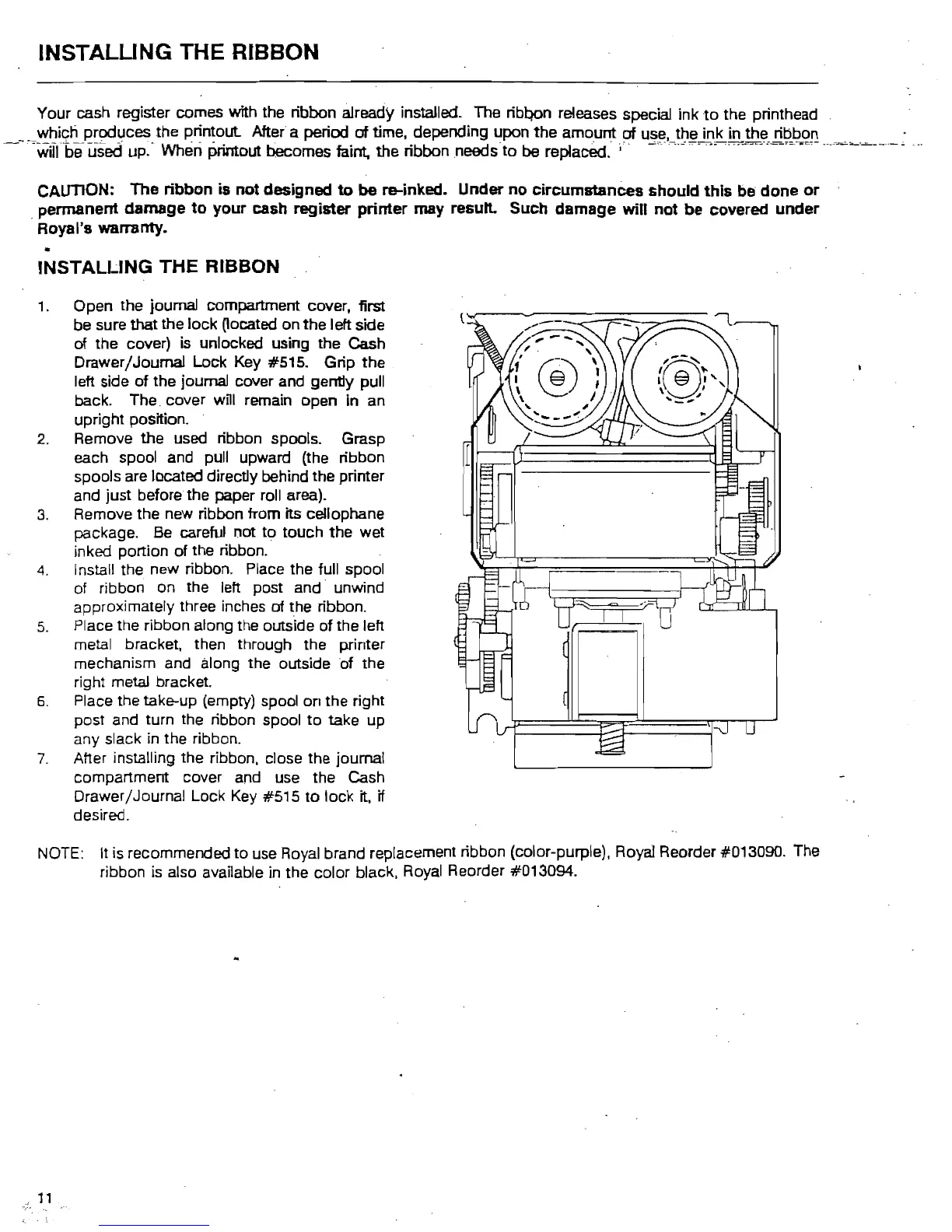
Remove
the
used ribbon spools. Grasp
each spool and pull upward (the ribbon
spools are located directly behind the printer
and just before the paper roll area).
3.
Remove the new ribbon from its cellophane
package. Be careful not
to
touch the wet
inked portion of the ribbon.
4.
Install
the.
new ribbon. Place the full spool
of ribbon on the left post and unwind
approximately three inches
of
the ribbon.
5.
Place the ribbon along the outside of the left
metal bracket, then through the printer
mechanism and along the outside of the
right metal bracket.
6.
Place the take-up (empty) spool
on
the right
post and turn the ribbon spool
to
take up
any slack
in
the ribbon.
7.
After installing the ribbon, close the journal
compartment cover and use the Cash
Drawer/Journal Lock
Key
#515
to
lock it, if
desired.
NOTE:
It
is
recommended
to
use Royal brand replacement ribbon (color-purple), Royal Reorder #013090. The
ribbon
is
also available in the color black, Royal Reorder #013094.
11



 To Next Page