RE-INKING THE THANK YOU STAMP
THANK YOU STAMP
Your cash register is equipped with a pre-Inked rubber stamp that automatically prints
"YOUR
RECEIPT THANK
YOU· on every customer receipt at
the completion
of
a transaction. If the print becomes unclear or
faint.:
re-
inking the stamp
wDl
be necessary.
Follow this procedure for refilling the stamp pad:
1.
Open the journal compartment cover, first be sure
that the lock
~ocated
on the left side
of
the journal
compartment cover) is unlocked using the Cash
Drawer/Journal
Lock Key #515. Grip the left side
of
the journal cover and gently pull back. The cover
will remain open in
an
upright position. .
2.
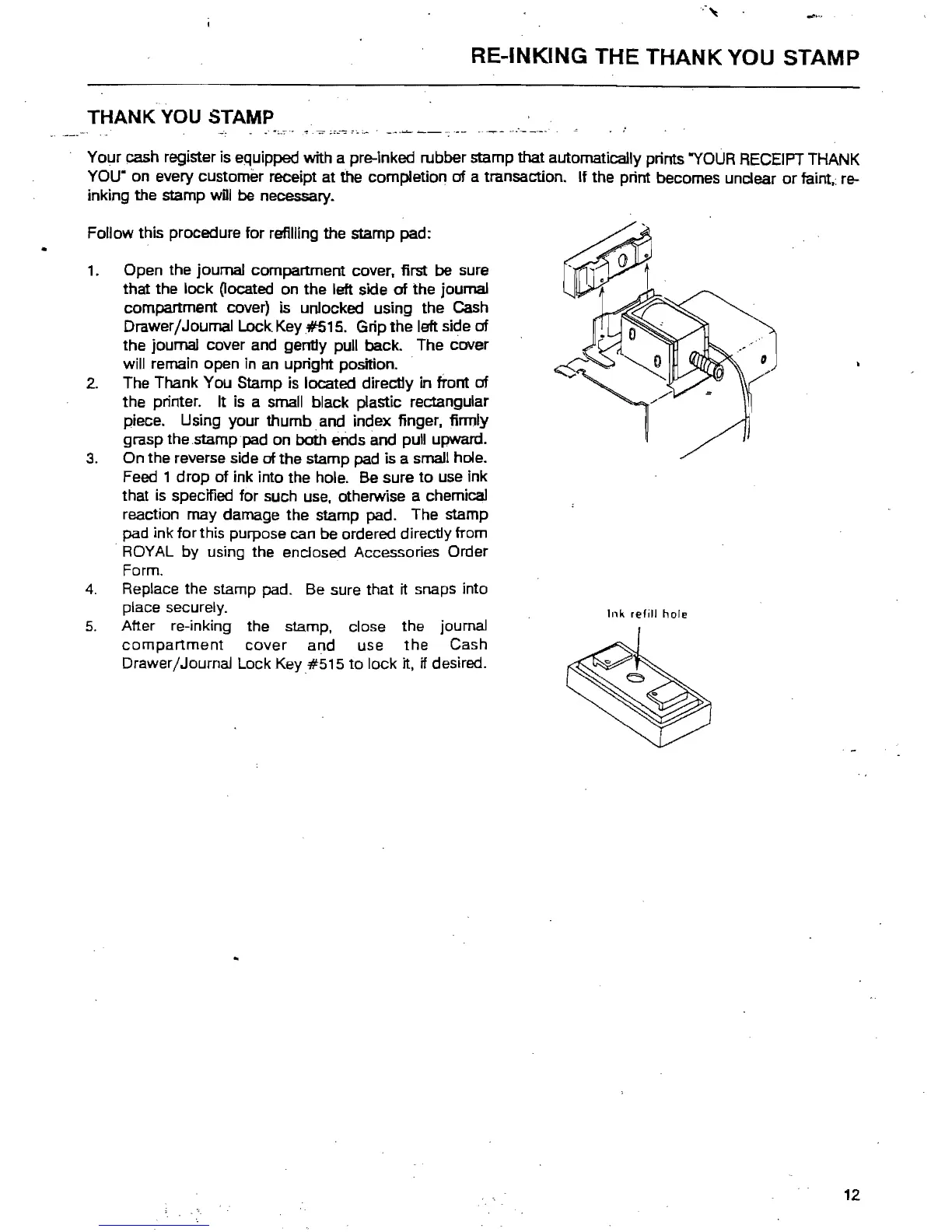
The Thank You Stamp is located directly
in
tront
of
the printer. It is a small black plastic rectangular
piece. Using your thumb and index finger, finnly
grasp the .stamppad on both ends
and
pull upward.
3.
On the reverse side of the stamp
pad
is a small hole.
Feed 1 drop
of
ink into the hole.
Be
sure
to
use
ink
that
is
specified for such
use.
otherwise a chemical
reaction may damage the stamp pad. The stamp
pad ink for this purpose can be ordered directly from
ROYAL by using the enclosed Accessories Order
Form.
4.
Replace the stamp pad. Be sure that it snaps into
place securely.
Ink
refill
hole
5.
After re-inking the stamp, close the journal
compartment
cover
and use
the
Cash
Drawer/Journal Lock Key#S1S to lock it.
if desired.
12



 To Next Page