TRANSACTION EXAMPLES FOR OPERATING THE CASH REGISTER
__ NOTE: Turn the key·
the
~REG·-(REGISTER)
position-fonegisterfng
sales transactions.
IMPORTANT: It
is
not necessary
to
press the Decimal Point when ringing up a price.
REMINDER: If Clerk Numbers are programmed. be sure
to
lYPE
the (CLERK #). then PRESS
the (CLERK) Key before ringing
up
a
sale.
In
the examples below. Department 1
is
programmed as taxable with a
6%
(TAX
1)
rate
and
Clerk #1 is used .
•
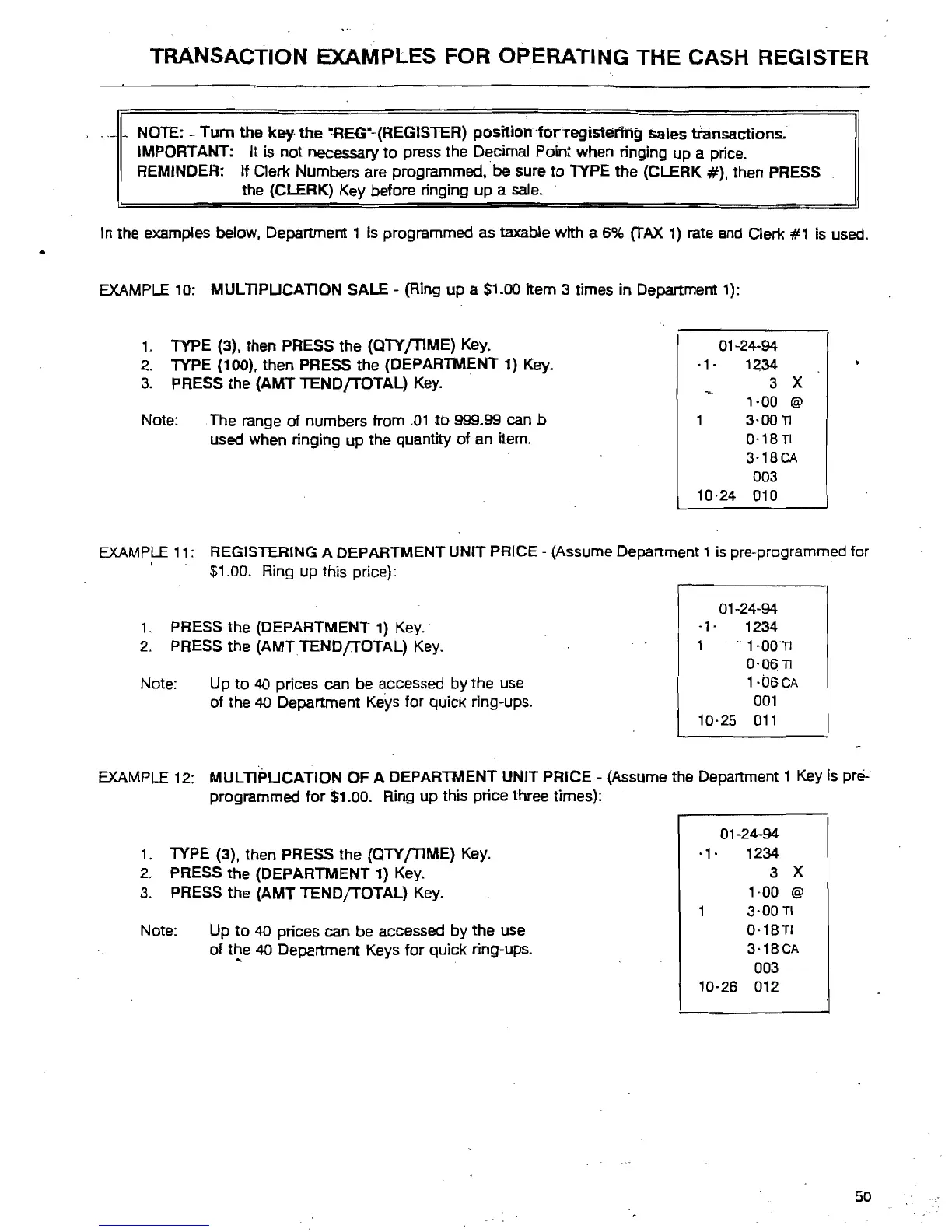
EXAMPLE
10: MULTIPUCATION SALE - (Ring up a $1.00 Item 3 times in Depanment
1):
1.
lYPE
(3), then PRESS the
(OlY
fTlME)
Key.
2.
lYPE
(100). then PRESS the (DEPARTMENT
1)
Key.
3.
PRESS
the (AMT TENDfTOTAL)
Key.
.
Note: The range
of numbers from
.01
to
999.99 can b
used when ringing up the quantity of an item.
EXAMP~
11: REGISTERING A DEPARTMENT UNIT PRICE
$1.00. Ring up this price):
1.
PRESS
the (DEPARTMENT
1)
Key_
2.
PRESS the (AMTTENDJTOTAL)
Key_
Note: Up
to
40
prices can
be
accessed by the
use
of the
40
Depanment
Keys
for quick ring-ups.
01-24-94
-1·
1234
3 X
1·00
@
1 3-00
TI
0·18
TI
3·18CA
003
10·24 010
(Assume Depanment 1
is
pre-programmed for
01-24-94
-,.
1234
1 ·-1·00TI
0-06
Tl
1-b6CA
001
10-25
011
EXAMPLE
12: MULTIPUCATION OF A DEPARTMENT UNIT PRICE - (Assume the Depanment 1
Key
is
prei--
programmed for $1.00. Ring up this price three times):
1.
lYPE
(3), then PRESS the
(OlY
fTlME)
Key.
2.
PRESS the (DEPARTMENT 1)
Key.
3.
PRESS
the (AMT TENDfTOTAL)
Key.
Note: Up
to
40
prices can be accessed by the use
of
t~e
40
Depanment
Keys
for quick ring-ups.
01-24-94
·1·
1234
3 X
1·00
@
3·00TI
0-18TI
3·18CA
003
10·26 012
50



 To Next Page