TRANSACTION EXAMPLES FOR OPERATING THE CASH REGISTER
..
-NOTE:-
Tum
the
key'the
....
REG···(REGISTER) poSition for regiStenng-ioalestransactions.
IMPORTANT:
It is not necessary
to
press the Decimal Point when ringing up a price.
REMINDER:
WCler!<
Numbers are programmed, be sure
to
TYPE the (CLERK
#).
then
PRESS
the (CLERK) Key before ringing up a
sale.
In
the
exampJes
below, Department 1 is programmed
as
taxable with
6%
(TAX
1)
rate and Department 2
is
..
programmed for no tax and Clerk #1 is
used.
.
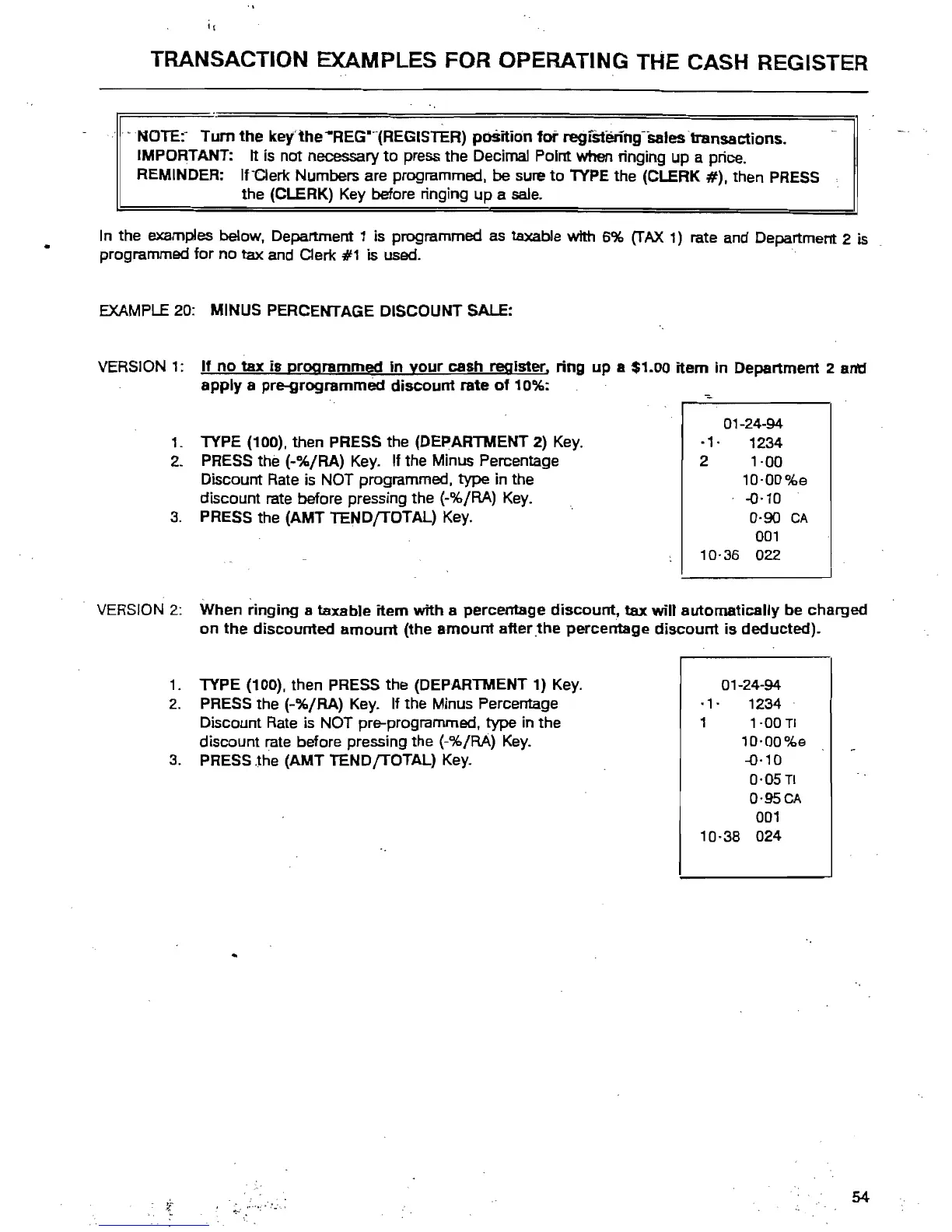
EXAMPLE
20:
MINUS PERCENTAGE DISCOUNT SALE:
VERSION
1:
If
no
tax is programmed
in
your
cash register, ring up a $1.00
item
in Department 2
an'd
apply
a pre-grogrammect discount rate
of
10%:
1.
TYPE (100). then PRESS the (DEPARTMENT
2)
Key.
2. PRESS the (-%/RA) Key. If the Minus Percentage
Discount
Rate
is
NOT programmed. type in the
discount rate before pressing the
(-%/RA)
Key.
3.
PRESS the (AMT TENDfTOTAL)
Key.
01-24-94
·1·
1234
2 1·00
10·00%e
-0·10
0·90
CA
001
10·36 022
VERSION
2: When ringing a taxable item with a percentage
diSCOUnt,
tax
will automatically be charged
on
the
discounted
amount
(the
amount
after .the percentage
discount
is deducted).
1.
TYPE (100). then PRESS the (DEPARTMENT 1)
Key.
2.
PRESS the (-%/RA)
Key.
If the Minus Percentage
Discount
Rate
is NOT pre-programmed. type in the
discount rate before pressing the
(-%/RA)
Key.
3.
PRESS
Jhe
(AMT TENDfTOTAL) Key.
01-24-94
·1·
1234
1
1·00
TI
10-00%e
-0-10
o-OSTI
o-95CA
001
10-38 024
54



 To Next Page