(Continued)
XjZ
MANAGEMENT REPORTS
TO
TAKE
A PLU
REPOijT
II
·X·
or
az:
+ (PLU)
II
1.
Tum
the
key
to
the
ax"
or
'X
position
as desired.
2.
If an
ax"
or
a PRG/Z Manager Password has been programmed, TYPE the (PASSWORD
#),
then PRESS the (CHECK)
Key,
or
if you did NOT program an
-X"
or
a PRG/Z Manager
Password,
go
to
Step 3.
3.
PRESS the (PLU) Key.
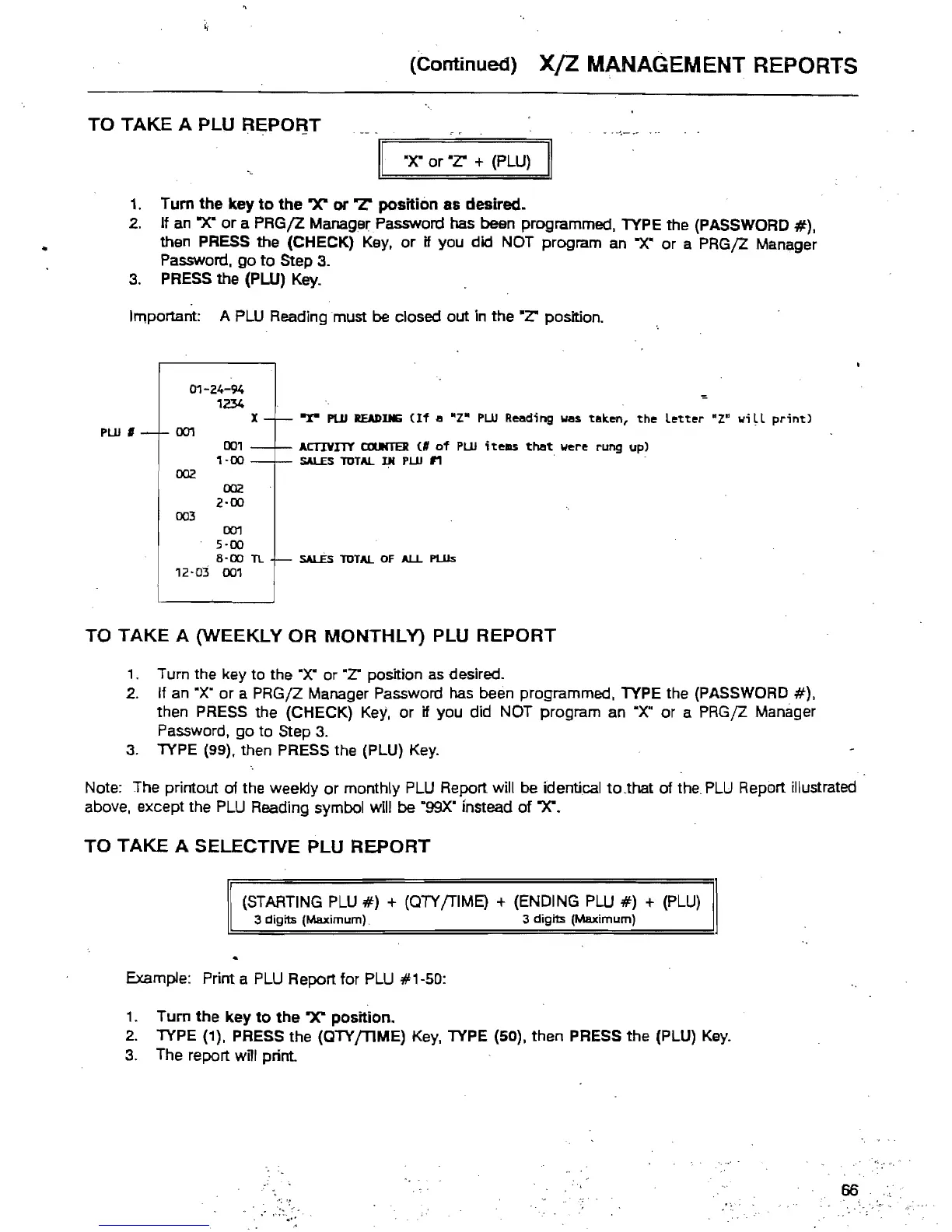
Important: A
PLU
Reading must be closed out in the
-z:
position.
01-24-94
'1234
X -x-
PLU
READING
(If
a
HZ·
PUl
Reading
was
taken,
the
letter
aza
will
print)
PUl ,
00'1
001
ACTIVITY
OJUNTER
(II
of
PUl ;telllS
t:118t:
were
rung
up)
'1·00
SALES
TOTAL
IN PUl n .
002
002
2·00
003
00'1
5·00
8'00
TL
SALEs
TOTAL
OF
ALL
PLUs
12·03
001
TO
TAKE
A (WEEKLY
OR
MONTHLy)
PLU
REPORT
1. Turn the key to the
"X·
or
-z:
position
as
desired.
2.
If an "X'
or
a
PRGjZ
Manager Password has been programmed, TYPE the (PASSWORD
#),
then PRESS the (CHECK)
Key,
or
if you did NOT program an ·X" or a PRGjZ Manager
Password,
go
to Step
3.
3.
TYPE (99), then PRESS the (PLU)
Key.
Note: The printout of the weekly
or
monthly PLU Report will be identical
to
..
that of
the.
PLU
Report illustrated
above, except the
PLU
Reading symbol will be
"99X"
instead
of
-X".
TO
TAKE
A SELECTIVE PLU
REPORT
(STARTING
PLU
#)
+ (OTY /TIME) + (ENDING
PLU
#)
+
(PLU)
3 digits (Maximum). 3
digits
(Maximum)
Example: Print a
PLU
Report for PLU #1-50:
1.
Turn
the
key
to
the
ax"
position.
2.
TYPE (1), PRESS the (QTY{TlME)
Key,
TYPE (50), then PRESS the (PLU)
Key.
3.
The report will print.
66



 To Next Page