--
-----
--
TRANSACTION EXAMPLES FOR OPERATING THE CASH REGISTER
- NOTE:
Tum
the
key-the-
III
REG"-(REGISlER) -position
for
registering
sales transactions:
IMPORTANT: It is not necessary
to
press the Decimal Point when ringing up a price.
REMINDER: If Clerk Numbers are programmed, be sure
to
TYPE the (CLERK
#),
then PRESS
the (CLERK) Key before ringing up a sale.
In the examples below. Department 1 is programmed as taxable with a
6%
(TAX
1)
rate-
and Department 2 is
..
programmed for no
tax and Clerk
#1
is used .
EXAMPLE
28:
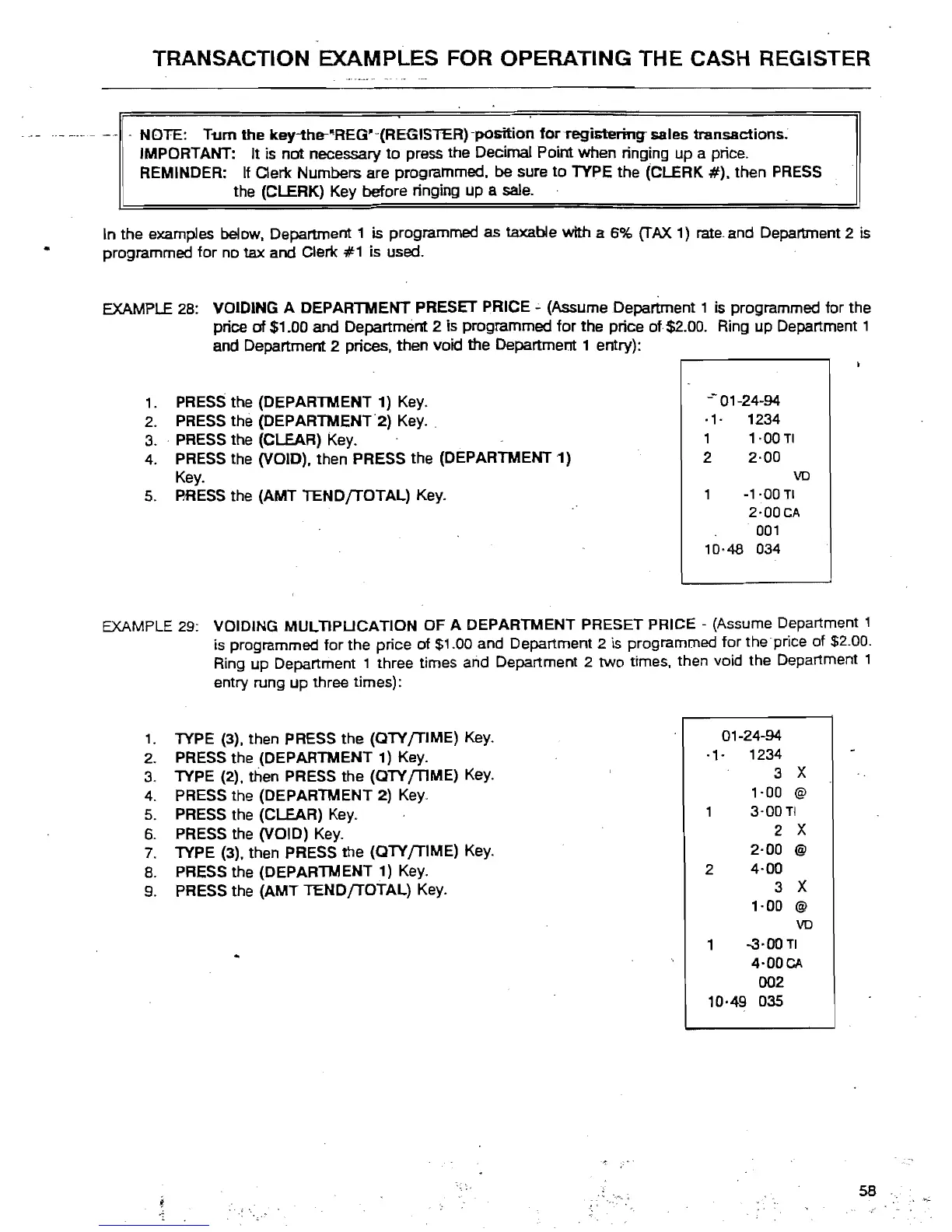
VOIDING A DEPARTMENT PRESET PRICE.;. (Assume Department 1
is
programmed for the
price
of
$1.00 and Department 2 Is programmed for the price
of
$2.00. Ring up Department 1
and Department 2 prices. then void the Department 1 entry):
-- 01-24-94
1.
PRESS the (DEPARTMENT 1) Key.
-1- 1234
2.
PRESS the (DEPARTMENT'2)
Key.
1
1-00
TI
3.
' PRESS the (CLEAR)
Key.
2
2-00
Key_
4.
PRESS the (VOID), then PRESS the (DEPARTMENT 1)
VD
-1-00
TI
2-00CA
001
10-48 034
S.
BRESS the (AMT
lEND[TOTAL)
Key.
EXAMPLE 29:
VOIDING MULTIPUCATION OF A DEPARTMENT PRESET PRICE - (Assume Department 1
is programmed for the price of
$1.00 and Department 2
is
programmed for the price of $2.00.
Ring up Department 1 three times and Department 2
two
times. then void the Department 1
entry rung
up
three times):
1.
TYPE (3), then PRESS the (OTY
[TIME)
Key_
2.
PRESS the (DEPARTMENT 1) Key.
3_
TYPE (2), then PRESS the (OTY {TIME) Key.
4.
PRESS the (DEPARTMENT 2)
Key.
S.
PRESS the (CLEAR) Key.
6.
PRESS the (VOID)
Key_
7.
TYPE (3), then PRESS the (OTY
[TIME)
Key.
8.
PRESS the (DEPARTMENT 1)
Key_
9.
PRESS the (AMT TEND
[TOTAL)
Key_
01-24-94
-,
.
1234
3
X
1-00
@
3-00TI
2
X
2·00
@
2
4·00
3
X
,·00
@
VD
1
-a·00
TI
4'00CA
002
10·49 035
58



 To Next Page