TAX RATE
Four
different tax rates can
be.
programmed on
your
cash register. Each
tax
rate can be linked directly
to
a
Department Key
or
by
pressing the
(fAX
1)
or
(fAX
2) Keys before ringing
up
an entry. Extra Option:
If
desired.
a proceciure- is offered
to
eliminate
the
taxrafe
tTom--'printing-
on
transcictiOn -receipts.
for
details see Flag
6.
Option 1. on Pages 42-43.
Each
Tax
Rate
can
be
programmed as follows:
•
a.
As an ADD-ON RATE (used in
the
USA) -
which
means
the
tax
amount
prints separately on the receipt.
Add-on
Tax
is
most
common
in
the
United States. Add-on
Tax
can be programmed as either a fixed-
rate
which
charges tax based
on
a percentage.
or
using
the
tax table codes. which is a calculation
based
on
an approved tax chart issued by
your
local
or
state government.
b. VAT (Value Added Tax)
which
means that the tax
amount
is included
in
the price
of
the item.
c.
CANADIAN TAX SYSTEM - allows
the
programming
of
GST
/PST
tax
system required in Canada.
For
. Canadian tax programming, see Appendix III.
ADD-ON
TAX
- FIXED
TAX
RATE
To
begin programming
the
FIXed
Tax
Rate.
you
must first determine the BASE TAX AMOUNT.
Note:
To
determine the BASE TAX AMOUNT,
you
will need
to
obtain a
copy
of
your
state's Retail Tax Chart
from
your
local Tax Office. The BASE TAX AMOUNT is
the
minimum
point
where
no
tax is charged. For
example. if
no
tax
is charged
from
.0 cents
to
.10 cents,
then.
10. cents is
the
BASE TAX AMOUNT.
TO
PROGRAM
A
SINGLE
FIXED
TAX
RATE
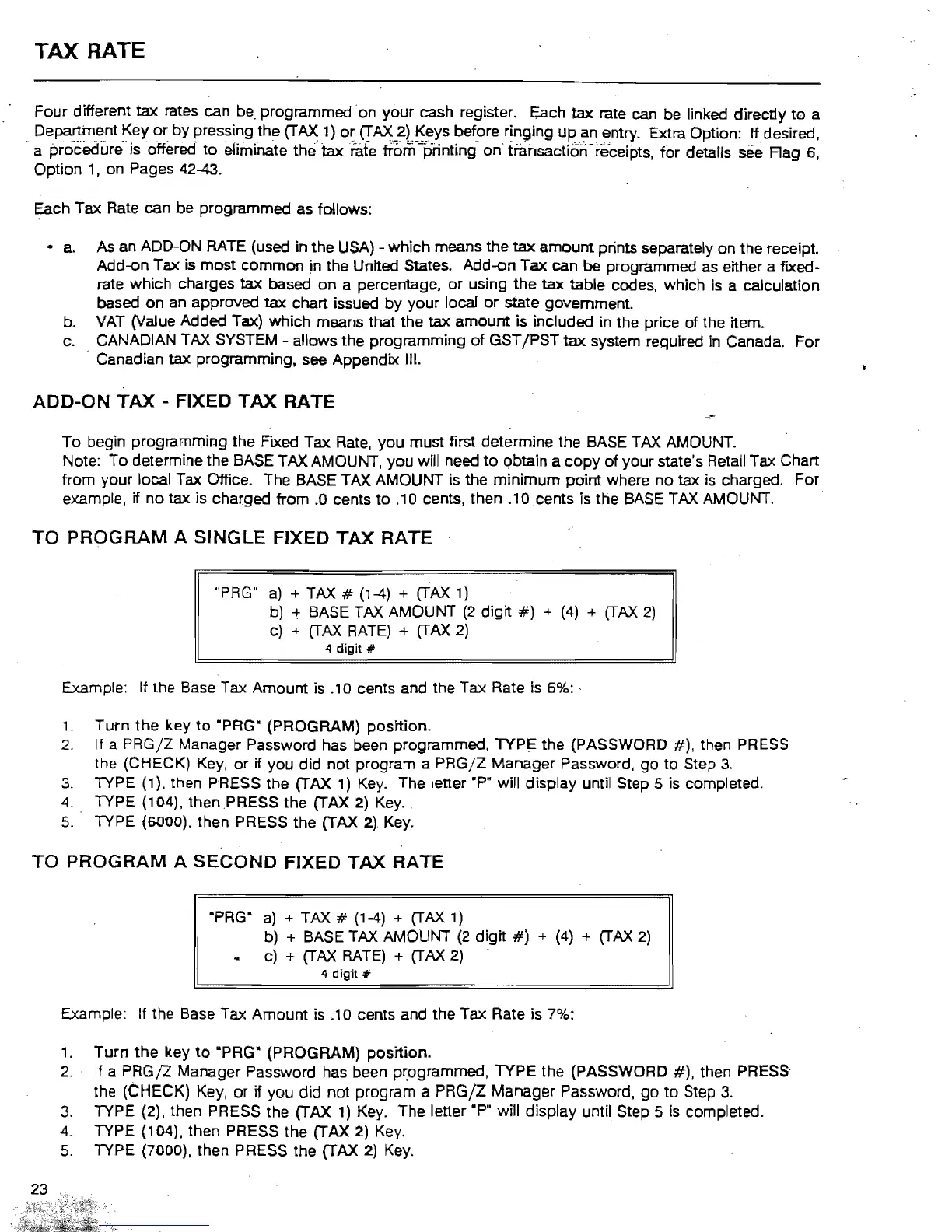
"PRG"
a)
+ TAX # (1-4) +
(fAX
1)
b) + BASE TAX AMOUNT
(2
digit
#)
+ (4) +
(fAX
2)
c) +
(fAX
RATE)
+
(fAX
2)
4
digit;;
Example: If the Base Tax
Amount
is .10 cents and the
Tax
Rate is
6"1,,:
.
,.
Turn
the
key
to
·PRG" (PROGRAM)
position.
2.
If
a
PRGjZ
Manager Password has been programmed,
TYPE
the
(PASSWORD
#),
then PRESS
the (CHECK) Key.
or
if
you
did
not
program a
PRGjZ
Manager
Password,
go
to
Step
3.
3.
TYPE (1), then PRESS the (TAX
1)
Key. The letter
.p.
will
display
until Step 5 is completed.
4. TYPE (104). then .PRESS
the
(TAX 2) Key.
5.
TYPE (6000). then PRESS the (TAX 2) Key.
TO
PROGRAM
A
SECOND
FIXED
TAX
RATE
·PRG"
a)
+ TAX # (1-4) +
(fAX
1)
b)
+ BASE TAX AMOUNT
(2
digit
#)
+ (4) +
(fAX
2)
c)
+
(fAX
RATE)
+
(fAX
2)
4
digit;;
Example:
If
the Base Tax
Amount
is .10 cents and
the
Tax Rate is 7%:
1.
Turn
the
key
to
·PRG" (PROGRAM)
position.
2.
If a
PRGjZ
Manager Password has been
p~ogrammed,
TYPE
the (PASSWORD
#).
then PRESS'
the
(CHECK)
Key.
or
if
you
did
not
program a
PRGjZ
Manager Password,
go
to
Step
3.
3.
TYPE (2), then PRESS the (TAX
1)
Key. The letter
.p"
will display until Step 5 is completed.
4. TYPE (104). then PRESS the (TAX 2) Key.
5.
TYPE (7000), then PRESS the (TAX 2) Key.



 To Next Page