TRANSACTION EXAMPLES FOR OPERATING THE CASH REGISTER
NOTE:
Tum
the
key
the
"REG- (REGISTER)
position
for
registering
sales
trltnsactions.--
rMPORTANT: It is not necessary
to
press
the
Decirnc:ll
Point when ringing
up'~a
'price. ' -
REMINDER: If Clerk Numbers are programmed, be sure
to
TYPE the (CLERK
#),
then PRESS
the (CLERK) Key before ringing
up
a sale.
'In
the examples below, Department 1 is programmed
as
taxable with a
6%
(TAX 1) rate and Clerk
#1
is used.
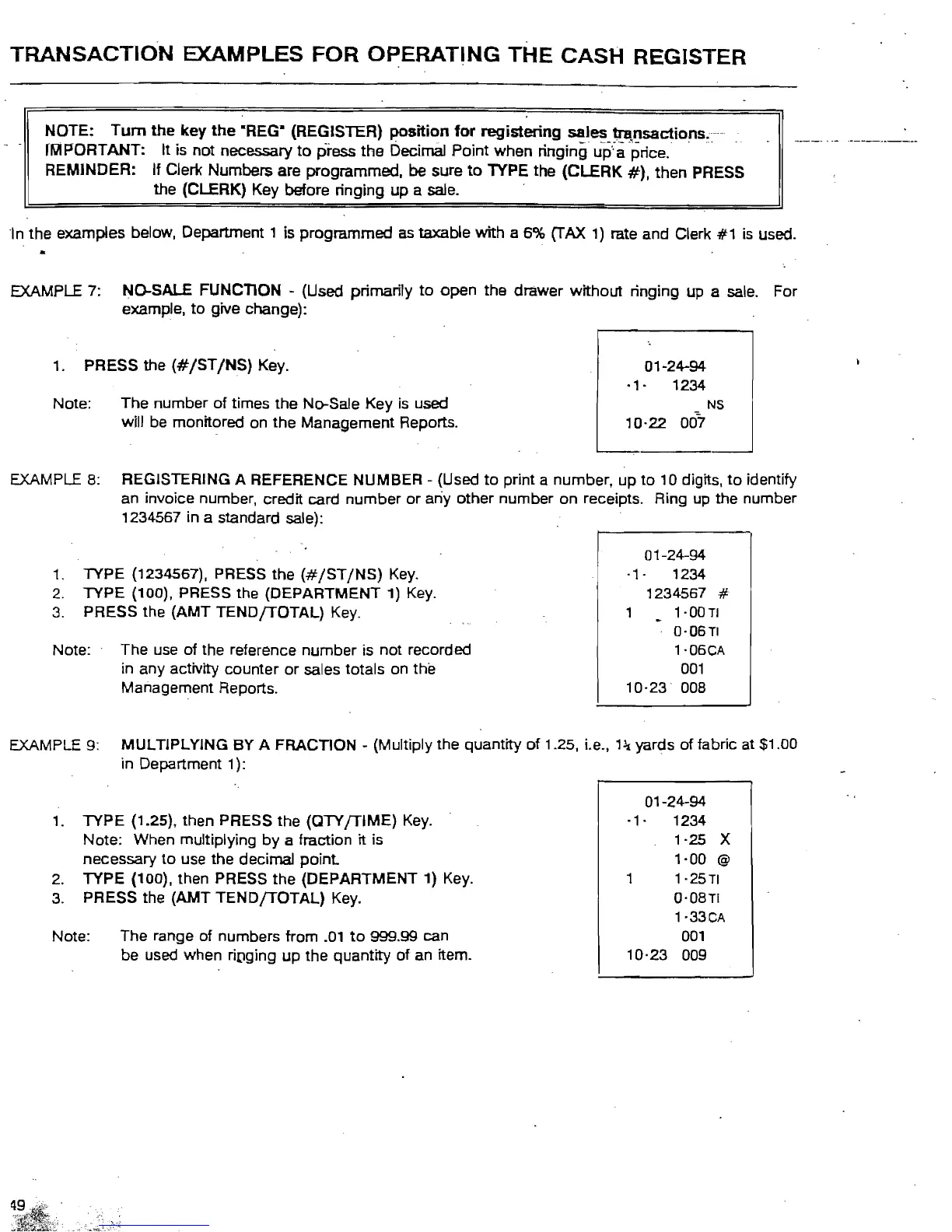
EXAMPLE 7: NO-SALE FUNCTION - (Used primarily
to
open the drawer without ringing up a sale. For
example,
to
give change):
1.
PRESS the
(#/ST/NS)
Key.
01-24-94
·1·
1234
Note: The number of times the No-Sale Key is used
':.
NS
will be monitored on the Management Reports.
10·22
007
EXAMPLE
8:
REGISTERING A REFERENCE NUMBER - (Used
to
print a number, up
to
10 digits,
to
identify
an invoice number, credit card number
or
any other number on receipts. Ring up the number
1234567 in a standard sale):
01-24-94
1. TYPE (1234567), PRESS the
(#jSTjNS)
Key.
·1·
1234
2.
TYPE (100), PRESS the (DEPARTMENT 1)
Key.
1234567
#
3.
PRESS the (AMT TENDfTOTAL)
Key.
1·00TI
0'06TI
Note: The
use
of the reference number is not recorded
l'06CA
in
any activity counter
or
sales totals on the
001
Management Reports.
10·23
008
EXAMPLE 9: MULTIPLYING BY A FRACTION - (Multiply the quantity
of
1.25, Le.,
13:l
yards of fabric at $1.00
in Department 1):
01-24-94
1.
TYPE (1.25), then PRESS the (QTY
fTIME)
Key.
·1·
1234
Note: When multiplying
by
a fraction it is 1·25 X
necessary
to
use the decimal
point
1·00
@
2.
TYPE (100), then PRESS the (DEPARTMENT 1) Key. 1 1·25TI
0·08TI
1·33CA
Note: The range of numbers from
.01
to
999.99 can
3.
PRESS the (AMT
TENDfTOTAL)
Key.
001
be used when riDging
up
the quantity
of
an
item.
10·23
009



 To Next Page