EasyManua.ls Logo

Royal 482NT - Clerk Report

Default Icon
83 pages
Print Icon
To Next Page IconTo Next Page
To Previous Page IconTo Previous Page
Loading...
XfZ
MANAGEMENT REPORTS
(Continued)
TO
TAKE A
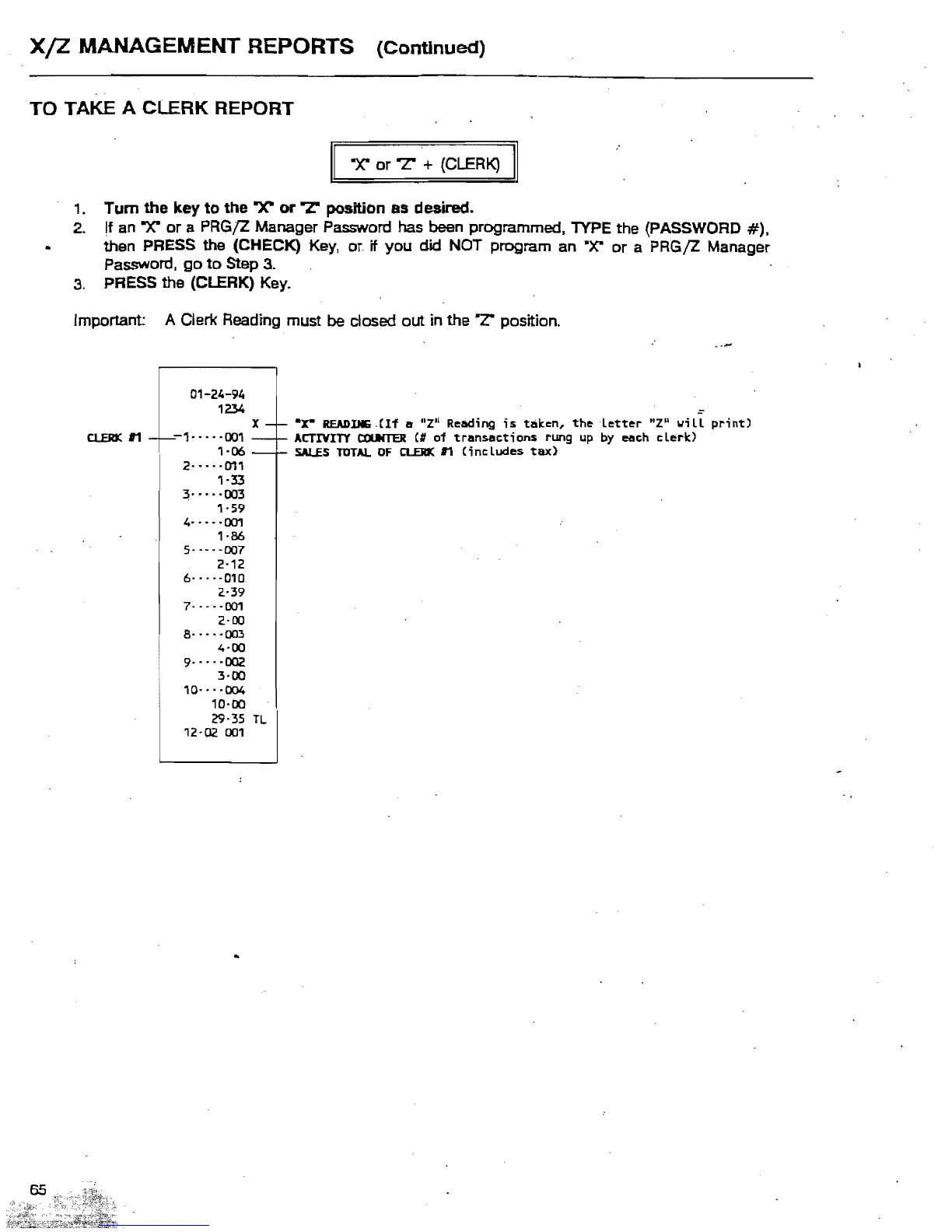
CLERK
REPORT
II
A
or
'T
+ (CLERK)
II
,.
Turn the key
to
the
"X"
or
rz:
position
8S
desired.
2.
If
an A
or
a PRGJZ Manager Password has been programmed,
lYPE
the (PASSWORD
#),
then PRESS the (CHECK) Key,
or.
if
you
did NOT program
an
.X"
or
a
PRGjZ
Manager
Password,
go
to
Step
3_
3_
PRESS the (CLERK)
Key_
Important: A Clerk Reading must be closed out in
the
'T
position.
01-24-94
1234
X
-r-
-x-
READIJIIi
.CIf
It
"Z·i Read;ng
;s
tak.en,
the
letter
"z
..
\/;
II
print)
CLERK
11
-f---1-
- - - ·001
-f-
ACTIVITY
a:urTER
(II
of
transactions
rung up
by
each
clerk.)
'-06
-f-
SALES
TOTAl
OF
CLERK
11
(includes
tax)
....
011
'-33
:;·····003
1'59
4··
..
·001
1·86
..
·007
2·12
6····
·010
2·39
...
-001
2·00
8····
·003
4·00
9···
'-002
3·00
10·
..
·004
10-00
29·35
TL
12·02
001

Table of Contents

Related product manuals